
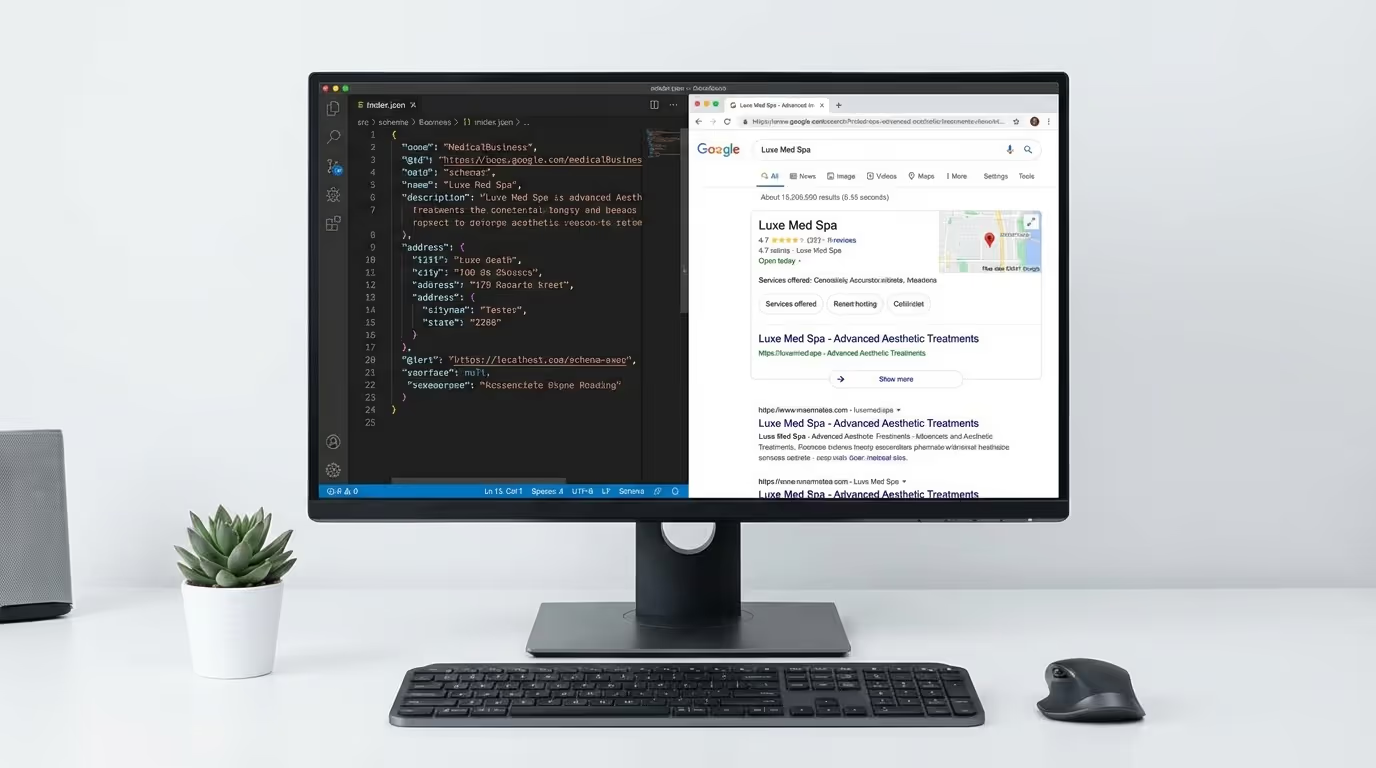
Here is a competitive advantage that 90% of med spas are ignoring: med spa schema markup. It is structured data you add to your website's code that tells Google exactly what your business is, what services you offer, where you are located, and what patients say about you.
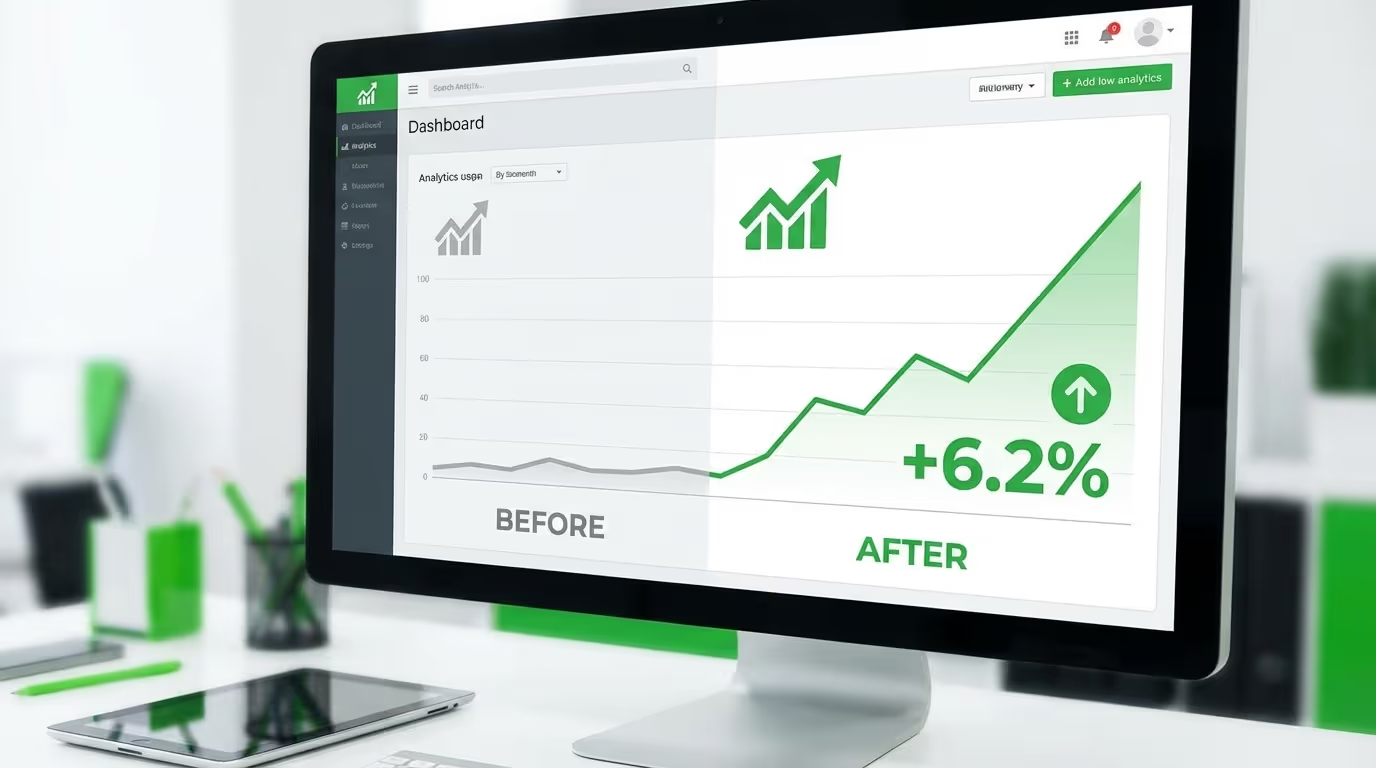
The result? Rich snippets in search results — star ratings, FAQ dropdowns, pricing information, business hours, and service details that make your listing visually larger and more compelling than competitors. Higher click-through rates. Better local search visibility. Faster indexation of new pages.
We audit dozens of med spa websites every month and fewer than 10% have any med spa structured data at all. The ones that do usually have it implemented incorrectly — missing required fields, mismatched NAP data, or schema types that Google does not support for their use case.
Med spa schema markup is a technical SEO advantage that is free, relatively straightforward to implement, and immediately impactful. This guide covers every schema type a med spa needs, complete with copy-paste code examples, implementation instructions for every platform, validation steps, and the metrics to track impact.
What Is Med Spa Schema Markup and Why It Matters
Schema markup is a vocabulary of structured data tags (defined at schema.org) that you add to your website's HTML code. It does not change how your website looks to visitors. It changes how search engines understand and display your website in results.
Think of it this way: when Google crawls your website, it reads your content and tries to figure out what your business is, where you are, what you offer, and how patients rate you. Without schema, Google is guessing — parsing unstructured text and making inferences. With schema markup, you are telling Google directly in a language it understands natively.
The Specific Benefits for Med Spas
| Benefit | How It Works | Quantified Impact |
|---|---|---|
| Rich snippets | Enhanced search results with stars, FAQs, pricing, hours | 20-30% higher CTR vs. standard listings |
| Local pack improvements | Schema connects your site to your GBP and verifies business data | Improved chances of local map pack appearance |
| FAQ visibility | FAQ schema displays expandable Q&As directly in search results | 2-4x more visual real estate in SERPs |
| Voice search optimization | Schema helps Google serve your content for voice queries | Growing channel for treatment cost and "near me" queries |
| Knowledge panel enhancement | Complete schema contributes to richer knowledge panels | Stronger brand presence for branded searches |
| Faster indexation | Structured data helps Google understand new pages faster | New pages indexed 2-5 days sooner |
| Keyword relevance signals | Service schema reinforces your treatment keyword targeting | Supports ranking for treatment-specific queries |
The Competitive Advantage Window
Currently, fewer than 10% of med spa websites implement schema markup correctly. Compare that to e-commerce (60%+) or enterprise companies (80%+). This means implementing schema today gives you a genuine advantage over the vast majority of competitors in your market.
That window will close. As more med spa SEO becomes sophisticated, schema adoption will increase. Implement it before your competitors do.
The 9 Schema Types Every Med Spa Needs
1. MedicalBusiness / LocalBusiness Schema (Foundation)
This is your primary schema — it tells Google your business name, address, phone number, hours, website, and business type. It is the foundation everything else builds on.
Where to implement: Homepage and contact page.
Complete code example:
``json { "@context": "https://schema.org", "@type": "MedicalBusiness", "name": "Your Med Spa Name", "alternateName": "Your Med Spa Alternate Name", "image": "https://yourdomain.com/images/your-med-spa-exterior.jpg", "url": "https://yourdomain.com", "telephone": "+1-555-123-4567", "email": "info@yourdomain.com", "description": "Premier medical spa in Scottsdale offering Botox, dermal fillers, body contouring, laser treatments, and medical-grade skincare. Board-certified providers.", "address": { "@type": "PostalAddress", "streetAddress": "123 Main Street, Suite 100", "addressLocality": "Scottsdale", "addressRegion": "AZ", "postalCode": "85251", "addressCountry": "US" }, "geo": { "@type": "GeoCoordinates", "latitude": "33.4942", "longitude": "-111.9261" }, "openingHoursSpecification": [ { "@type": "OpeningHoursSpecification", "dayOfWeek": ["Monday", "Tuesday", "Wednesday", "Thursday", "Friday"], "opens": "09:00", "closes": "18:00" }, { "@type": "OpeningHoursSpecification", "dayOfWeek": "Saturday", "opens": "10:00", "closes": "16:00" } ], "priceRange": "$$", "paymentAccepted": ["Cash", "Credit Card", "Debit Card", "CareCredit", "Cherry"], "currenciesAccepted": "USD", "sameAs": [ "https://www.facebook.com/yourspa", "https://www.instagram.com/yourspa", "https://www.tiktok.com/@yourspa", "https://www.youtube.com/@yourspa", "https://www.linkedin.com/company/yourspa" ], "hasMap": "https://maps.google.com/?cid=YOURCID", "areaServed": [ { "@type": "City", "name": "Scottsdale" }, { "@type": "City", "name": "Phoenix" } ], "knowsAbout": [ "Botox", "Dermal Fillers", "CoolSculpting", "Laser Hair Removal", "Chemical Peels", "Microneedling", "Medical Weight Loss" ] } ``
Implementation steps:
- Get your exact business name, address, and phone from your Google Business Profile
- Your schema NAP must match your GBP NAP exactly — character for character
- Get your latitude/longitude from Google Maps (right-click your location pin)
- Find your Google Maps CID from your GBP URL
- List all social media profiles in the
sameAsfield - List all cities you serve in
areaServed - Include the
knowsAboutproperty with your core treatment keywords
Common mistakes:
- NAP mismatch between schema and GBP (e.g., "Suite 100" vs. "Ste 100")
- Missing geo coordinates
- Using
HealthAndBeautyBusinessinstead ofMedicalBusiness(use the most specific type) - Not listing all social profiles
- Forgetting to update hours when they change seasonally
2. Service / MedicalProcedure Schema
This tells Google about each specific treatment you offer. Implement on every individual service page.
For medical procedures (Botox, fillers, laser treatments):
``json { "@context": "https://schema.org", "@type": "MedicalProcedure", "name": "Botox Injections", "alternateName": "Botulinum Toxin Treatment", "description": "FDA-approved neuromodulator treatment that temporarily reduces facial wrinkles and fine lines. Results visible within 3-7 days, lasting 3-4 months.", "url": "https://yourdomain.com/services/botox", "bodyLocation": "Face", "procedureType": "https://schema.org/NoninvasiveProcedure", "howPerformed": "Botox is injected in small doses into targeted facial muscles using a fine needle. Treatment takes 15-30 minutes with no downtime required.", "preparation": "Avoid blood thinners, alcohol, and aspirin for 24-48 hours before treatment. Arrive with a clean face.", "followup": "Results appear within 3-7 days and last 3-4 months. Follow-up treatments recommended quarterly for maintained results.", "provider": { "@type": "MedicalBusiness", "name": "Your Med Spa Name", "url": "https://yourdomain.com" }, "offers": { "@type": "Offer", "price": "300", "priceCurrency": "USD", "priceValidUntil": "2026-12-31", "priceSpecification": { "@type": "UnitPriceSpecification", "price": "13", "priceCurrency": "USD", "unitText": "per unit" } } } ``
For non-medical treatments (facials, body treatments):
``json { "@context": "https://schema.org", "@type": "Service", "name": "HydraFacial Treatment", "description": "Multi-step facial treatment that cleanses, exfoliates, extracts, and hydrates skin for an immediate glow.", "url": "https://yourdomain.com/services/hydrafacial", "provider": { "@type": "MedicalBusiness", "name": "Your Med Spa Name" }, "offers": { "@type": "Offer", "price": "250", "priceCurrency": "USD", "priceValidUntil": "2026-12-31" }, "areaServed": { "@type": "City", "name": "Scottsdale" }, "serviceType": "Skin Treatment" } ``
Implementation steps:
- Create a separate schema block for each treatment page
- Use
MedicalProcedurefor clinical treatments andServicefor non-clinical - Include
offerswith pricing only if you display pricing on the page - Add the
providerproperty linking back to your MedicalBusiness - Include preparation and followup instructions (unique content Google values)
Common mistakes:
- Using the same generic description for all services
- Including pricing in schema but not on the visible page (policy violation)
- Missing the
providerlink to your business entity - Not updating
priceValidUntildates (expired dates signal stale data)
3. FAQ Schema
FAQ schema generates expandable question-and-answer dropdowns directly in search results. This is one of the highest-impact schema types for med spas because it dramatically increases your listing's visual footprint and captures informational search traffic.
Where to implement: Every service page and blog post that contains FAQ sections.
``json { "@context": "https://schema.org", "@type": "FAQPage", "mainEntity": [ { "@type": "Question", "name": "How much does Botox cost?", "acceptedAnswer": { "@type": "Answer", "text": "Botox typically costs $10-$15 per unit, with most patients needing 20-60 units per treatment. A typical forehead and crow's feet treatment ranges from $300-$600. Our practice offers competitive pricing with package discounts available." } }, { "@type": "Question", "name": "How long does Botox last?", "acceptedAnswer": { "@type": "Answer", "text": "Botox results typically last 3-4 months, though regular patients may see results lasting up to 4-6 months as muscles become conditioned. We recommend quarterly maintenance appointments." } }, { "@type": "Question", "name": "Does Botox hurt?", "acceptedAnswer": { "@type": "Answer", "text": "Most patients describe Botox injections as a mild pinch. The needles are very fine, and treatment takes only 15-30 minutes. Topical numbing cream can be applied for sensitive patients." } }, { "@type": "Question", "name": "What is the difference between Botox and fillers?", "acceptedAnswer": { "@type": "Answer", "text": "Botox relaxes muscles that cause wrinkles (forehead lines, crow's feet), while dermal fillers add volume to areas that have lost fullness (lips, cheeks, nasolabial folds). Many patients benefit from both treatments used together." } }, { "@type": "Question", "name": "How quickly will I see Botox results?", "acceptedAnswer": { "@type": "Answer", "text": "Botox results begin appearing within 3-5 days, with full results visible at 10-14 days. We schedule follow-up appointments at 2 weeks to assess results and make any adjustments." } } ] } ``
Best practices:
- Include 3-8 questions per page (Google may not display all)
- The schema Q&As must exactly match visible FAQ content on the page
- Use questions patients actually search — check Google Search Console and Google's "People Also Ask" for ideas
- Keep answers concise but thorough (2-4 sentences)
- Include treatment-specific FAQs on each service page
- Include keyword-rich natural language in answers
FAQ schema ideas by page type:
| Page Type | FAQ Topics | Example Questions |
|---|---|---|
| Botox page | Cost, duration, pain, frequency, side effects | "How much does Botox cost in [city]?" |
| Filler page | Types, cost, longevity, natural results | "What type of filler is best for lips?" |
| Body contouring page | Cost, results timeline, candidates, sessions | "How many CoolSculpting sessions do I need?" |
| Pricing page | Insurance, financing, packages, consultations | "Does insurance cover med spa treatments?" |
| General practice page | Credentials, experience, what to expect | "What should I expect at my first med spa visit?" |
4. AggregateRating / Review Schema
Star ratings in search results are powerful trust signals. This schema requires strict compliance with Google guidelines.
``json { "@context": "https://schema.org", "@type": "MedicalBusiness", "name": "Your Med Spa Name", "aggregateRating": { "@type": "AggregateRating", "ratingValue": "4.9", "reviewCount": "287", "bestRating": "5", "worstRating": "1" }, "review": [ { "@type": "Review", "author": { "@type": "Person", "name": "Sarah M." }, "datePublished": "2026-08-15", "reviewBody": "Best Botox experience I've ever had. Dr. Smith was thorough and my results look completely natural.", "reviewRating": { "@type": "Rating", "ratingValue": "5", "bestRating": "5" } } ] } ``
Critical guidelines:
- Only use AggregateRating on pages that actually display patient reviews
- Rating value and review count must match your real data exactly
- Update these numbers monthly at minimum
- Do not use review schema on your homepage unless reviews are visibly displayed there
- If a third-party review widget already adds its own schema, do not duplicate
- Self-served review markup on pages without visible reviews violates Google's policy
Read our Google reviews guide for the complete review strategy.
5. Person Schema (Providers)
Each provider should have Person schema on their bio page. This builds entity recognition in Google's knowledge graph.
``json { "@context": "https://schema.org", "@type": "Person", "name": "Dr. Jane Smith", "jobTitle": "Medical Director", "description": "Board-certified physician specializing in aesthetic medicine with over 10 years of experience in injectable treatments, laser procedures, and facial rejuvenation.", "image": "https://yourdomain.com/images/dr-jane-smith.jpg", "url": "https://yourdomain.com/team/dr-jane-smith", "worksFor": { "@type": "MedicalBusiness", "name": "Your Med Spa Name", "url": "https://yourdomain.com" }, "alumniOf": [ { "@type": "EducationalOrganization", "name": "University of Arizona College of Medicine" } ], "hasCredential": [ { "@type": "EducationalOccupationalCredential", "credentialCategory": "Board Certification", "name": "Board Certified in Family Medicine" }, { "@type": "EducationalOccupationalCredential", "credentialCategory": "Professional Certification", "name": "Allergan Medical Institute Trainer" } ], "knowsAbout": ["Botox", "Dermal Fillers", "Facial Rejuvenation", "Aesthetic Medicine"], "sameAs": [ "https://www.linkedin.com/in/drjanesmith", "https://www.realself.com/dr/jane-smith" ] } ``
Implementation steps:
- Create Person schema for every provider with a bio page
- Include all credentials, certifications, and education
- Link their
worksForto your MedicalBusiness entity - Add their professional social profiles in
sameAs - Include
knowsAboutwith their specialization keywords
6. BlogPosting / Article Schema
Every blog post should have Article or BlogPosting schema. This helps with Google Discover eligibility, featured snippets, and content attribution.
``json { "@context": "https://schema.org", "@type": "BlogPosting", "headline": "How Long Does Botox Last? Everything You Need to Know", "description": "Complete guide to Botox longevity, factors that affect duration, and tips to make your results last longer.", "image": "https://yourdomain.com/blog/images/botox-duration.jpg", "author": { "@type": "Person", "name": "Dr. Jane Smith", "url": "https://yourdomain.com/team/dr-jane-smith" }, "publisher": { "@type": "Organization", "name": "Your Med Spa Name", "logo": { "@type": "ImageObject", "url": "https://yourdomain.com/images/logo.png" } }, "datePublished": "2026-06-15", "dateModified": "2026-08-20", "mainEntityOfPage": { "@type": "WebPage", "@id": "https://yourdomain.com/blog/how-long-does-botox-last" }, "wordCount": "2500", "keywords": ["Botox duration", "how long Botox lasts", "Botox maintenance"] } ``
Build this into every blog post template for your content strategy. If you are publishing regularly (as recommended in our content ideas guide), automating this schema saves significant time.
7. BreadcrumbList Schema
Breadcrumb schema tells Google the hierarchical structure of your pages and can display navigation paths in search results.
``json { "@context": "https://schema.org", "@type": "BreadcrumbList", "itemListElement": [ { "@type": "ListItem", "position": 1, "name": "Home", "item": "https://yourdomain.com" }, { "@type": "ListItem", "position": 2, "name": "Services", "item": "https://yourdomain.com/services" }, { "@type": "ListItem", "position": 3, "name": "Botox", "item": "https://yourdomain.com/services/botox" } ] } ``
Where to implement: Every page except the homepage.
8. Event Schema (Promotions and Open Houses)
Running an event, open house, or special promotion? Event schema can get your listing into Google's event carousel.
``json { "@context": "https://schema.org", "@type": "Event", "name": "Fall Rejuvenation Open House", "startDate": "2026-10-15T17:00:00-07:00", "endDate": "2026-10-15T20:00:00-07:00", "eventStatus": "https://schema.org/EventScheduled", "eventAttendanceMode": "https://schema.org/OfflineEventAttendanceMode", "location": { "@type": "Place", "name": "Your Med Spa Name", "address": { "@type": "PostalAddress", "streetAddress": "123 Main Street, Suite 100", "addressLocality": "Scottsdale", "addressRegion": "AZ", "postalCode": "85251" } }, "offers": { "@type": "Offer", "price": "0", "priceCurrency": "USD", "availability": "https://schema.org/InStock", "validFrom": "2026-09-15" }, "description": "Join us for complimentary consultations, live treatment demos, exclusive event-only pricing, refreshments, and giveaways.", "organizer": { "@type": "MedicalBusiness", "name": "Your Med Spa Name", "url": "https://yourdomain.com" } } ``
If you run events as part of your promotion strategy, add Event schema to the event page at least 4-6 weeks before the date.
9. VideoObject Schema
If you have treatment videos, provider Q&A videos, or patient testimonials on your website, add VideoObject schema to help them appear in Google's video carousel.
``json { "@context": "https://schema.org", "@type": "VideoObject", "name": "What to Expect During Your First Botox Treatment", "description": "Dr. Jane Smith walks through the complete Botox treatment process, from consultation to injection to aftercare.", "thumbnailUrl": "https://yourdomain.com/videos/thumbnails/botox-treatment.jpg", "uploadDate": "2026-06-01", "duration": "PT3M45S", "contentUrl": "https://yourdomain.com/videos/botox-treatment.mp4", "embedUrl": "https://www.youtube.com/embed/VIDEO_ID", "publisher": { "@type": "Organization", "name": "Your Med Spa Name", "logo": { "@type": "ImageObject", "url": "https://yourdomain.com/images/logo.png" } } } ``
Video schema is increasingly important as Google displays video results for treatment-related queries. Your photography and video content is a significant SEO asset when properly marked up.
How to Implement Schema Markup
Method 1: JSON-LD (Recommended by Google)
JSON-LD is a JavaScript block you place in the <head> or <body> of your HTML. It is Google's recommended format because it does not interfere with visible content and is easy to maintain.
Implementation steps:
- Write your schema in JSON-LD format (use the templates above)
- Wrap it in a
<script type="application/ld+json">tag - Place it in the
<head>section of the relevant page - You can include multiple schema blocks per page using separate script tags or a
@grapharray
``html <script type="application/ld+json"> { "@context": "https://schema.org", "@graph": [ { "@type": "MedicalBusiness", "name": "Your Med Spa Name", ... }, { "@type": "BreadcrumbList", ... }, { "@type": "FAQPage", ... } ] } </script> ``
Method 2: Platform-Specific Implementation
| Platform | Where to Add Schema | Notes |
|---|---|---|
| Webflow | Page Settings > Custom Code > Head Code | Add per-page or use CMS template fields for dynamic schema |
| WordPress + Yoast | Yoast handles basic schema automatically; add custom JSON-LD via theme header or plugin | Yoast covers Article and Organization; add MedicalProcedure and FAQ manually |
| WordPress + Rank Math | Built-in schema editor supports multiple types | Most comprehensive WordPress solution for schema |
| Squarespace | Settings > Advanced > Code Injection > Header | Limited per-page options; use sitewide header for LocalBusiness |
| Wix | Settings > Custom Code > Head | Add per page or sitewide |
| Custom/headless CMS | Template files or component-level injection | Most flexible — build schema generation into your page templates |
Platform-specific tips for Webflow (our recommended platform):
- Add site-wide LocalBusiness schema in Project Settings > Custom Code > Head
- Add page-specific schema (Service, FAQ, BlogPosting) in each page's Settings > Custom Code > Head
- For CMS-driven pages (blog posts, treatments), use CMS fields to populate schema variables
- Use Webflow's built-in sitemap and meta tag tools alongside manual schema
Method 3: Google Tag Manager
If you cannot edit your website's HTML directly, deploy schema through Google Tag Manager using custom HTML tags.
Implementation steps:
- Create a new tag in GTM
- Select "Custom HTML"
- Paste your JSON-LD schema (including the
<script>tags) - Set the trigger to fire on the specific page(s)
- Publish the GTM container
Caveat: Google may not always process GTM-injected schema as reliably as directly embedded schema. Use this method only when direct embedding is not possible.
How to Validate Your Schema
Validation Tools and Process
| Tool | URL | What It Tests | When to Use |
|---|---|---|---|
| Google Rich Results Test | search.google.com/test/rich-results | Which rich results your page is eligible for | Primary validation — always use this |
| Schema Markup Validator | validator.schema.org | Full schema.org specification compliance | Secondary validation for completeness |
| Google Search Console | Enhancements tab | Schema types detected across your entire site + errors | Weekly monitoring |
| Structured Data Testing Tool | Retired — use Rich Results Test | N/A | Do not use (deprecated) |
Validation workflow:
- Implement schema on a page
- Run the Google Rich Results Test with the page URL
- Fix any errors (red) immediately
- Address warnings (yellow) when possible
- Run the Schema Markup Validator for additional compliance issues
- Check Google Search Console Enhancements within 1-2 weeks for site-wide confirmation
- Set a monthly calendar reminder to review schema status in GSC
Common Validation Errors and Fixes
| Error | Cause | Fix |
|---|---|---|
| "Missing field 'name'" | Required field not included | Add the missing field to your schema |
| "Invalid value for 'url'" | Malformed or missing URL | Use full absolute URLs (https://...) |
| "Mismatched data" | Schema says one thing, page says another | Ensure schema data matches visible page content |
| "Review/Rating on non-review page" | AggregateRating on page without visible reviews | Only use review schema on pages that display reviews |
| "FAQ answers don't match page content" | Schema Q&As differ from visible FAQ | Match schema exactly to visible content |
| "Invalid date format" | Wrong date format | Use ISO 8601: YYYY-MM-DD |
| "Missing 'image' for Article" | BlogPosting without image property | Add featured image URL to article schema |
Complete Schema Implementation Checklist
Homepage
- [ ] MedicalBusiness schema with complete NAP, hours, geo, social links, areaServed
- [ ] Organization schema with logo
- [ ] AggregateRating (only if reviews are displayed on homepage)
- [ ] BreadcrumbList (if applicable)
Each Service/Treatment Page
- [ ] MedicalProcedure or Service schema with complete treatment details
- [ ] FAQ schema with 3-8 treatment-specific questions
- [ ] BreadcrumbList schema
- [ ] Offer schema (if pricing is displayed on the page)
Provider/Team Pages
- [ ] Person schema for each provider
- [ ] Credentials, education, and certifications included
- [ ]
worksForlinked to your MedicalBusiness entity
Blog Posts
- [ ] BlogPosting schema with author, publisher, dates
- [ ] FAQ schema (if the post contains an FAQ section)
- [ ] BreadcrumbList schema
- [ ] Image and word count included
Contact Page
- [ ] LocalBusiness schema with complete NAP
- [ ] Identical NAP to homepage schema and Google Business Profile
Location Pages (Multi-Location)
- [ ] Separate LocalBusiness schema for each location
- [ ] Unique geo coordinates per location
- [ ] Location-specific hours and contact info
- [ ] Location-specific
areaServed
Event/Promotion Pages
- [ ] Event schema with dates, location, offers
- [ ] Added at least 4-6 weeks before event date
Advanced Schema Strategies
Multi-Location Schema Architecture
If you have multiple locations (or plan to — see our growth guide), each location needs its own LocalBusiness schema with unique data.
On your main website, use an Organization schema with a department property listing each location:
``json { "@context": "https://schema.org", "@type": "MedicalBusiness", "name": "Your Med Spa Name", "url": "https://yourdomain.com", "department": [ { "@type": "MedicalBusiness", "name": "Your Med Spa — Scottsdale", "address": { "@type": "PostalAddress", "streetAddress": "123 Main St", "addressLocality": "Scottsdale", "addressRegion": "AZ" }, "telephone": "+1-555-123-4567", "url": "https://yourdomain.com/locations/scottsdale" }, { "@type": "MedicalBusiness", "name": "Your Med Spa — Phoenix", "address": { "@type": "PostalAddress", "streetAddress": "456 Oak Ave", "addressLocality": "Phoenix", "addressRegion": "AZ" }, "telephone": "+1-555-987-6543", "url": "https://yourdomain.com/locations/phoenix" } ] } ``
Implementation steps:
- Create a dedicated location page for each location
- Each location page gets its own complete LocalBusiness schema
- The main site gets Organization schema with
departmentreferences - Ensure each location's NAP matches its respective GBP listing
- Use location-specific geo coordinates (do not share coordinates between locations)
Schema + Content Strategy Integration
For maximum SEO impact, align your schema implementation with your content strategy:
| Content Type | Schema Types to Include | SEO Benefit |
|---|---|---|
| Treatment pillar pages | MedicalProcedure + FAQ + BreadcrumbList + Offer | Rich snippets for treatment searches |
| Treatment cost pages | Service + FAQ + BreadcrumbList | FAQ rich results for "how much does X cost" |
| Treatment comparison posts | BlogPosting + FAQ | Featured snippet opportunity |
| Provider spotlight posts | BlogPosting + Person | Entity building for providers |
| Case study posts | BlogPosting + Review | Social proof in search results |
| Local SEO pages | LocalBusiness + Service + BreadcrumbList | Local pack ranking support |
Maintaining Schema Over Time
Schema is not a one-time implementation. Set a maintenance schedule:
| Frequency | Maintenance Task |
|---|---|
| Monthly | Update AggregateRating review count and rating |
| Monthly | Check Google Search Console Enhancements for errors |
| Quarterly | Verify NAP consistency across all schema, GBP, and directory listings |
| Quarterly | Update pricing in Offer schema if prices changed |
| As needed | Add schema to new pages (service pages, blog posts, location pages) |
| Annually | Full schema audit — run every page through Rich Results Test |
Measuring the Impact of Schema Markup
Schema benefits are measurable. Set up tracking before implementation to establish baselines, then compare.
Key Metrics to Track
| Metric | Where to Track | What to Look For | Expected Improvement |
|---|---|---|---|
| Click-through rate | Google Search Console | Rich results should increase CTR | +15-30% for pages with FAQ/star schema |
| Impressions | Google Search Console | Schema helps pages appear for more queries | +10-20% over 4-6 weeks |
| Rich result appearances | GSC > Enhancements | Confirm your schema types are recognized | Varies — FAQ and review most common |
| Average position | Google Search Console | Indirect support through engagement signals | Modest improvement (0.5-2 positions) |
| Organic traffic | Google Analytics | More clicks from same impressions = more traffic | +15-30% to schema-enhanced pages |
| Local pack appearances | Manual tracking or rank tracker | LocalBusiness schema supports map pack ranking | +10-25% more map pack appearances |
Timeline for results: Allow 4-6 weeks after implementation for meaningful Search Console data. Rich results may appear within 1-2 weeks of Google re-crawling the page.
Before/After Comparison Template
| Page | Metric | Before Schema | After Schema (6 weeks) | Change |
|---|---|---|---|---|
| Homepage | CTR | % | % | |
| Botox page | CTR | % | % | |
| Botox page | Impressions | |||
| Filler page | CTR | % | % | |
| Blog posts (avg) | CTR | % | % | |
| Local pack appearances | Count/week |
Common Implementation Mistakes to Avoid
| Mistake | Why It Happens | Impact | Fix |
|---|---|---|---|
| Implementing schema with no visible page content to match | Trying to trigger rich results without effort | Policy violation, potential penalty | Schema must match visible content |
| NAP inconsistency between schema, GBP, and website | Different team members update different properties | Weakened local SEO signals | Designate one person to maintain NAP |
| Duplicate schema from plugins + manual code | Plugin adds its own schema, you add custom | Conflicting signals confuse Google | Audit all schema sources, eliminate duplicates |
| Never updating AggregateRating numbers | Forget to maintain | Stale data, potential policy issue | Monthly update schedule |
| Using schema types Google does not support for rich results | Misunderstanding which types trigger features | No visible benefit | Check Google's structured data gallery for supported types |
| Over-using FAQ schema across all pages | Wanting FAQ rich results everywhere | Diminishing returns, Google may ignore | Use on 10-20 highest-value pages |
| Not validating after implementation | Assuming it works | Errors silently preventing rich results | Always validate with Rich Results Test |
The Bottom Line
Schema markup is one of the highest-ROI technical SEO investments a med spa can make. It is free to implement. It differentiates your search listings from the 90%+ of competitors who are not using it. And it gives Google clear, structured signals about your business that improve visibility in both local and organic search.
The implementation follows a clear sequence: start with MedicalBusiness schema on your homepage, add Service and FAQ schema to treatment pages, validate everything with Google's Rich Results Test, and then expand to providers, blog posts, events, and video content.
The entire core implementation can be completed in a single day. Ongoing maintenance takes 30 minutes per month. The competitive advantage starts accruing within weeks of Google re-crawling your pages.
Pair schema markup with strong SEO fundamentals, keyword-targeted content, link building, and Google Business Profile optimization for the complete technical SEO foundation.
Every day without schema is a day your competitors could implement it and close your window. Do it this week.
Want us to audit your med spa's technical SEO — including schema markup, site speed, mobile usability, and indexation? Get Your Free Marketing Audit — We will run your site through every validation tool, identify missing schema opportunities, flag errors, and give you a prioritized implementation plan. Med spas only.