
Choosing the right med spa website platform is one of the most consequential decisions you will make for your online presence. You need a new website for your med spa — or you need to rebuild the one you have because it is slow, outdated, and not generating leads. Either way, the first decision: which platform?
This decision matters more than most practice owners realize. Your website platform determines your page speed, your SEO ceiling, your design flexibility, your ongoing maintenance burden, your security posture, and ultimately, how many patients your website converts.
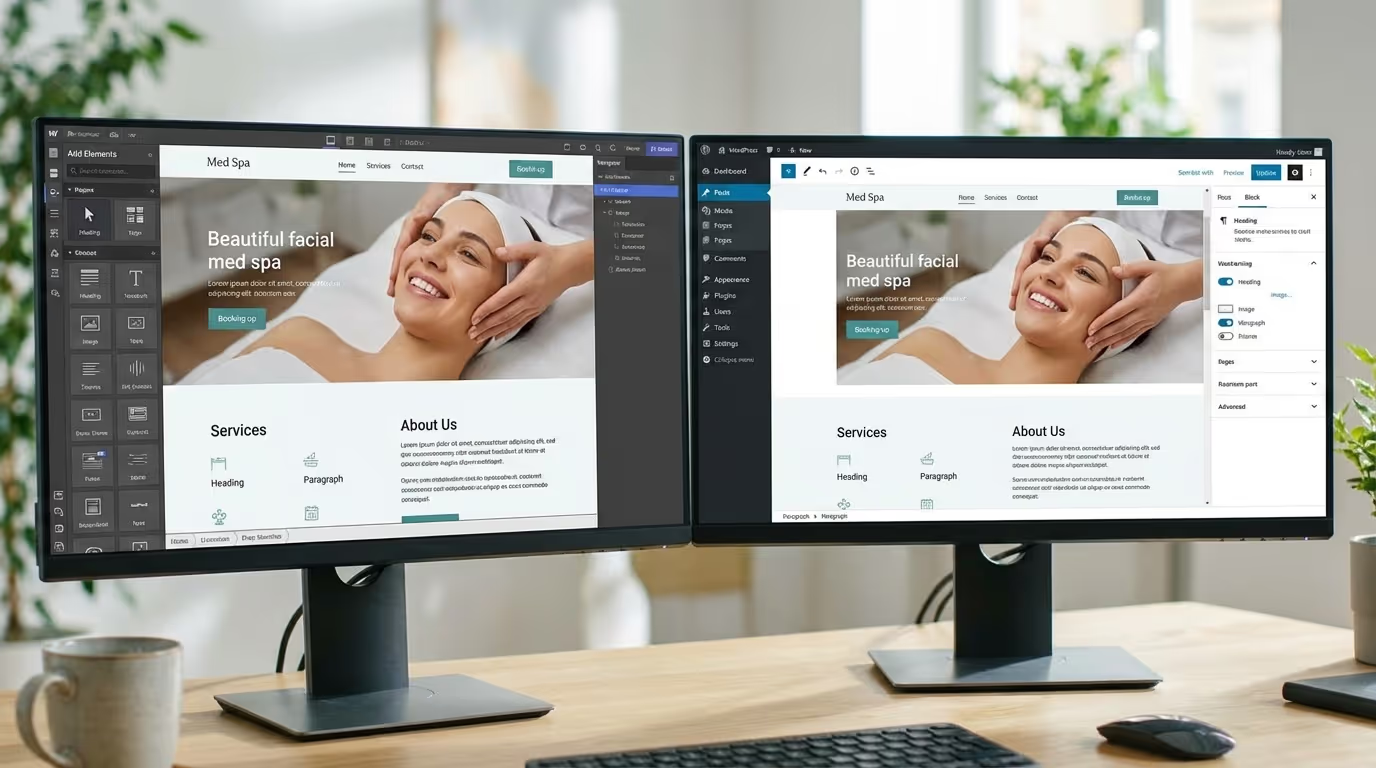
The two platforms that dominate the med spa conversation in 2026 are WordPress and Webflow. There are others — Squarespace, Wix, custom-built — but for practices serious about growth, the real debate is between these two.
We have built med spa websites on both platforms. We have migrated sites from one to the other. We have the conversion data showing what actually performs. If you are searching for the best website platform for med spas, this is the honest, data-backed comparison you need before making a decision.
The Quick Answer: Which Med Spa Website Platform Wins?
WordPress is the right choice if you need maximum plugin flexibility, have a reliable developer on retainer, and are comfortable managing updates, security patches, and plugin conflicts.
Webflow is the right choice if you want superior performance out of the box, visual design control without code, built-in hosting and security, and lower ongoing maintenance.
For most med spas in 2026, Webflow wins. But there are legitimate scenarios where WordPress is better. Here is the complete med spa website platform analysis.
WordPress: The Incumbent
WordPress powers roughly 43% of all websites on the internet. It has been the default choice for med spa websites for over a decade. That dominance creates both advantages and limitations.
WordPress Strengths for Med Spas
Plugin ecosystem (59,000+). Whatever you need — online booking, HIPAA-compliant forms, review aggregation, before-and-after galleries, SEO tools, e-commerce — there is a plugin. This flexibility is unmatched by any other platform.
Content management. WordPress was built for content. Adding blog posts, editing pages, and managing media is intuitive. For practices publishing regular content, the editor experience is excellent.
Developer availability. Millions of WordPress developers worldwide. Competitive pricing, readily available support, and easy replacement if your current developer disappears.
Familiarity. Many med spa owners and staff have used WordPress. Minimal learning curve for basic updates.
Low entry cost. A WordPress site can launch for a few hundred dollars using a premium theme and plugins. The barrier to starting is the lowest of any serious platform.
WordPress Weaknesses for Med Spas
Performance (the biggest liability).
A typical med spa WordPress site runs 15-25 plugins, a feature-rich theme with unused code, and shared hosting. Result: 4-6 second page loads on mobile.
| WordPress Performance Reality | Typical Score | Impact |
|---|---|---|
| Mobile PageSpeed score (out of 100) | 25-45 | "Poor" — Google ranking penalty |
| Largest Contentful Paint (LCP) | 4-7 seconds | 50%+ mobile visitors abandon |
| Total plugins loaded per page | 15-25 | Each adds JavaScript + CSS overhead |
| Unused CSS/JS per page | 40-60% of loaded code | Wasted bandwidth and render time |
| Time to optimize to acceptable speed | 10-20+ hours | Ongoing battle against architecture |
You can optimize WordPress for speed — caching plugins, CDNs, image optimization, code minification — but you are fighting the architecture. You are bolting solutions onto a platform not designed for performance-first delivery.
Security (the second biggest liability).
WordPress is the most attacked CMS in the world. Not because it is inherently insecure, but because its popularity and plugin ecosystem create a massive attack surface. Every plugin is a potential vulnerability.
| Security Risk | Details |
|---|---|
| Known vulnerabilities | 97% of WordPress security breaches involve plugins or themes |
| Attack frequency | WordPress sites see an average of 90,000 attack attempts per minute globally |
| Update burden | Core + theme + 15-25 plugins = monthly security update cycle |
| Breach cost (average) | $25,000-$50,000 (downtime + recovery + trust damage) |
Med spas handling patient information cannot afford security incidents. A compromised website erodes trust and can violate compliance requirements.
Maintenance burden.
WordPress requires ongoing maintenance: core updates, theme updates, plugin updates, security patches, database optimization, backup verification, and compatibility testing. A plugin update can break your site. A core update can conflict with your theme.
| Maintenance Task | Frequency | Time Required | Risk If Skipped |
|---|---|---|---|
| WordPress core update | Monthly | 30-60 min (with testing) | Security vulnerability |
| Plugin updates (15-25 plugins) | Weekly-Monthly | 1-2 hours (with compatibility testing) | Security + compatibility issues |
| Theme updates | Monthly | 30-60 min | Security vulnerability |
| Database optimization | Monthly | 15-30 min | Performance degradation |
| Backup verification | Weekly | 15-30 min | Data loss risk |
| Security scans | Weekly | Automated + review | Undetected compromises |
| Total monthly maintenance | 4-8 hours | — |
This maintenance costs time (yours) or money (developer retainer of $200-$400/month).
Design constraints with themes.
Most WordPress med spa sites use pre-built themes. These look decent initially but limit you: your site resembles dozens of others using the same theme, customization requires a developer, and the theme's code bloat tanks performance.
Custom WordPress development eliminates theme limitations but costs $8,000-$20,000+ and requires ongoing developer access for any structural changes.
Plugin conflicts.
Your booking system, SEO tool, security plugin, caching plugin, form builder, and gallery plugin are all made by different developers who do not coordinate with each other. Conflicts are common and diagnosing them is time-consuming and expensive.
Webflow: The Challenger
As a med spa website builder, Webflow is a visual platform that generates clean, production-ready code without traditional plugins. It has grown rapidly and become the platform of choice for design-focused businesses, including a growing number of med spas and healthcare practices.
Webflow Strengths for Med Spas
Performance (the biggest advantage).
Webflow sites are fast by default. No plugin bloat, no unnecessary JavaScript libraries, clean HTML/CSS/JS output. Built-in hosting uses a global CDN (AWS + Fastly) with automatic SSL, image optimization, and edge caching.
| Webflow Performance Reality | Typical Score | Impact |
|---|---|---|
| Mobile PageSpeed score | 75-95 | "Good" to "Excellent" — SEO boost |
| Largest Contentful Paint (LCP) | 1.5-2.5 seconds | 95%+ mobile visitors stay |
| Scripts loaded per page | 2-5 (vs WordPress 15-25) | Minimal overhead |
| Unused CSS/JS | 5-15% (vs WordPress 40-60%) | Efficient code delivery |
| Optimization effort required | Minimal | Fast out of the box |
A typical Webflow med spa site loads in 1.5-2.5 seconds on mobile versus 4-6 seconds for a comparable WordPress site. That difference is not academic — it directly impacts bounce rates, engagement, and SEO rankings.
Design freedom.
Webflow gives pixel-level design control through a visual editor. Your designer builds exactly the site they envision without developer compromise. Animations, interactions, responsive behavior, layout — all controlled visually.
For med spas, this means a genuinely unique website. Not a theme with your logo swapped in. A custom design that reflects your specific brand.
Built-in CMS.
Webflow's CMS handles blog posts, treatment pages, provider profiles, before-and-after galleries, and any custom content type. Less flexible than WordPress for complex content relationships, but for med spa use cases, it covers everything needed.
Security and hosting (zero burden).
Webflow handles hosting, SSL, security patches, and infrastructure. No plugins to exploit, no core to hack, no server to manage. Minimal attack surface.
| Security Factor | Webflow | WordPress |
|---|---|---|
| SSL certificate | Automatic, included | Requires setup or plugin |
| Security patches | Automatic, platform-managed | Manual or plugin-managed |
| Plugin vulnerabilities | No plugins = no plugin exploits | 97% of breaches via plugins |
| DDoS protection | Built-in (AWS/Fastly CDN) | Requires CloudFlare or similar |
| Uptime | 99.99% SLA | Depends on hosting provider |
Near-zero maintenance.
No plugin updates. No security patches. No hosting management. No database optimization. The only maintenance is content updates — adding blog posts, updating treatment info, adding photos.
| Maintenance Task | WordPress | Webflow |
|---|---|---|
| Platform/core updates | Monthly (manual) | Automatic (platform-managed) |
| Plugin/extension updates | Weekly-Monthly | N/A (no plugins) |
| Security patching | Weekly-Monthly | Automatic |
| Database optimization | Monthly | N/A |
| Backup management | Weekly | Automatic |
| Total monthly maintenance | 4-8 hours | 0-1 hours |
SEO capabilities.
Built-in SEO tools: custom meta titles/descriptions, automatic sitemap generation, clean URL structures, 301 redirect management, schema markup support (via custom code), alt text management, and responsive design controls.
Webflow Weaknesses for Med Spas
Smaller ecosystem.
Webflow does not have 59,000 plugins. For specialized functionality — HIPAA-compliant forms, advanced booking systems, complex patient portals — you need third-party integrations (Jotform for HIPAA forms, Calendly/Acuity for booking, Memberstack for portals). These exist but require configuration rather than one-click install.
Learning curve for editors.
Webflow's visual editor is powerful but more complex than WordPress's content editor for structural changes. Basic content updates (editing text, adding blog posts) are straightforward. Staff who know WordPress will need a short learning period.
Monthly cost.
| Webflow Plan | Monthly Cost | Includes |
|---|---|---|
| Basic | $14/mo | Static site hosting |
| CMS | $23/mo | Blog, dynamic pages, CMS |
| Business | $39/mo | Higher limits, form submissions |
| Workspace (Editor seats) | $0-$19/mo | Additional editor access |
| Typical med spa total | $23-$58/mo | CMS plan + workspace |
More than budget WordPress shared hosting ($5-$15/month) but less than managed WordPress hosting ($30-$100/month) once you factor in eliminated plugin costs.
Developer availability.
Fewer Webflow developers than WordPress developers. Slightly higher hourly rates ($75-$150/hour vs $50-$125/hour). However, the community has grown significantly and finding qualified help is no longer the challenge it was years ago.
E-commerce limitations.
If you sell products (skincare, gift cards) through your website, Webflow's e-commerce is functional but less feature-rich than WooCommerce. For med spas with significant retail operations, this is a consideration.
Head-to-Head Med Spa Website Platform Comparison
| Factor | WordPress | Webflow | Winner | Why |
|---|---|---|---|---|
| Page Speed (mobile) | 4-6s average (2-3s with heavy optimization) | 1.5-2.5s out of the box | Webflow | Architecture advantage |
| SEO — Technical | Excellent with Yoast/RankMath | Very good natively | Tie | Both handle med spa SEO needs |
| SEO — Speed factors | Requires significant optimization | Fast by default | Webflow | Core Web Vitals advantage |
| Design flexibility | Unlimited with custom dev; limited with themes | Pixel-level visual control | Webflow | Without $15K+ custom dev budget |
| Content management | Excellent — built for blogging | Good — handles all med spa content | WordPress | Slight edge for complex content |
| Plugin ecosystem | 59,000+ plugins | Growing third-party integrations | WordPress | Significantly larger ecosystem |
| Security | Requires active management | Built-in, minimal surface | Webflow | Zero-effort security |
| Maintenance | 4-8 hours/month ongoing | 0-1 hours/month | Webflow | Dramatic reduction in burden |
| Hosting | Self-managed or managed service | Built-in with global CDN | Webflow | Included, optimized |
| Build cost | $2K-$5K (theme) / $8K-$20K (custom) | $4K-$12K | Depends | WordPress cheaper for basic, Webflow wins mid-range |
| Monthly cost (total) | $50-$300/mo (hosting + plugins + maintenance) | $23-$58/mo | Webflow | 60-80% lower ongoing cost |
| Developer availability | Abundant globally | Growing, smaller pool | WordPress | Easier to find help |
| HIPAA considerations | Plugins available (Gravity Forms HIPAA) | Third-party integrations needed | Tie | Both require configuration |
| Scalability | Unlimited with custom dev | Handles 95% of med spa needs | WordPress | Edge cases only |
What About Other Med Spa Website Platform Options?
Squarespace
Looks nice but has significant SEO limitations, inconsistent page speeds, minimal customization, and no real CMS flexibility. Fine for a personal portfolio. Not sufficient for a med spa targeting organic growth.
Performance: Mobile PageSpeed typically 40-60 (vs Webflow 75-95) SEO: Limited control over technical elements Verdict: Not recommended for growth-focused med spas
Wix
Has improved dramatically but still generates bloated code, has inconsistent speeds, and limits SEO control. Migrating off Wix is notoriously painful.
Performance: Mobile PageSpeed typically 30-55 SEO: Improving but still below WordPress and Webflow Verdict: Not recommended for competitive markets
Custom-Built (React, Next.js)
Maximum performance and flexibility. Costs $15,000-$50,000+ to build. Requires a developer for every content change. Unless you have a six-figure budget and a developer on staff, overkill for a med spa.
Performance: Fastest possible (when optimized) Flexibility: Unlimited Verdict: Only for enterprise multi-location practices with dedicated technical teams
GoDaddy, Duda, and Similar Builders
Non-starters for any med spa serious about digital marketing. SEO limitations and design constraints will cap your growth permanently.
The SEO Perspective: Deep Dive
Since organic search is a critical growth channel for med spas, let us compare each platform's SEO capabilities in detail.
Technical SEO
| Element | WordPress + Yoast/RankMath | Webflow | Notes |
|---|---|---|---|
| Meta titles/descriptions | Full control | Full control | Tie |
| XML sitemap | Auto-generated | Auto-generated | Tie |
| Canonical URLs | Plugin-managed | Built-in | Tie |
| 301 redirects | Plugin or .htaccess | Built-in UI | Webflow easier |
| Schema markup | Plugin (Yoast) + custom | Custom code in page settings | WordPress slightly easier |
| Robots.txt | File-based | UI-based | Tie |
| Hreflang (multi-language) | Plugin | Custom code | WordPress easier |
| Internal linking | Manual | Manual | Tie |
| Open Graph/social | Plugin | Built-in | Tie |
| Local SEO schema | Plugin + custom | Custom code | Slight WordPress advantage |
| Page-level meta robots | Full control | Full control | Tie |
Verdict: WordPress has a slight edge in technical SEO flexibility through plugins. But Webflow covers everything a med spa needs natively. The difference only matters for enterprise-level SEO requirements.
Speed-Related SEO Factors
Google confirms Core Web Vitals directly affect rankings. This is where Webflow has a decisive advantage.
| Metric | WordPress (average) | Webflow (average) | Impact on Rankings |
|---|---|---|---|
| Mobile LCP | 3.5-5.5 seconds | 1.5-2.5 seconds | Webflow passes, WordPress often fails |
| Mobile CLS | 0.15-0.30 | 0.02-0.08 | Webflow passes, WordPress often fails |
| Mobile INP | 300-600ms | 100-250ms | Webflow passes, WordPress often fails |
| Core Web Vitals pass rate | 30-40% of pages | 80-95% of pages | Significant ranking advantage |
Verdict: Webflow wins decisively on speed-related SEO. For practices competing in local SEO, this is meaningful.
Content SEO
Both platforms support blog content, category structures, internal linking, and content organization. WordPress's Gutenberg editor offers more complex content layout options. Webflow's CMS editor is cleaner for standard blog posts.
For med spa blog content — primarily long-form articles with images, headings, and internal links — both perform equally.
Verdict: Tie for med spa content needs.
The Conversion Perspective
Your platform matters because it affects how many visitors become patients.
Real Performance Data From Our Builds
| Metric | WordPress Med Spa Sites (avg) | Webflow Med Spa Sites (avg) | Difference |
|---|---|---|---|
| Mobile bounce rate | 52% | 38% | Webflow -14 points |
| Average session duration | 1:45 | 2:30 | Webflow +43% |
| Pages per session | 2.1 | 3.2 | Webflow +52% |
| Mobile conversion rate | 2.1% | 3.4% | Webflow +62% |
| Desktop conversion rate | 3.8% | 4.5% | Webflow +18% |
The mobile data is particularly significant. With 70%+ of traffic on mobile, the 14-point bounce rate difference means 14% more of your mobile visitors actually engage with your content and CTAs.
Design and First Impressions
Webflow's design freedom enables more polished, unique designs that stand out in a market flooded with template-based sites. WordPress can achieve the same with custom development, but at 2-3x the cost.
Browse best med spa websites to see what high-performing designs look like in practice.
Booking Flow
Both platforms integrate with booking tools (Calendly, Acuity, Jane App). WordPress has native booking plugins. Webflow uses embed codes. Functional difference is minimal — what matters is the design of the flow, not the platform.
Total Cost of Ownership: 3-Year Analysis
WordPress 3-Year Cost
| Item | Year 1 | Year 2 | Year 3 | 3-Year Total |
|---|---|---|---|---|
| Website build (theme-based) | $3,500-$8,000 | — | — | $3,500-$8,000 |
| Managed hosting | $600-$1,200 | $600-$1,200 | $600-$1,200 | $1,800-$3,600 |
| Premium plugins | $500-$800 | $400-$600 | $400-$600 | $1,300-$2,000 |
| Developer retainer (maintenance) | $2,400-$4,800 | $2,400-$4,800 | $2,400-$4,800 | $7,200-$14,400 |
| Security monitoring | $300-$600 | $300-$600 | $300-$600 | $900-$1,800 |
| Emergency fixes (avg) | $500 | $500 | $500 | $1,500 |
| Annual total | $7,800-$15,900 | $4,200-$7,700 | $4,200-$7,700 | $16,200-$31,300 |
Webflow 3-Year Cost
| Item | Year 1 | Year 2 | Year 3 | 3-Year Total |
|---|---|---|---|---|
| Website build (custom) | $5,000-$12,000 | — | — | $5,000-$12,000 |
| Hosting (CMS plan) | $276-$468 | $276-$468 | $276-$468 | $828-$1,404 |
| Third-party integrations | $200-$400 | $200-$400 | $200-$400 | $600-$1,200 |
| Maintenance/updates | $600-$1,200 | $600-$1,200 | $600-$1,200 | $1,800-$3,600 |
| Security monitoring | $0 (built-in) | $0 | $0 | $0 |
| Emergency fixes | Rare | Rare | Rare | $0-$500 |
| Annual total | $6,076-$14,068 | $1,076-$2,068 | $1,076-$2,068 | $8,228-$18,704 |
3-Year Savings Summary
| Cost Category | WordPress 3-Year | Webflow 3-Year | Savings with Webflow |
|---|---|---|---|
| Build | $3,500-$8,000 | $5,000-$12,000 | WordPress cheaper by $1,500-$4,000 |
| Hosting | $1,800-$3,600 | $828-$1,404 | Webflow saves $972-$2,196 |
| Plugins/integrations | $1,300-$2,000 | $600-$1,200 | Webflow saves $700-$800 |
| Maintenance | $7,200-$14,400 | $1,800-$3,600 | Webflow saves $5,400-$10,800 |
| Security | $900-$1,800 | $0 | Webflow saves $900-$1,800 |
| Emergency fixes | $1,500 | $0-$500 | Webflow saves $1,000-$1,500 |
| 3-Year Total | $16,200-$31,300 | $8,228-$18,704 | Webflow saves $7,972-$12,596 |
The build cost difference is recovered within 6-12 months through lower ongoing expenses. The cumulative 3-year savings of $8,000-$12,600 is money that goes directly to marketing, content, or patient acquisition.
Med Spa Website Platform Decision Framework
Choose WordPress If:
| Scenario | Why WordPress Wins |
|---|---|
| Complex patient portal with login areas | MemberPress handles this better than Webflow options |
| Significant e-commerce (skincare, gift cards, products) | WooCommerce is more capable than Webflow E-commerce |
| Your team is deeply invested in WordPress | Switching cost may not justify the move |
| You need very specific EMR/PMS integrations | Some have WordPress plugins but no Webflow integration |
| You have a reliable WordPress developer on retainer | Existing relationship reduces maintenance risk |
Choose Webflow If:
| Scenario | Why Webflow Wins |
|---|---|
| You want the fastest possible site | Architecture advantage, minimal optimization needed |
| You want a unique, custom design | Pixel-level control without $15K+ custom dev |
| You want low ongoing maintenance | No plugins, no security patches, no database optimization |
| Your primary goal is patient acquisition | Speed + design + conversion focus |
| You want to minimize long-term costs | $8K-$13K savings over 3 years |
| Security is a priority | Built-in, zero-effort security |
| You are building a new site from scratch | No migration complexity |
Migration Considerations
If you are currently on WordPress and considering Webflow:
| Factor | Consideration |
|---|---|
| Current site age | Under 2 years? Easier to justify migration |
| Organic rankings | Strong rankings require careful 301 redirect mapping |
| Content volume | 50+ pages takes 2-4 weeks to migrate |
| Custom functionality | Audit all plugins — identify Webflow equivalents |
| Team familiarity | Factor in training time (typically 2-4 hours) |
| Migration cost | $2,000-$5,000 for a typical med spa site migration |
Platform-Specific Integration Guide for Med Spas
Your website does not exist in isolation. It connects to your entire technology stack. Here is how each platform handles the integrations med spas need.
Booking System Integration
| Booking System | WordPress Integration | Webflow Integration | Patient Experience |
|---|---|---|---|
| Jane App | Plugin available | Embed code | Seamless on both |
| Vagaro | Plugin or embed | Embed code | Seamless on both |
| Boulevard | API or embed | Embed code | Seamless on both |
| Acuity/Squarespace Scheduling | Plugin available | Embed code | Seamless on both |
| GHL | Plugin or embed | Embed code | Seamless on both |
Implementation steps for booking integration:
- Choose a booking system that syncs with your CRM and EMR
- Embed the booking widget directly on your site — never send patients to an external URL
- Test the booking flow on mobile devices (70%+ of bookings happen on phones)
- Set up appointment reminders through your booking system: SMS 48 hours before, email 24 hours before
- Track bookings as conversion events in Google Analytics for marketing ROI measurement
HIPAA Compliance Considerations
| Requirement | WordPress Solution | Webflow Solution | Notes |
|---|---|---|---|
| HIPAA-compliant forms | Gravity Forms HIPAA, Formstack | Jotform HIPAA, Formstack embed | Both require third-party — neither platform is natively HIPAA-compliant |
| Patient data encryption | Plugin-dependent | Third-party integration | Use a dedicated HIPAA-compliant form provider regardless of platform |
| BAA (Business Associate Agreement) | Available from some hosting providers | Available from form providers | Required for any service handling PHI |
| Secure file upload | Plugin-based | Third-party integration | For patient photos, medical history uploads |
Implementation steps for HIPAA compliance:
- Never collect protected health information (PHI) through native platform forms
- Use a HIPAA-compliant form provider (Jotform HIPAA or Formstack) for any form collecting medical information
- Obtain a BAA from every vendor that touches patient data
- Limit website form fields to non-PHI: name, phone, email, treatment interest, preferred time
- Train staff on what constitutes PHI and where it should/should not be stored
- See our compliance guide for the complete regulatory framework
Analytics and Tracking Setup
| Tracking Need | WordPress Setup | Webflow Setup | Priority |
|---|---|---|---|
| Google Analytics 4 | Plugin (MonsterInsights) or manual | Custom code in page settings | Critical |
| Google Tag Manager | Plugin or manual | Custom code in head | Critical |
| Meta Pixel | Plugin or manual | Custom code in head | High |
| Call tracking (DNI) | Plugin or script | Script embed | Critical |
| Form submission tracking | Plugin-based | Custom code or Zapier | Critical |
| Heatmaps (Hotjar/Clarity) | Plugin or script | Script embed | Medium |
Implementation steps:
- Install Google Analytics 4 and Google Tag Manager before launch
- Set up conversion tracking for every form submission, phone call, and booking action
- Install the Meta Pixel for Facebook Ads and retargeting
- Configure call tracking with dynamic number insertion to attribute calls to marketing channels
- Set up Google Search Console for SEO monitoring
Platform Migration: Step-by-Step Guide
If you are currently on one platform and considering switching, here is the migration framework to protect your existing rankings and avoid downtime.
WordPress to Webflow Migration
| Phase | Timeline | Key Activities | Risk Mitigation |
|---|---|---|---|
| Audit | Week 1 | Inventory all pages, plugins, content, and current rankings | Document everything before starting |
| Planning | Week 2 | Map URL structure, identify Webflow equivalents for all plugins | Create redirect mapping spreadsheet |
| Design & Build | Weeks 3-6 | Build the new Webflow site with all content migrated | Maintain existing site until new site is ready |
| Testing | Week 7 | Test all pages, forms, integrations, and mobile experience | QA checklist covering every page and function |
| 301 Redirects | Week 7 | Configure all redirects in Webflow | Every old URL must point to its new equivalent |
| Launch | Week 8 | DNS switch, Google Search Console verification, monitoring | Monitor Search Console for crawl errors daily for 2 weeks |
| Post-Launch | Weeks 9-12 | Monitor rankings, fix any issues, update citations | Track organic traffic weekly to catch any drops |
Implementation steps for a safe migration:
- Export all content from WordPress: pages, posts, images, metadata
- Map every existing URL to its new Webflow URL — miss one and you lose that page's ranking authority
- Set up 301 redirects for every changed URL (Webflow makes this easy through its built-in redirect manager)
- Verify all schema markup is reimplemented on the new site
- Submit the new XML sitemap to Google Search Console immediately after launch
- Update your Google Business Profile if any URLs changed
- Update all local citations with any changed information
- Monitor Google Search Console daily for 2 weeks post-launch — fix crawl errors immediately
Common migration mistakes:
| Mistake | Consequence | Fix |
|---|---|---|
| Missing 301 redirects | Lost rankings, broken backlinks, 404 errors | Comprehensive redirect mapping before launch |
| Not migrating all content | Missing pages that had organic traffic | Inventory every page, including blog posts |
| Forgetting to update citations | Inconsistent information hurts local SEO | Update all directories within 2 weeks of launch |
| No post-launch monitoring | Issues go undetected for weeks | Daily Search Console review for 2 weeks |
| Changing URL structure unnecessarily | Breaks existing internal and external links | Keep URLs the same where possible |
Real-World Performance Comparison: Case Data
Here is anonymized performance data from med spa websites we have managed across both platforms.
Site A: WordPress to Webflow Migration (Single Location Med Spa)
| Metric | WordPress (Before) | Webflow (After) | Change |
|---|---|---|---|
| Mobile PageSpeed Score | 34 | 89 | +162% |
| Mobile LCP | 5.2 seconds | 1.8 seconds | -65% |
| Mobile bounce rate | 58% | 36% | -38% |
| Organic traffic (monthly) | 1,200 | 1,850 (3 months post-migration) | +54% |
| Website leads (monthly) | 45 | 78 | +73% |
| Monthly hosting + maintenance cost | $350 | $49 | -86% |
Site B: New Build Comparison (Two Comparable Practices in Similar Markets)
| Metric | Practice A (WordPress) | Practice B (Webflow) | Advantage |
|---|---|---|---|
| Build cost | $6,500 | $8,000 | WordPress $1,500 cheaper |
| Build time | 6 weeks | 5 weeks | Webflow 1 week faster |
| Mobile PageSpeed | 42 | 91 | Webflow +117% |
| 6-month organic traffic | 800/month | 1,400/month | Webflow +75% |
| 6-month conversion rate | 2.8% | 4.2% | Webflow +50% |
| 12-month total maintenance cost | $3,600 | $588 | Webflow saves $3,012 |
| 12-month total cost (build + maintenance) | $10,100 | $8,588 | Webflow saves $1,512 |
The data consistently shows that Webflow's performance advantages translate into measurable business results — more traffic, better conversion rates, and lower ongoing costs.
Implementation Checklist: Building Your Med Spa Website
Regardless of platform, every med spa website needs these elements. Use this as your requirements checklist when briefing your developer.
Must-Have Pages
| Page | SEO Target | Conversion Element | Priority |
|---|---|---|---|
| Homepage | "[city] med spa" | Hero CTA, review widget, service overview | Critical |
| Individual treatment pages | "[treatment] [city]" | Treatment details, B/A gallery, pricing, FAQ, booking CTA | Critical |
| About/Team | "[practice name]" | Provider bios, credentials, trust signals | High |
| Before & After Gallery | "[treatment] before and after" | Filterable gallery organized by treatment | High |
| Contact/Booking | "med spa near me" | Embedded booking, phone, map, hours | Critical |
| Blog | Long-tail keywords | Internal links to treatment pages, newsletter signup | High |
| Pricing | "[treatment] cost [city]" | Treatment pricing ranges, financing options | High |
| Testimonials | "med spa reviews [city]" | Video testimonials, Google review embed | Medium |
Must-Have Features
| Feature | Impact | Platform Notes |
|---|---|---|
| Mobile-first design | 70%+ traffic is mobile | Both platforms support — implementation quality varies |
| Sub-2.5 second page load | SEO ranking factor, bounce rate impact | Webflow advantage — WordPress requires significant optimization |
| Embedded online booking | Direct conversion path | Both support via embed |
| Click-to-call | Critical for mobile users | Both support natively |
| Schema markup | Rich results in search | WordPress via plugin, Webflow via custom code |
| HIPAA-compliant forms | Compliance requirement | Both require third-party form provider |
| SSL certificate | Security and SEO | Webflow includes free, WordPress varies by host |
| Analytics tracking | Measure ROI | Both support GA4, GTM, call tracking |
| Blog/CMS | Content marketing | Both support — WordPress slightly more flexible |
Our Recommendation
For med spas focused on growth through digital marketing — which describes the vast majority of our clients — Webflow is the platform we recommend and build on.
The performance advantage, design flexibility, security posture, and lower total cost of ownership make it the superior choice for practices that want their website to be a revenue engine rather than a maintenance burden.
The caveat: The platform is only as good as the strategy and design built on top of it. A poorly designed Webflow site will underperform a well-designed WordPress site. The platform gives you a better foundation — but you still need the right SEO architecture, content strategy, conversion optimization, and design to turn that foundation into results.
Related resources:
- Med Spa Website Cost — Complete pricing guide for every tier
- Med Spa Website Design — What makes a high-converting site
- Best Med Spa Websites — 20 examples for inspiration
- Med Spa Homepage Design — 12 essential elements
- Med Spa Website Mistakes — 10 errors to avoid
- Med Spa Website Optimization — Speed, UX, CRO improvements
- Med Spa Mobile Design — Mobile-first optimization
- Med Spa Service Page Design — Treatment page templates
- Med Spa Landing Page — High-converting landing page design
- Med Spa Schema Markup — Technical SEO implementation
- Med Spa Keyword Research — SEO foundation for your site
- Med Spa Marketing Budget — Where your website fits in total spend
- How to Start a Med Spa — Website planning as part of your startup
- Med Spa Branding Guide — Brand identity before website design
Not Sure Which Platform Is Right for Your Practice?
Get Your Free Marketing Audit — We will evaluate your current website: platform, performance, design, conversion architecture, and SEO health. Then we will recommend the best path forward — whether that is optimizing your current WordPress site, migrating to Webflow, or building from scratch.
No platform loyalty. No bias. Just the recommendation that produces the best results for your specific practice, market, and goals. Med spas only.