

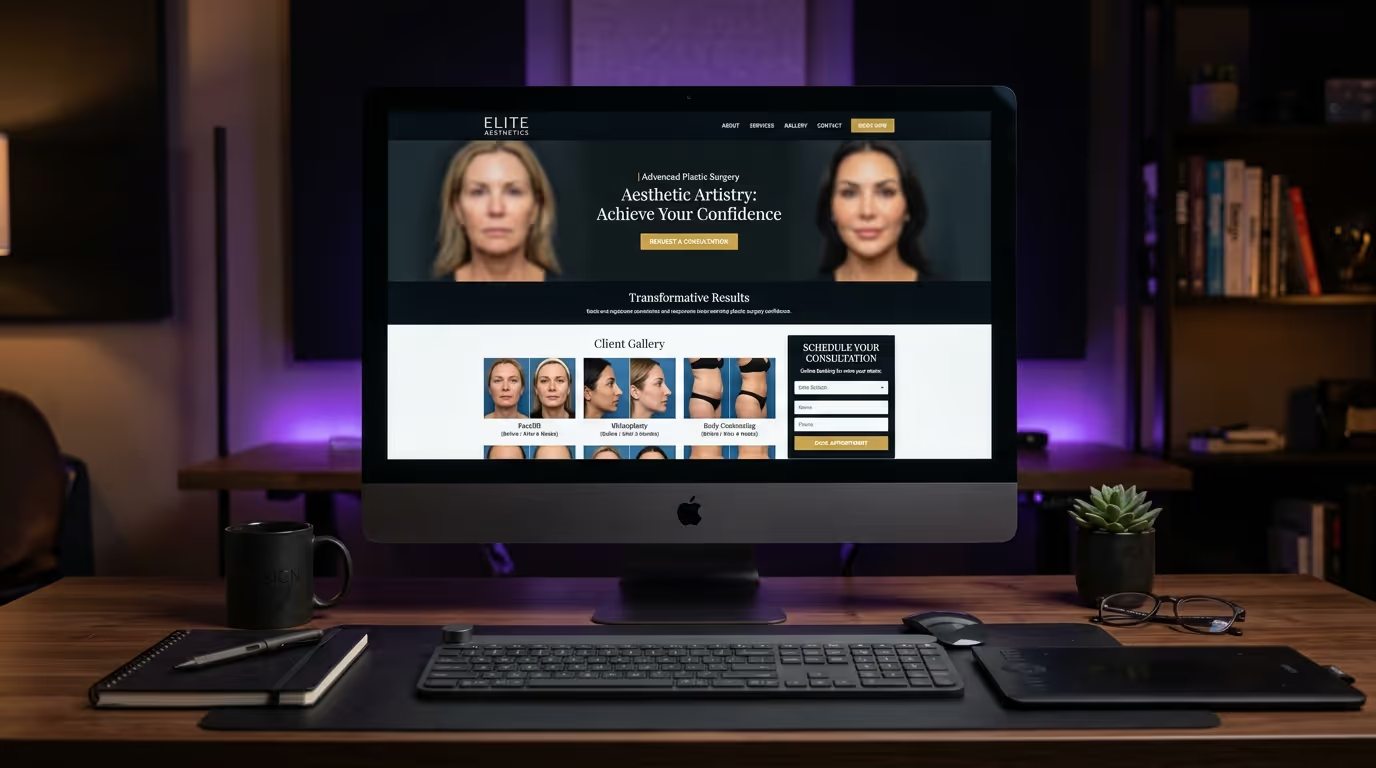
Your plastic surgery website probably looks fine. Clean design, professional photos, a list of procedures you offer. Maybe a nice hero section with a smiling patient and a "Schedule a Consultation" button.
And it is probably converting at 2-3% — which means 97 out of every 100 visitors leave without doing anything.
That is not a plastic surgery website design problem in the traditional sense. It is a conversion problem. And it is costing you hundreds of thousands of dollars a year in lost revenue.
Here is the math. If your website gets 5,000 visitors per month and converts at 2%, that is 100 consultation requests. If a top-performing site converts at 7%, that is 350 requests from the same traffic. At an average consultation-to-surgery conversion rate of 60% and an average procedure value of $8,000, the difference between 2% and 7% is roughly $1.2 million per year in additional revenue. Same traffic. Same ad spend. Same surgeon. Different website.
The difference between a plastic surgery website design that looks good and one that fills your schedule comes down to specific, measurable design and content decisions. Not aesthetics. Not taste. Decisions backed by data about how prospective patients actually behave online.
This guide breaks down every element of plastic surgery website design that converts — from page structure and navigation to before/after galleries, trust signals, and the exact CTA placement that turns browsers into booked consultations. Whether you are building a new plastic surgeon website or redesigning your current one, these plastic surgery web design principles apply to every platform, every budget, and every surgical specialty.
The Benchmarks That Define Success
Before redesigning anything, understand exactly where you stand and where you need to be. Most plastic surgeons have no idea how their website performs relative to the top practices in their market — and that blind spot costs them.
| Metric | Average Practice | Top-Performing Practice | Your Target by Month 6 |
|---|---|---|---|
| Website conversion rate | 2-3% | 6-10% | 5%+ |
| Mobile traffic share | 65-75% | Same — but optimized for it | Match or exceed |
| Average time on procedure page | 45-60 seconds | 2-3 minutes | 2+ minutes |
| Before/after gallery engagement | 15-20% of visitors | 40-60% of visitors | 35%+ |
| Contact form completion rate | 8-12% | 20-30% | 18%+ |
| Phone call from website | 1-2% of visitors | 4-6% of visitors | 3%+ |
| Bounce rate (homepage) | 55-70% | 30-45% | Under 50% |
| Pages per session | 1.5-2.0 | 3.5-5.0 | 3.0+ |
| Page load time (mobile) | 5-8 seconds | Under 3 seconds | Under 3 seconds |
The gap between average and top-performing is not about budget. It is about intentional design decisions. A $5,000 website design for plastic surgeons built with conversion principles will outperform a $50,000 plastic surgeon website built by a designer who has never marketed a surgical practice.
If you are spending money on Google Ads for plastic surgery or any other traffic source, every tenth of a percentage point in conversion rate improvement translates directly to revenue. Fix the website before scaling the ad spend.
How to Audit Your Current Performance
Before making any changes, establish your baseline numbers.
Step 1: Pull your Google Analytics data. Look at the last 90 days. Document conversion rate, bounce rate, average session duration, and pages per session — broken out by device (mobile vs. desktop).
Step 2: Run Google PageSpeed Insights. Test your homepage, your top 3 procedure pages, and your gallery page. Record the mobile score for each.
Step 3: Test the patient journey yourself. Open your website on your phone. Try to book a consultation. Time how long it takes. Count how many taps are required. Note every point of friction.
Step 4: Check your form completion rate. Look at how many people start your contact form vs. how many complete it. If the drop-off is above 50%, your form is the problem.
Step 5: Review your heatmaps. If you use Hotjar, Microsoft Clarity, or a similar tool, check where patients are actually clicking and how far they scroll. This data will reveal exactly where your website is losing people.
| Common Finding | What It Means | Priority |
|---|---|---|
| Mobile conversion rate < 1% | Mobile experience is broken | Critical — fix first |
| Bounce rate > 60% on procedure pages | Content does not match search intent | High |
| Gallery page has high exits | Gallery is not linking to consultation | High |
| Form abandonment > 50% | Too many fields or poor UX | High |
| Time on page < 30 seconds | Content is thin or layout is overwhelming | Medium |
| Desktop converts 3x better than mobile | Mobile UX needs redesign | Critical |
Common Mistake: Redesigning Without Data
The biggest mistake plastic surgeons make is redesigning their website based on personal preference rather than performance data. "I want it to look more modern" is not a strategy. "Our mobile conversion rate is 0.8% and we need it at 4%" is a strategy. Every design decision should be tied to a metric you are trying to move.
Homepage: The 5-Second Decision Point
A prospective patient lands on your homepage and makes a decision within 5 seconds: "Is this the right surgeon for me?" Your homepage has one job — pass that test and move them deeper into the site.
This is not hyperbole. Eye-tracking studies show that users form a first impression of a website in 50 milliseconds. Within 5 seconds, they have decided whether to stay or leave. Your homepage needs to communicate credibility, specialty, and a clear next step in that window.
What the Homepage Must Communicate Instantly
- What you do — "Board-Certified Plastic Surgeon in [City]"
- Why you are different — your specialty, your experience, your approach
- Social proof — review count, star rating, years of experience, procedures performed
- Clear next step — "Book Your Consultation" or "View Before & After Results"
If any of these four elements require scrolling to find, your homepage is underperforming.
Homepage Structure That Converts
Here is the exact section-by-section layout that the highest-converting plastic surgery websites use:
Section 1: Hero
The hero section is the most important real estate on your entire website. It must include:
- Headline: Specific, benefit-driven. "Board-Certified Plastic Surgeon in [City] — Natural Results You Will Love" outperforms generic taglines like "Welcome to [Practice Name]" by 40-60% on engagement metrics.
- Subheadline: One sentence that addresses the patient's core concern. "Trusted by over 3,000 patients for personalized surgical and non-surgical transformations."
- Primary CTA button: "Book Your Consultation" or "See Before & After Results." High contrast color. Minimum 44px height on mobile.
- Trust badges: Board certification seal, years of experience, review count with star rating. These should be visible without scrolling.
- Photo: A real, professional photo of the surgeon. Not a stock image. Not a patient photo (HIPAA risk). The surgeon's face builds trust faster than any graphic.
| Hero Element | Impact on Engagement | Implementation Priority |
|---|---|---|
| Real surgeon photo vs. stock | +35-50% time on page | Critical |
| Specific headline vs. generic | +40-60% scroll depth | Critical |
| Trust badges visible | +25% CTA click rate | High |
| Video background | -15% page speed, minimal conversion lift | Low (avoid) |
| Rotating slider | -20-30% conversion vs. static hero | Do not use |
Section 2: Procedure Overview (4-6 Cards)
Immediately below the hero, show your most popular procedures as visual cards with:
- High-quality photo representing each procedure
- Procedure name
- One-sentence benefit statement
- Link to the dedicated procedure page
Do not list 25 procedures. Feature your top 4-6 revenue drivers. Patients who see a focused menu are more likely to click through than patients overwhelmed by a wall of options.
Section 3: Before/After Preview
Show 3-4 of your best transformations with a prominent link to the full gallery. This section alone can increase time on site by 40%. Use a slider or grid layout with consistent photo quality and lighting.
Each preview should include the procedure name and a brief descriptor — "Rhinoplasty — Dorsal Hump Reduction" — so patients can immediately identify cases relevant to their interests.
Section 4: About the Surgeon
Brief intro with:
- Credentials (board certification, fellowship, specialty)
- A professional photo (different from the hero)
- A link to the full bio page
- One personal detail that humanizes ("When not in the OR, Dr. [Name] enjoys...")
Keep this to 100-150 words. The goal is to establish credibility and make the patient want to learn more, not to tell your life story on the homepage.
Section 5: Testimonials
3-5 patient reviews with:
- First name and last initial
- Procedure performed
- Star rating
- The actual review text (not just "Great doctor!")
Video testimonials are 2-3x more effective than text reviews. If you have video testimonials, lead with those. For more on managing your online reputation, read our guide on med spa reputation management.
Section 6: Trust Bar
A horizontal bar with logos of:
- Board certifications (ABPS, ASPS)
- Hospital affiliations
- Media appearances (local news, national publications)
- Awards (RealSelf Top Doctor, Best of [City])
This section requires zero reading. The logos do the work. Patients scan this in 1-2 seconds and it registers as credibility.
Section 7: Final CTA Section
"Ready to Take the Next Step?" with:
- A consultation booking form (3-5 fields max)
- Or a prominent button linking to your booking page
- Your phone number (click-to-call on mobile)
- Office hours and location
What Does NOT Belong on Your Homepage
| Element | Why It Hurts |
|---|---|
| Rotating image slider | Sliders reduce conversion rates by 20-30%. Users do not interact with them. |
| Auto-playing video | Slows page load by 2-4 seconds. Most users mute or scroll past. |
| Wall of text about practice philosophy | Nobody reads it. Communicate philosophy through design and proof points. |
| Pop-up before page loads | Increases bounce rate by 15-25%. Let the patient see your site first. |
| Social media feed | Distracts from conversion. Keep social links in the footer. |
| "Welcome to our website" | Wasted headline space. Use those 6-8 words for a benefit statement. |
Common Mistake: Designing for the Surgeon, Not the Patient
Most plastic surgery homepage redesigns fail because the surgeon designs for themselves. They want to showcase their credentials, their philosophy, their technology. The patient wants to see results, feel trust, and book easily. Design for the patient's journey, not the surgeon's ego.
Procedure Pages: Where the Real Conversion Happens
Your procedure pages are the most important pages on your entire website. More important than the homepage. This is where a patient who is actively researching a specific surgery decides whether you are the surgeon they trust.
Here is why: patients who land on a procedure page from search are 3-5x more likely to convert than homepage visitors. They have already self-selected by searching for a specific procedure. They know what they want. They are evaluating whether you are the right provider.
Most plastic surgery websites treat procedure pages as informational brochures. A paragraph about the procedure, a bulleted list of benefits, and a "Contact Us" link. That is a template. Not a conversion engine.
Procedure Page Architecture That Converts
Here is the exact structure, section by section, with implementation notes for each element:
1. Headline and Opening (100-150 words)
Lead with what the patient wants, not what the procedure is. "Rhinoplasty" is not a headline. "Achieve the Nose You Have Always Wanted — With Precision and Natural Results" is a headline.
Follow with a brief, confident paragraph establishing your authority in this specific procedure. Include:
- How many of this procedure you have performed
- Your specific approach or technique
- What makes your results different
Implementation steps:
- Write 3 headline variations for each procedure page.
- A/B test them over 30 days with at least 500 visitors each.
- Select the winner based on scroll depth and CTA click rate.
- Include the primary keyword naturally in the H1 (e.g., "rhinoplasty in [city]").
2. Before/After Gallery — Above the Fold
This is the single most impactful change you can make to your procedure pages. Put before/after photos near the top of the page. Not at the bottom. Not behind a "View Gallery" link. Patients come to procedure pages to see results. Show them results immediately.
| Gallery Placement | Avg. Time on Page | Conversion Rate Impact |
|---|---|---|
| Below the fold (bottom of page) | 48 seconds | Baseline |
| Behind a "View Gallery" link | 55 seconds | +5% over baseline |
| Above the fold (top 25% of page) | 2 min 15 sec | +45% over baseline |
Display 3-6 of your best cases for this specific procedure. Organize by patient type or concern (e.g., dorsal hump, bulbous tip, revision). Each case should include a brief description.
Implementation steps:
- Select your 6 strongest before/after cases for each procedure.
- Ensure consistent lighting, angles, and background across all photos.
- Add brief case descriptions (procedure, patient goals, technique).
- Implement as a slider with swipe gestures on mobile.
- Include a "See All [Procedure] Results" link to the full gallery.
- Add a CTA directly below the gallery: "See what is possible for you."
3. Procedure Overview (300-500 words)
Clear, patient-friendly explanation of:
- What the procedure involves (in plain language)
- Who is a good candidate (be specific — age ranges, concerns, health requirements)
- What results to expect (realistic, with timeline)
- How the procedure differs at your practice (techniques, technology, approach)
Write this for a smart adult, not a medical professional. Avoid clinical jargon unless you immediately explain it. "Subperiosteal mid-face lift" means nothing to a patient. "A technique that lifts the cheek area through a natural plane under the tissue" is clear.
Implementation steps:
- Audit your current procedure descriptions for jargon. Replace every clinical term with plain language.
- Add candidate criteria — patients want to self-qualify before calling.
- Include at least one differentiator that is unique to your practice.
- Use short paragraphs (2-3 sentences max) and subheadings every 100-150 words.
4. The Consultation Experience (200-300 words)
Describe exactly what happens when a patient comes in for a consultation. This reduces anxiety and increases booking rates by 15-25%. Include:
- How long the consultation takes (typically 30-60 minutes)
- What you will discuss (goals, options, expected outcomes)
- Whether there is a cost (and if it is applied to the procedure)
- What imaging or planning tools you use (3D imaging, Vectra, etc.)
- What the patient should bring or prepare
| Information Included | Impact on Booking Rate |
|---|---|
| Consultation duration | +8% |
| Cost/fee structure | +12% |
| What to expect/prepare | +10% |
| 3D imaging mentioned | +15% |
| "Applied to procedure cost" | +20% |
Common Mistake: Hiding the Consultation Fee
If your consultation costs $150-$300, say so — and say that it is applied to the procedure cost. Practices that hide the fee until the patient calls see 25-35% fewer bookings than practices that disclose it upfront. Transparency builds trust.
5. Recovery and Downtime (300-400 words)
Patients care about this more than almost anything else. Be specific:
- Day-by-day or week-by-week recovery timeline
- When they can return to work
- When they can exercise
- What restrictions to expect
- How pain is managed
Vague language like "recovery varies" does not help. Give real timelines based on your typical patient outcomes.
Sample Recovery Timeline Table (Rhinoplasty):
| Timeframe | What to Expect |
|---|---|
| Days 1-3 | Splint and packing in place. Mild to moderate discomfort managed with prescribed medication. Rest at home with head elevated. |
| Days 4-7 | Bruising and swelling peak then begin to subside. Most packing removed. |
| Week 2 | Splint removed. Most visible bruising gone. Can return to desk work. |
| Weeks 3-4 | Swelling continues to decrease. Can resume light exercise. |
| Months 2-3 | 80% of swelling resolved. Most patients feel comfortable in social situations. |
| Month 6-12 | Final results visible as remaining swelling fully resolves. |
Implementation steps:
- Create a recovery timeline table for every procedure you offer.
- Base timelines on your actual patient outcomes, not textbook averages.
- Include return-to-work and return-to-exercise timelines — these are the #1 and #2 patient questions.
- Add a downloadable recovery guide PDF as a lead magnet.
6. Cost and Financing (200-300 words)
If you will not list exact prices (many surgeons will not), at least provide ranges and financing information.
"Rhinoplasty typically ranges from $8,000-$15,000 depending on complexity" is infinitely more useful than nothing.
| Pricing Approach | Consultation Requests | Revenue Impact |
|---|---|---|
| No pricing on website | Baseline | Baseline |
| "Call for pricing" | -5% vs. baseline | Negative |
| Starting price only | +15% vs. baseline | Positive |
| Price range | +25-35% vs. baseline | Strongly positive |
| Range + monthly payment example | +30-40% vs. baseline | Strongly positive |
Implementation steps:
- Add a price range for every procedure (even if broad).
- Include monthly payment examples (e.g., "Starting at $199/month with CareCredit").
- List financing partners with logos (CareCredit, Alphaeon, PatientFi).
- Add a "Financing Calculator" link or embedded tool if available.
- State clearly whether the consultation fee applies to procedure cost.
For a deeper look at pricing psychology in aesthetics, see our guide on med spa pricing strategy.
7. FAQ Section (8-12 Questions)
Answer the most common questions about this procedure using the exact phrasing patients use when they search. This content helps with SEO — FAQ sections frequently appear in Google's "People Also Ask" results and can earn featured snippets.
Implementation steps:
- Pull your top 10 patient questions from your front desk team and consultation notes.
- Research "People Also Ask" results for your primary procedure keywords.
- Write answers in 50-100 words each — comprehensive but scannable.
- Implement with FAQ schema markup for search engine visibility.
- Link relevant answers to other pages on your site (gallery, financing, consultation booking).
8. CTAs — Strategic Placement Throughout the Page
Do not put one CTA at the bottom and hope someone scrolls that far. Place CTAs at these specific points:
- After the before/after gallery ("See what is possible for you — Book a consultation")
- After the procedure overview ("Ready to learn more? Schedule your consultation")
- After the cost/financing section ("Explore your financing options — Start here")
- At the bottom of the page ("Take the next step — Book your consultation today")
Use a mix of formats: buttons, embedded forms, and click-to-call links. Give patients the option to call, fill out a form, or self-schedule online.
| CTA Placement | Click Rate | Best Format |
|---|---|---|
| After gallery | 4-6% | Button + phone number |
| After overview | 2-3% | Inline form |
| After pricing | 5-8% | Button + financing link |
| Bottom of page | 3-5% | Full form + phone + address |
Common Mistake: Only One CTA at the Bottom
If your procedure pages have a single "Contact Us" button at the bottom, you are losing 60-70% of potential conversions. Most patients do not scroll to the bottom. Place conversion opportunities where attention is highest — immediately after compelling content sections.
Before/After Gallery: Your Highest-Converting Asset
The before/after gallery is the single most-visited section on any plastic surgery website. It is also the most underutilized from a conversion standpoint. Across the practices we have analyzed, the gallery page consistently has the highest time-on-page and the lowest conversion rate. That gap is a massive opportunity.
Gallery Design Principles
Organized, not random. Categorize by procedure, then by sub-type. A patient looking for rhinoplasty results should not have to scroll past breast augmentation cases. Use clear category filters and sub-filters.
| Organization Method | Usability Score | Time on Gallery Page |
|---|---|---|
| Single uncategorized page | Poor | 30-45 seconds |
| Categorized by procedure | Good | 1-2 minutes |
| Categorized + sub-filtered | Excellent | 3-5 minutes |
Consistent presentation. Same lighting, same angles, same background, same clothing guidelines. Inconsistency makes results look unreliable and unprofessional. Establish a photography protocol and follow it for every patient.
Implementation steps for photography consistency:
- Define standard angles for each procedure (front, 45-degree, profile, etc.).
- Set up a dedicated photo station with consistent lighting.
- Use a neutral background (gray or light blue).
- Provide consistent clothing/draping guidelines.
- Shoot at the same distance with the same lens.
- Edit all photos with the same color profile.
Case details. Each case should include:
- Procedure(s) performed
- Patient goals (what they wanted to achieve)
- Technique used (briefly, in patient-friendly language)
- Recovery timeline
- Any relevant patient demographics (age range, body type)
These details turn your gallery from a photo album into a persuasion engine. When a patient sees a case that matches their goals, demographics, and concerns, conversion rates spike.
Mobile-optimized. 65-75% of your gallery views happen on phones. This is non-negotiable:
- Swipeable galleries with touch gestures
- Touch-friendly navigation between cases
- Fast-loading images (compressed, lazy-loaded)
- Full-screen viewing option
- Easy navigation back to categories
If your gallery is slow or clunky on mobile, you are losing conversions. Test your gallery on at least 3 different phone models and on both cellular and Wi-Fi connections.
CTA integration. Every gallery page and every case detail view should have a prominent "See what is possible for you — Book a consultation" CTA. When a patient is browsing results and feeling inspired, that is the moment to capture the conversion. Do not make them navigate away from the gallery to find a contact form.
Technical Considerations
| Technical Factor | Target | Impact |
|---|---|---|
| Image file size | Under 200KB per image | Page load speed |
| Image format | WebP with JPEG fallback | Speed + quality balance |
| Lazy loading | Implemented | 40-60% faster initial load |
| HIPAA consent | Signed for every patient | Legal compliance |
| Watermarking | Subtle, consistent | Theft protection |
| Alt text | Descriptive, keyword-rich | SEO + accessibility |
- Image optimization — compress images without losing visible quality. A gallery page with 20 unoptimized images takes 8-10 seconds to load. That is an eternity. Use WebP format with JPEG fallback for older browsers.
- Lazy loading — load images as the user scrolls, not all at once. This alone can cut gallery load time by 40-60%.
- HIPAA compliance — proper consent forms signed by every patient, de-identified images (no identifying marks visible), secure storage. This is not optional.
- Watermarking — subtle watermarks protect your images from being stolen by competitors. This happens constantly in plastic surgery. Your best rhinoplasty results could end up on a competitor's website across the country.
Common Mistake: Gallery as a Dead End
Most plastic surgery galleries have zero CTAs. The patient browses 15-20 cases, feels inspired, and then... what? They have to navigate back to the homepage or find a contact page. By that time, the emotional momentum is gone. Every gallery page needs a conversion path built in.
For broader guidance on creating effective galleries and visual content for aesthetic practices, see our med spa photography guide.
Trust Signals: What Actually Moves the Needle
Prospective plastic surgery patients are making a decision about their body. The stakes are higher than almost any other consumer purchase. Trust is everything. Your website needs to systematically build trust at every touchpoint — not just on a single "About" page.
Trust Signals That Convert
Here is what actually moves patients from browsing to booking, ranked by impact:
| Trust Signal | Conversion Impact | Implementation Effort |
|---|---|---|
| Board certification (ABPS) prominent on every page | +20-30% consultation requests | Low |
| Google review score + count on every page | +15-25% | Low |
| Video testimonials | +25-35% on pages where displayed | Medium |
| Provider video introduction | +20-30% bio page conversions | Medium |
| Media features ("As Seen In") | +10-15% | Low |
| Specific procedure count ("3,000+ procedures") | +15-20% | Low |
| Hospital affiliations | +8-12% | Low |
| RealSelf Top Doctor badge | +10-15% | Low |
Board certification — "Board-Certified by the American Board of Plastic Surgery" should be visible on every page. Not buried in the footer. Many patients do not know the difference between a "cosmetic surgeon" and a board-certified plastic surgeon. Make it prominent and add a brief explanation of why ABPS certification matters.
Implementation steps:
- Add a board certification badge or text to your site header or navigation bar.
- Include a 2-3 sentence explanation of ABPS certification on your About page.
- Reference certification in the opening paragraph of every procedure page.
Review integration — Display your Google review score and count on every page. Embed actual reviews, not just a star rating. Link to your Google, RealSelf, and Healthgrades profiles so patients can verify independently.
For strategies to build your review count, see our guide on getting more Google reviews.
Media features — If you have been quoted in publications, featured on news segments, or published articles, display those logos prominently. "As Seen In" sections are powerful social proof because they transfer the credibility of the media outlet to your practice.
Hospital affiliations — Operating privileges at reputable hospitals signal credibility and safety. If you have them, display the hospital logos.
Professional memberships — ASPS, ASAPS, state medical society memberships. Display the logos in a trust bar.
Patient count and experience — "Over 3,000 procedures performed" or "15 years of experience in facial surgery." Specific numbers are more credible than vague claims. Update these numbers quarterly.
Awards and recognition — "Top Doctor," "Best of [City]," RealSelf Top Doctor designations. Display with the issuing organization's logo.
Trust Signals That Do NOT Move the Needle
Do not waste prime real estate on these:
- Generic stock photo testimonials with no names
- Self-awarded "Best Plastic Surgeon" claims with no backing
- Logos of credit card companies you accept
- A mission statement about "patient-centered care" (every practice says this)
- Vague claims like "world-class results" without evidence
- Industry association logos that patients do not recognize
Common Mistake: Trust Signals Only on the About Page
Most surgeons concentrate all trust signals on their bio page. The problem: 60% of visitors never see that page. Board certification, review count, and key credentials need to be visible on every page — especially procedure pages and the gallery, where buying decisions happen.
The Surgeon Bio Page: Your Second Most Important Page
The surgeon bio page is typically the second or third most-visited page on a plastic surgery website. Patients want to know who will be operating on them. This page is a conversion engine, not just a resume.
What Converts on a Surgeon Bio Page
Professional photo — Taken by a professional photographer. Approachable but authoritative. In scrubs or a white coat. No crossed arms, no dramatic lighting. Studies show that friendly, relaxed professional photos generate 30% more consultation requests than formal, stiff portraits.
Credentials first — Board certification, education, fellowship training, years of experience. Lead with the facts. List them in a scannable format (not buried in a paragraph).
| Credential | Display Format | Priority |
|---|---|---|
| Board certification | Badge + text, above the fold | Critical |
| Medical school + residency | Bulleted list with institution names | High |
| Fellowship training | Bulleted list with specialty noted | High |
| Years of experience | Prominent number callout | High |
| Procedure count | Prominent number callout | High |
| Publications | Linked list or count | Medium |
| Awards | Logo grid | Medium |
Personal story — Why you became a plastic surgeon, what drives you, your philosophy on patient care. This is where patients connect with you as a person. Write this in first person. Be genuine. Avoid cliches like "I am passionate about helping patients achieve their aesthetic goals." Instead: "I became a plastic surgeon because I saw how a well-performed rhinoplasty changed my college roommate's confidence. That transformation — not just physical, but emotional — is what I chase with every patient."
Procedure specialties — What you are particularly known for. If rhinoplasty is your bread and butter, say it. Specialization builds trust. Generalists sound interchangeable. Specialists sound expert.
Published research and media — Publications, speaking engagements, media appearances. Link to them. This is third-party validation that cannot be faked.
Personal interests — Brief mention of family, hobbies, community involvement. Humanizes you without being unprofessional. Keep it to 2-3 sentences.
Video introduction — A 60-90 second video of the surgeon speaking directly to the camera. This single element can increase consultation bookings from the bio page by 20-30%.
Implementation steps for the bio video:
- Script 3-4 key talking points (not a full script — authenticity matters).
- Film in your practice (consultation room or office).
- Keep it under 90 seconds.
- Open with: "Hi, I'm Dr. [Name], and I want to tell you a little about my approach to [your specialty]."
- Close with a CTA: "I would love to meet you and discuss your goals. Schedule a consultation on this page."
- Host on YouTube or Vimeo for fast loading. Embed on the bio page.
- Add a thumbnail that shows the surgeon mid-speech (not a play button over a stock image).
Common Mistake: The Bio as a Curriculum Vitae
Your bio page is not a CV. Patients do not care about every conference presentation or committee membership. They care about three things: "Are you qualified?", "Can I trust you?", and "Will you understand what I want?" Structure your bio to answer those three questions, in that order.
Mobile Experience: Where You Are Probably Losing Patients
65-75% of your website traffic comes from mobile devices. For many practices, that number is closer to 80% when you factor in patients researching from Instagram ads, Google Ads, or social media links — all of which open on phones.
If your mobile experience is mediocre, you are losing the majority of your potential patients before they even see your content. And "mediocre" is generous — most plastic surgery websites are actively hostile on mobile.
Mobile-Specific Design Requirements
Speed. Your website must load in under 3 seconds on a mobile connection. Every additional second of load time reduces conversions by 7%.
| Load Time | Expected Bounce Rate | Conversion Impact |
|---|---|---|
| 1-2 seconds | 9% | Optimal |
| 3 seconds | 32% | Acceptable |
| 5 seconds | 90% | Critical loss |
| 7+ seconds | 95%+ | Page is functionally dead |
Test with Google PageSpeed Insights — aim for a mobile score of 80+. If your mobile score is below 50, you are bleeding patients. For detailed optimization strategies, see our med spa website optimization guide.
Implementation steps to improve mobile speed:
- Compress all images to WebP format, under 200KB each.
- Enable browser caching for static assets (set cache headers to 1 year).
- Minimize CSS and JavaScript files.
- Remove any plugins or widgets you are not actively using.
- Move to a faster hosting provider or CDN (Cloudflare, AWS CloudFront).
- Test again. Repeat until you hit 80+ on mobile PageSpeed.
Click-to-call. Your phone number must be a tappable link on every page. Not an image. Not embedded in a paragraph. A prominent, always-visible click-to-call button or sticky header.
Thumb-friendly navigation. Buttons and links must be at least 44x44 pixels. Menus must be easy to navigate with one thumb. Forms must be simple to fill out on a phone screen. Test your navigation with one hand while holding the phone naturally.
Simplified forms. A 12-field contact form on desktop is annoying. On mobile, it is a conversion killer.
| Form Length | Mobile Completion Rate |
|---|---|
| 3 fields | 25-35% |
| 5 fields | 15-20% |
| 7 fields | 8-12% |
| 10+ fields | Under 5% |
Reduce mobile forms to 4-5 essential fields: name, phone, email, procedure of interest (dropdown), preferred contact method. Everything else can be collected during the consultation.
Sticky CTA. A fixed "Book Now" or "Call Us" button at the bottom of the mobile screen keeps the conversion opportunity visible without being intrusive. This single element can increase mobile conversions by 15-25%.
Implementation steps:
- Add a sticky footer bar with two buttons: "Call Now" (left) and "Book Online" (right).
- Use high-contrast colors that match your brand CTA color.
- Set it to appear after the user scrolls past the hero section (not immediately).
- Ensure it does not overlap content or obstruct navigation.
- Test on iPhone and Android devices to confirm it does not cause layout issues.
Gallery experience. Before/after photos must be swipeable and zoomable on mobile. Slider-based galleries with touch gestures outperform grid layouts on mobile by 35-50% on engagement metrics.
Common Mistake: Testing Only on Desktop
If your web designer shows you the website on a laptop during the review process, you are seeing the version that 25-35% of your patients will see. Demand a mobile review first. Better yet, require all design reviews to happen on a phone screen before anything else.
For a deep dive on mobile-first design principles, read our med spa mobile website design guide.
Navigation: Keep It Simple, Keep It Focused
Complex navigation confuses patients and spreads attention across too many options. Plastic surgery websites perform best with focused, intuitive navigation. Every additional menu item reduces the click probability of every other item by 5-10%.
Recommended Navigation Structure
- Home
- Procedures (dropdown: organized by area — Face, Breast, Body, Non-Surgical)
- Before & After
- About (dropdown: Meet the Surgeon, Our Practice, Technology)
- Patient Resources (dropdown: Financing, What to Expect, FAQs)
- Contact / Book a Consultation (standout button, different color)
That is it. Six items plus a CTA button. Do not add blog, testimonials, media, and 15 other items to the main navigation. Those pages exist and are linked internally, but they do not need top-level nav placement.
| Navigation Items | Avg. Click-Through Rate per Item |
|---|---|
| 5-6 items | 15-20% per item |
| 7-8 items | 10-14% per item |
| 9-12 items | 6-9% per item |
| 13+ items | Under 5% per item |
The goal of navigation is to funnel patients toward two actions: viewing results and booking a consultation. Every nav item should serve one of those paths.
Procedure Dropdown Organization
Organize procedures by body area, not alphabetically. Patients think in terms of "I want something done to my face" or "I want something done to my body" — not "I want a procedure that starts with the letter B."
Recommended structure:
- Face: Facelift, Rhinoplasty, Eyelid Surgery, Brow Lift, Neck Lift, Chin Augmentation
- Breast: Augmentation, Lift, Reduction, Revision, Male Breast Reduction
- Body: Tummy Tuck, Liposuction, Mommy Makeover, Body Lift, Arm Lift, Thigh Lift
- Non-Surgical: Botox, Fillers, Skin Rejuvenation, Laser Treatments
For principles on designing effective mega menus and navigation for aesthetic practices, review our med spa homepage design guide.
Common Mistake: Blog in the Main Navigation
Your blog is important for SEO. It does not belong in the main navigation. Patients visiting your website to evaluate you as a surgeon are not looking for blog content. Blog content supports SEO and can be accessed through internal links and the footer. Main navigation is for the conversion journey.
Website Speed and Technical Performance
A beautiful website that takes 6 seconds to load will lose 40-50% of visitors before they see a single image. Speed is not a nice-to-have. It is a conversion factor and an SEO ranking factor.
Technical Requirements
| Factor | Target | Measurement Tool |
|---|---|---|
| Page load time (mobile) | Under 3 seconds | Google PageSpeed Insights |
| Google PageSpeed Score (mobile) | 80+ | Google PageSpeed Insights |
| Largest Contentful Paint (LCP) | Under 2.5 seconds | Chrome DevTools / PageSpeed |
| Cumulative Layout Shift (CLS) | Under 0.1 | Chrome DevTools / PageSpeed |
| First Input Delay (FID) | Under 100ms | Chrome DevTools / PageSpeed |
| Time to First Byte (TTFB) | Under 600ms | WebPageTest.org |
| Total page weight | Under 3MB | Chrome DevTools |
Common Speed Killers on Plastic Surgery Websites
| Speed Killer | Typical Impact | Fix |
|---|---|---|
| Unoptimized before/after photos | +3-8 seconds load time | Compress to WebP, under 200KB each |
| Too many third-party scripts | +2-4 seconds | Audit and remove unused widgets |
| Cheap shared hosting | +1-3 seconds under load | Upgrade to managed hosting or CDN |
| Auto-playing background video | +3-6 seconds | Remove or replace with static image |
| Bloated page builder (Wix, Squarespace) | +2-5 seconds baseline | Migrate to a performance-optimized platform |
| Render-blocking CSS/JS | +1-3 seconds | Defer non-critical scripts, inline critical CSS |
| No browser caching | +1-2 seconds on repeat visits | Set cache headers for static assets |
Implementation steps to fix speed issues:
- Run PageSpeed Insights on your top 5 pages. Document every red and orange item.
- Prioritize image optimization first — it is usually the biggest win.
- Remove any script, widget, or plugin you are not actively using.
- Contact your hosting provider about upgrading to a faster plan or CDN.
- Re-test after each change to measure impact.
- Set a calendar reminder to re-test monthly.
Common Mistake: Ignoring Speed Because "the Site Looks Fine"
Your website may look beautiful on your office computer with a fast wired internet connection. That is not how patients experience it. They are on cellular connections at a coffee shop, scrolling during their lunch break. Test your site on a throttled 3G connection in Chrome DevTools. If it takes more than 5 seconds, you have a problem.
For a comprehensive technical SEO and performance checklist, see our med spa SEO checklist.
Conversion Rate Optimization: The Details That Compound
Beyond page structure and design, specific conversion optimization techniques can push your website from average to top-performing. These are the details that compound over time — each one adds 5-15% more conversions, and together they can double your results.
Form Optimization
Your contact form is the final step in the conversion journey. If it creates friction, everything upstream was wasted.
| Form Element | Best Practice | Why |
|---|---|---|
| Number of fields | 4-5 maximum (name, phone, email, procedure, contact preference) | Every field above 5 reduces completion by 10% |
| Procedure selection | Dropdown menu | Eliminates typing on mobile |
| Preferred contact method | Radio buttons (phone, text, email) | Patients feel respected when you honor their preference |
| Submit button text | "Book My Consultation" not "Submit" | Specific language converts 20-30% better |
| Progress indicator | Show if multi-step | Reduces abandonment in multi-step forms |
| Thank-you page | Redirect to page with next steps + gallery links | Keeps engaged patients on your site |
Implementation steps:
- Reduce your form to 5 fields or fewer.
- Replace "Submit" with a specific CTA ("Book My Consultation" or "Request My Consultation").
- Add a "preferred contact method" field.
- Create a dedicated thank-you page with next steps (not just a "Thank you" pop-up).
- Include links to your before/after gallery and educational content on the thank-you page.
- Set up form abandonment tracking to identify exactly where patients drop off.
CTA Optimization
| CTA Element | What Works | What Fails |
|---|---|---|
| Language | "Book Your Rhinoplasty Consultation" | "Contact Us" |
| Color | High contrast against background | Same color as other buttons |
| Size | Minimum 44px height, full-width on mobile | Small, easy to miss |
| Urgency | "Limited consultation spots this month" (only if true) | "Act now!" (feels scammy) |
| Placement | After every content section | One at the bottom only |
Chat and Messaging
Live chat on plastic surgery websites increases consultation inquiries by 10-20%. But only if:
- It is staffed during business hours with someone who can actually answer questions
- After hours, it converts to a chatbot that captures name, phone, and procedure interest
- It is not intrusive — a small icon in the corner, not a pop-up that blocks the page
- Response time is under 30 seconds during staffed hours
If you cannot staff live chat properly, do not use it. A chat widget that says "We will get back to you" defeats the purpose and actually reduces trust.
Implementation steps:
- Choose a chat platform (Tidio, LiveChat, or your CRM's built-in chat).
- Train front desk staff on chat protocols (greeting, qualification questions, booking push).
- Set up after-hours chatbot with 3-4 qualification questions.
- Monitor response time weekly — if it regularly exceeds 60 seconds, add staff or remove the widget.
- Track chat-to-consultation conversion rate monthly.
Online Self-Scheduling
Practices that offer online self-scheduling (patients pick their own consultation time slot) see 25-40% more bookings than practices that require a phone call or form submission. Patients researching plastic surgery at 10 PM do not want to wait until your office opens to schedule.
Implementation steps:
- Set up online scheduling through your practice management system or a tool like Calendly.
- Offer consultation time slots at least 2-3 weeks out.
- Require minimal information (name, phone, email, procedure interest).
- Send an automatic confirmation email and SMS.
- Add a prominent "Schedule Online" button to every page.
Common Mistake: No Follow-Up on Form Submissions
A patient submits your consultation form at 8 PM. Your front desk calls them back at 2 PM the next day. By that time, they have already called two other surgeons. Speed to lead matters. Practices that respond to form submissions within 5 minutes convert 3-5x more consultations than practices that respond the next business day.
For more on building effective conversion systems, read our med spa consultation process guide.
SEO Foundations Built Into Design
Your website design and your SEO strategy are not separate workstreams. The design decisions you make directly impact your ability to rank in Google. If your designer does not understand SEO, your beautiful website will be invisible.
SEO-Informed Design Decisions
URL structure — Clean, descriptive URLs.
| URL Structure | SEO Quality | Example |
|---|---|---|
| Good | Excellent | /rhinoplasty |
| Acceptable | Good | /procedures/rhinoplasty |
| Poor | Bad | /services/facial/nose/rhinoplasty-revision-secondary |
| Terrible | Harmful | /page-id-4523 or /?p=127 |
Every click depth you add reduces Google's crawl priority. Keep procedure pages within 2 clicks of the homepage.
Header hierarchy — One H1 per page (the page title), H2s for major sections, H3s for sub-sections. This is not just for SEO — it helps screen readers and improves accessibility. A page with multiple H1s or skipped header levels signals poor quality to search engines.
Internal linking — Every procedure page should link to:
- Related procedures (rhinoplasty links to facelift, chin augmentation)
- The before/after gallery (filtered to that procedure)
- The surgeon bio
- The consultation/booking page
- Relevant blog content
Strategic internal linking distributes SEO authority and keeps patients moving through your site. The best plastic surgery marketing strategies all include internal linking as a core component.
Schema markup — Implement structured data for search engine visibility:
| Schema Type | What It Does | Implementation Priority |
|---|---|---|
| LocalBusiness | Shows your practice in local search results with address, hours, phone | Critical |
| Physician | Displays provider credentials in search results | High |
| MedicalProcedure | Helps Google understand your procedure pages | High |
| FAQPage | Earns FAQ rich results in search | High |
| Review/AggregateRating | Shows star ratings in search results | High |
| BreadcrumbList | Shows site hierarchy in search results | Medium |
For a complete technical SEO implementation guide, see our med spa schema markup guide.
Page speed — Already covered, but it bears repeating. Google uses Core Web Vitals as a ranking factor. Slow sites rank lower. Period.
Image alt text — Every image needs descriptive alt text.
| Good Alt Text | Bad Alt Text |
|---|---|
| "Before and after rhinoplasty — dorsal hump reduction — female patient age 35" | "IMG_4523" |
| "Dr. Smith performing breast augmentation consultation with 3D imaging" | "doctor" |
| "Board certification badge — American Board of Plastic Surgery" | "badge" |
Common Mistake: Building on a Platform That Fights SEO
Some website builders (Wix, Squarespace) make it difficult to implement proper schema, control URL structures, or optimize page speed. If you are serious about ranking for competitive plastic surgery keywords, build on a platform that gives you full technical control — WordPress, Webflow, or a custom build. Read our analysis on website platform comparison to understand the trade-offs.
Content Strategy: What to Put on Your Website Beyond Procedures
Your procedure pages and gallery are the conversion engine. But additional content supports SEO, builds authority, and captures patients at earlier stages of their research journey.
Blog Content
A plastic surgery blog is an SEO asset, not a vanity project. Every blog post targets a specific keyword and captures patients who are researching but not yet ready to book.
High-value blog topics for plastic surgeons:
- "How much does [procedure] cost in [city]?" — captures price-shoppers
- "[Procedure] recovery: what to expect week by week" — captures active researchers
- "[Procedure A] vs. [Procedure B]: which is right for you?" — captures comparison shoppers
- "Am I a good candidate for [procedure]?" — captures self-qualifiers
- "Best [procedure] surgeon in [city]" — captures high-intent local searchers
Each post should include:
- A link to the relevant procedure page
- A before/after gallery link
- A consultation CTA
- Internal links to related content
For a complete content strategy framework, see our med spa content strategy guide. For keyword research specific to aesthetic practices, read our med spa keyword research guide.
Video Content
Video builds trust faster than any other content format. Priority video content for plastic surgeons:
- Surgeon introduction — 60-90 seconds, on the bio page
- Procedure explainers — 2-3 minutes each, embedded on procedure pages
- Patient testimonials — 60-90 seconds, on testimonials page and relevant procedure pages
- Office tour — 1-2 minutes, on the About page
- FAQ videos — 30-60 seconds each, answering the most common patient questions
Host on YouTube (for SEO) and embed on your website. Every video should end with a CTA directing viewers to book a consultation.
Common Mistake: Blogging Without a Strategy
Many plastic surgery websites have a blog section with 5-10 random posts from 2019 that nobody reads. This is worse than having no blog at all — it signals neglect. Either commit to publishing 2-4 optimized posts per month or remove the blog section entirely. A consistent content calendar is essential.
What Your Website Redesign Actually Costs
Let us address the elephant in the room. What should you pay for a plastic surgery website that does everything described in this guide?
| Website Type | Cost Range | What You Get | ROI Timeline |
|---|---|---|---|
| Template site | $2,000-$5,000 | Pre-built design, minimal customization, basic functionality | 6-12 months (if ever) |
| Custom design | $8,000-$20,000 | Custom layouts, conversion optimization, professional copywriting | 3-6 months |
| Premium build | $20,000-$50,000 | Full custom design, advanced functionality, SEO strategy, content creation, ongoing optimization | 1-3 months |
How to Evaluate the Investment
The right investment depends on your practice revenue and growth goals.
| Current Monthly Revenue | Recommended Investment | Expected Conversion Lift | Revenue Impact (Annual) |
|---|---|---|---|
| $100K/mo | $8,000-$15,000 | 2% → 5% | +$200K-$400K |
| $250K/mo | $15,000-$30,000 | 2% → 6% | +$500K-$800K |
| $500K+/mo | $25,000-$50,000 | 3% → 7% | +$800K-$1.5M |
A practice doing $2M/year that invests $15,000 in a website that increases conversions from 2% to 6% will see that investment returned many times over within 90 days. The wrong investment is a cheap website that looks "good enough" but leaves hundreds of consultations on the table every year.
What to Demand From Your Web Design Partner
Before signing with any web design agency, require:
- Portfolio of plastic surgery or medical practice websites — not just "healthcare" or "beauty" sites
- Conversion data from previous projects — "We built a beautiful website" is not enough. "We increased consultations by 150% after launch" is what you need to hear.
- Mobile-first design process — if they design on desktop first, find another agency
- SEO knowledge — your designer should understand schema markup, URL structure, page speed optimization, and internal linking
- Copywriting — design without conversion copy is a brochure, not a marketing asset
- Post-launch optimization plan — the website is never "done." You need ongoing A/B testing, speed monitoring, and content updates.
For a comprehensive breakdown of med spa website costs, including what to expect at each price point, see our dedicated guide. To understand what the best websites in the industry get right, review our curated examples.
Common Mistake: Choosing a Designer Based on Portfolio Aesthetics
A beautiful portfolio does not mean the designer understands conversion. Ask for performance data. If they cannot tell you how their previous websites converted, they are designers — not marketers. You need both. For more on avoiding website mistakes that cost you patients, see our comprehensive audit guide.
Platform Selection: Where to Build
Your choice of website platform impacts everything — design flexibility, speed, SEO capability, ongoing maintenance costs, and your ability to iterate on the conversion strategies in this guide.
| Platform | Best For | Speed | SEO Control | Cost |
|---|---|---|---|---|
| WordPress + Elementor/Divi | Custom design with flexibility | Medium (requires optimization) | Full control | $3,000-$20,000 build + $100-$300/mo hosting |
| Webflow | Design-forward with good performance | Fast | Good control | $5,000-$25,000 build + $30-$50/mo hosting |
| Custom (React/Next.js) | Maximum performance and flexibility | Fastest | Full control | $15,000-$50,000+ build + hosting varies |
| Wix/Squarespace | Budget practices, basic needs | Slow | Limited | $2,000-$5,000 build + $20-$40/mo |
For a detailed comparison of these platforms with pros and cons for aesthetic practices, read our med spa website platform analysis.
Common Mistake: Choosing a Platform Your Team Cannot Manage
If your front desk manager needs to update the blog and cannot figure out the CMS, content stops getting published. Choose a platform that matches your team's technical ability, or budget for ongoing agency support.
Post-Launch: The Website Is Never Done
Launching a new website is not the finish line. It is the starting line. The practices that consistently outperform are the ones that treat their website as a living asset that gets optimized continuously.
Monthly Website Maintenance Checklist
| Task | Frequency | Tool |
|---|---|---|
| Review conversion data (by page, by device) | Monthly | Google Analytics |
| Check page speed scores | Monthly | PageSpeed Insights |
| Update before/after gallery (add new cases) | Monthly | CMS |
| Review and respond to form submissions speed | Weekly | CRM |
| A/B test one element (headline, CTA, form) | Monthly | Google Optimize or VWO |
| Publish new blog content | 2-4x per month | CMS |
| Check for broken links | Monthly | Screaming Frog or Ahrefs |
| Monitor search rankings for key procedure terms | Monthly | Ahrefs or SEMrush |
| Update pricing ranges if they have changed | Quarterly | CMS |
| Refresh testimonials (add recent reviews) | Quarterly | CMS |
Quarterly Optimization Reviews
Every 90 days, conduct a full conversion audit:
- Which procedure pages have the highest traffic but lowest conversion? Fix those first.
- What is the mobile vs. desktop conversion gap? If mobile is significantly lower, prioritize mobile UX fixes.
- Which traffic sources convert best? Allocate more budget to those channels.
- What are patients searching for that you do not have a page for? Create those pages.
- Has your page speed degraded? (It often does as new content and scripts are added.)
For a comprehensive approach to ongoing website optimization, including A/B testing frameworks and UX improvements, see our dedicated guide.
Common Mistake: "Set It and Forget It"
The average plastic surgery website is redesigned every 3-5 years and ignored in between. Top-performing practices optimize monthly. The compound effect of small, data-driven improvements over 12 months produces better results than a complete redesign every 3 years.
Your Plastic Surgery Website Design Action Plan
Here is the exact sequence to follow, whether you are redesigning your current site or building new:
Phase 1: Audit and Strategy (Weeks 1-2)
- Pull all analytics data: conversion rate, bounce rate, page speed, traffic sources, mobile vs. desktop performance.
- Identify the 3 biggest conversion gaps.
- Define your target metrics (use the benchmark table at the top of this guide).
- Audit your before/after gallery for quality, organization, and CTA placement.
- Review competitor websites — what are the top 3 surgeons in your market doing that you are not?
Phase 2: Structure and Content (Weeks 3-6)
- Build the page structure outlined in this guide (homepage, procedure pages, gallery, bio, resources).
- Write conversion-optimized copy for every procedure page (or hire a medical copywriter who understands plastic surgery).
- Prepare before/after photos with consistent formatting and case details.
- Film surgeon introduction and procedure overview videos.
- Create the FAQ content for each procedure page.
Phase 3: Design and Development (Weeks 7-12)
- Design mobile-first (always start with the phone screen layout).
- Build with speed as a non-negotiable requirement (under 3 seconds on mobile).
- Implement schema markup for every page type.
- Set up forms, chat, and self-scheduling tools.
- Integrate review widgets and trust signals across all pages.
Phase 4: Launch and Optimize (Weeks 13+)
- Launch with full analytics tracking (Google Analytics, conversion tracking, heatmaps).
- Monitor conversion data daily for the first 2 weeks.
- Start A/B testing the highest-impact elements first (hero headline, CTA placement, form length).
- Add new before/after cases monthly.
- Publish 2-4 blog posts per month targeting your priority keywords.
Plastic Surgery Website Design Is Your Highest-Leverage Investment
Every other marketing channel — Google Ads, social media, referrals, RealSelf — eventually sends people to your website. If your website does not convert, nothing else matters. You are paying to drive traffic to a leaking bucket.
The practices that dominate their markets understand this. They invest in their website not as a one-time project, but as a continuously optimized marketing system. They track every metric, test every element, and treat conversion rate improvement as a core business function.
Fix the website first. Then scale the traffic. That sequence — conversion first, traffic second — is how the top plastic surgery practices in the country built their patient pipelines. It is how you will build yours.
Get Your Free Marketing Audit — we will review your current website against the conversion benchmarks in this guide, identify the gaps costing you consultations, and give you a prioritized action plan. No cost, no obligation, just a clear picture of what is working and what is not.