
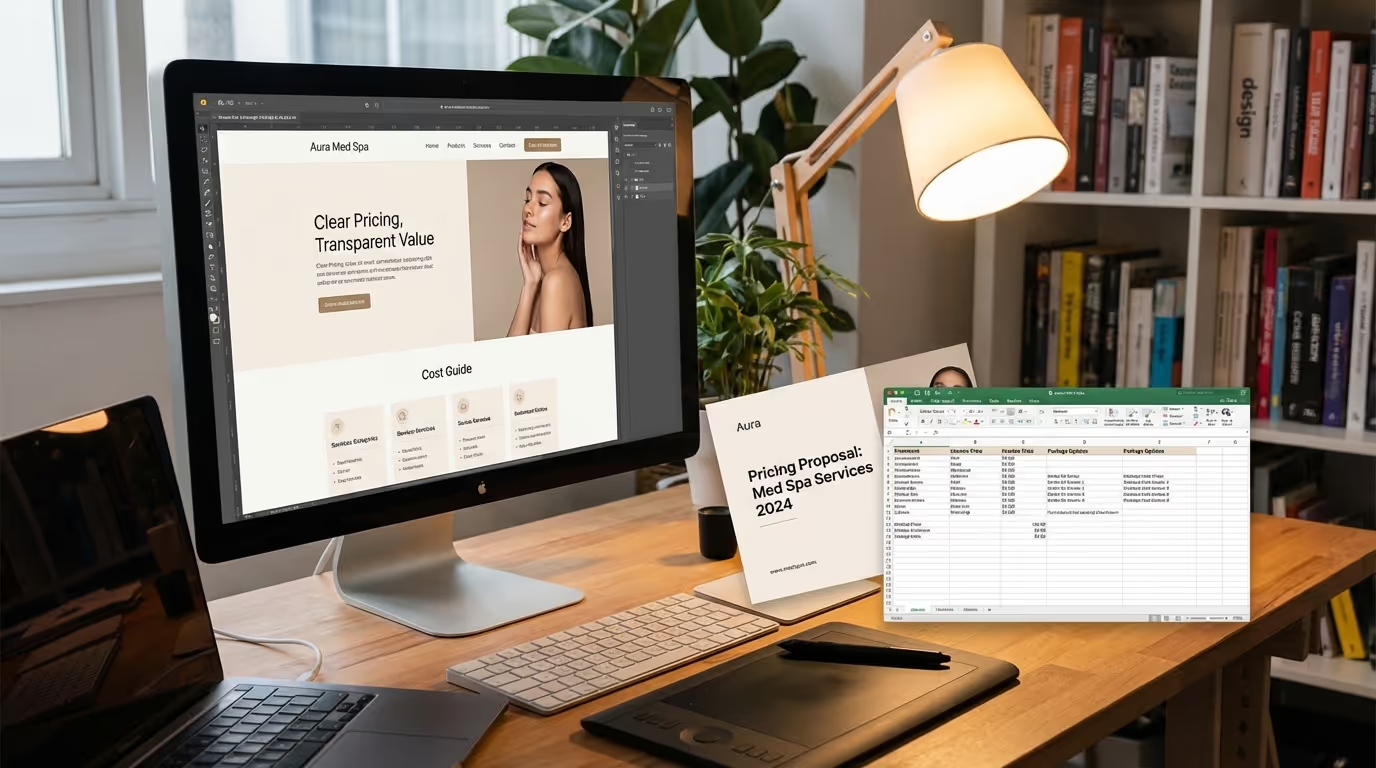
Understanding med spa website cost is essential before you sign any contract. You are going to get wildly different answers depending on who you ask.
A freelancer on Upwork will quote $1,500. A boutique agency will say $8,000. A premium studio will tell you $25,000. And your nephew who "knows WordPress" will do it for pizza money.
So who is right? The honest answer: it depends on what you need — and more importantly, what you need your website to do.
A website that looks nice but converts at 1% is the most expensive med spa web design cost you will ever incur. A website that costs twice as much but converts at 4% pays for itself in the first month and generates revenue every month after that. This is not about finding the cheapest option. It is about understanding the investment and evaluating ROI.
This guide breaks down real med spa website pricing by tier, explains every factor that affects cost, compares platforms and provider types, covers ongoing costs most practices forget, and gives you the ROI framework to make a data-driven decision. Whether you are starting a med spa from scratch or rebuilding an underperforming site, this is the pricing intelligence you need before signing anything.
Med Spa Website Pricing by Tier
Tier 1: Template-Based ($2,000 - $5,000)
What you get:
| Component | Included | Quality Level |
|---|---|---|
| Design | Pre-built template customized with your branding | Generic — looks like other sites using the same template |
| Pages | 5-10 (Home, About, Services, Contact, Gallery) | Minimal — missing individual treatment pages |
| Mobile responsiveness | Basic | Functional but not optimized |
| SEO setup | Title tags and meta descriptions | Bare minimum — no keyword strategy |
| Content/copy | You provide it (or basic filler text) | Often weak or generic |
| Booking integration | Link to external scheduler | Friction point for patients |
| Timeline | 1-2 weeks | Fast but shallow |
What you do not get: Custom design, conversion optimization, advanced booking integration, custom photography direction, content strategy, ongoing support, schema markup, or any form of SEO architecture.
Best for: New med spas on a tight budget who need something functional immediately. Practices planning to upgrade within 12-18 months. If you are in the early stages of opening a medical spa, this might be your launch platform — but budget for the upgrade.
Platforms: Squarespace, Wix, basic WordPress themes.
Implementation steps for getting the most from a template site:
- Choose a template specifically designed for healthcare or beauty businesses — avoid generic business templates
- Customize colors, fonts, and imagery to match your brand guide rather than using template defaults
- Write original copy for every page — never use template placeholder text
- Set up Google Analytics and Google Search Console from day one
- Create individual pages for your top 3-5 treatments even within the template
- Install a HIPAA-compliant contact form — not just a generic form plugin
- Add your Google Business Profile widget to the homepage for social proof
The real cost: Template sites look like template sites. Patients can tell. In a competitive market, you blend in. Without conversion optimization, you leave 50-70% of potential bookings on the table. The "savings" on the build cost you multiples in lost revenue.
Common mistakes with Tier 1 sites:
| Mistake | Consequence | Fix |
|---|---|---|
| Using stock photos exclusively | Patients do not trust generic imagery | Invest $500-$1,000 in professional photos of your actual space |
| Cramming all services on one page | Kills SEO and confuses visitors | Create at least one page per major treatment category |
| No mobile testing | 70%+ of visitors on phones get a broken experience | Test on real devices before launching |
| Skipping analytics setup | No data to guide future investment decisions | Install GA4 and conversion tracking on day one |
| No booking integration | Forces patients to call — many will not | At minimum add an embedded scheduling link |
Tier 2: Custom Design ($5,000 - $15,000)
What you get:
| Component | Included | Quality Level |
|---|---|---|
| Design | Custom design tailored to your brand | Professional, unique to your practice |
| Pages | 10-25 (full service pages, location, treatment pages) | Each treatment gets a dedicated page |
| Professional copywriting | Key pages professionally written | SEO-optimized, conversion-focused |
| Booking integration | Embedded widget (Jane, Vagaro, Acuity) | Seamless on-site experience |
| SEO architecture | Keyword-targeted structure, sitemap, internal linking | Foundation for organic growth |
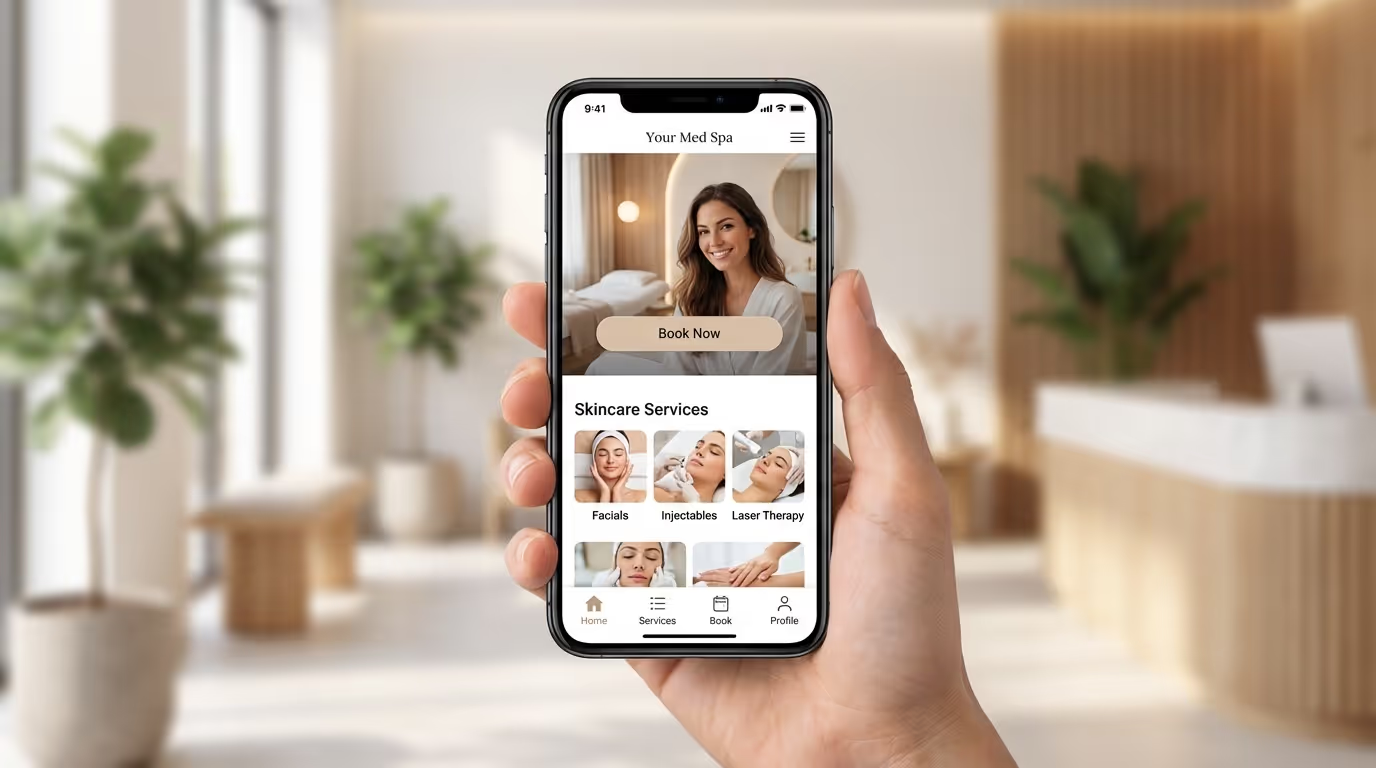
| Mobile-first design | Designed for mobile from the start | Optimized for 70%+ of your traffic |
| Before/after gallery | Interactive gallery with consent management | Critical conversion element |
| Lead tracking | Forms, call tracking, Google Analytics setup | Know where patients come from |
| Schema markup | Basic LocalBusiness and FAQ | Rich snippet potential |
| Timeline | 4-8 weeks | Thorough process with discovery |
Best for: Established med spas ready to invest in growth. Single-location practices in competitive markets. Practices doing $30K+/month in revenue.
Platforms: Webflow, WordPress (custom theme), Squarespace (advanced).
This is the sweet spot for most med spas when evaluating medical spa website pricing. You get a site that looks professional, converts visitors, and gives you a foundation for SEO growth. The ROI math works strongly in your favor because the conversion rate difference between Tier 1 and Tier 2 typically generates enough additional revenue to cover the cost difference within the first 60-90 days.
Implementation steps for maximizing a Tier 2 build:
- Start with a discovery phase — your designer should interview you about your ideal patients, competitive landscape, and business goals
- Map out your full service menu and create a dedicated page for every treatment (even if some are short at launch)
- Invest in professional photography before or during the build — plan for team headshots, facility shots, treatment room photos, and 10-15 before/after sets
- Write a detailed creative brief that references best med spa websites you admire — give your designer a clear direction
- Build your content strategy alongside the site — plan blog categories, publishing cadence, and pillar content
- Set up Google Ads conversion tracking, Meta pixel, and call tracking during the build
- Configure your CRM integration so leads flow directly into your patient management system
- Plan your homepage design around the 12 essential elements that drive bookings
- Test the booking flow on multiple devices before launch
Common mistakes with Tier 2 sites:
| Mistake | Consequence | Fix |
|---|---|---|
| Skipping the discovery phase | Designer builds what they assume, not what converts | Allocate 1-2 weeks for research and strategy before design begins |
| No content plan post-launch | Site stagnates, SEO never gains traction | Commit to 2-4 blog posts per month from content ideas |
| Choosing a designer with no med spa experience | Generic design that misses industry conventions | Ask for med spa portfolio examples before signing |
| Not setting up tracking | Cannot measure ROI or optimize | Install all analytics and tracking before going live |
| Ignoring page speed | Slow site kills rankings and conversions | Target sub-2.5 second load times on mobile |
Tier 3: Premium / Enterprise ($15,000 - $30,000+)
What you get:
| Component | Included | Quality Level |
|---|---|---|
| Design | Fully custom UX/UI with research-backed decisions | Exceptional — distinctive in your market |
| Pages | 25-50+ (locations, treatments, providers, landing pages) | Comprehensive content architecture |
| Photography direction | Agency-directed professional shoot | Custom imagery of your space, team, patients |
| Custom animations | Scroll effects, interactive elements, micro-interactions | Premium feel that matches premium services |
| Advanced integrations | CRM sync, HIPAA-compliant forms, patient portal | Full technology stack connected |
| Multi-location support | Location-specific pages, NAP, schema | Scalable architecture |
| Complete SEO architecture | Schema, internal linking, sitemap, keyword mapping, technical SEO | Designed to rank from day one |
| A/B testing framework | Built-in conversion testing capability | Ongoing optimization |
| Speed optimization | Sub-2-second load times | Maximum Core Web Vitals performance |
| Accessibility compliance | ADA/WCAG standards | Legal protection + broader reach |
| Timeline | 8-16 weeks | Comprehensive process |
Best for: Multi-location practices, established brands doing $100K+/month, practices in hyper-competitive markets (LA, Miami, NYC, Dallas, Scottsdale). Practices that view their website as a primary revenue channel and want to dominate local SEO in their market.
Platforms: Webflow, headless CMS, custom-built.
Implementation steps for premium builds:
- Conduct a competitive audit — analyze the top 5-10 practices in your market and identify design, content, and SEO gaps you can exploit
- Commission user research — interview 10-15 current and prospective patients about their website experience expectations
- Build a comprehensive sitemap that accounts for every treatment, location, provider, and content type
- Plan a multi-day photography and videography shoot with creative direction from the agency
- Develop a full keyword strategy and map primary and secondary keywords to every page before design begins
- Build the site with schema markup for LocalBusiness, MedicalBusiness, FAQPage, Review, and BreadcrumbList
- Implement advanced tracking: call tracking with dynamic number insertion, form tracking, chat tracking, and offline conversion import to Google Ads
- Set up A/B testing infrastructure for headline, CTA, and landing page experiments from day one
- Create a 12-month post-launch optimization roadmap covering content, SEO, and CRO
- Plan multi-location architecture with location-specific pages, NAP consistency, and individual Google Business Profiles
Common mistakes with Tier 3 sites:
| Mistake | Consequence | Fix |
|---|---|---|
| Over-designing at the expense of speed | Beautiful site that loads in 5+ seconds | Set hard performance budgets — no page over 2.5s LCP |
| No post-launch content plan | Premium architecture with no content to fill it | Budget for ongoing content creation as part of the project scope |
| Building for today only | Architecture cannot scale to new locations or services | Design the information architecture for where you will be in 3 years |
| No conversion tracking | Cannot prove ROI on a $25K+ investment | Track every conversion path: forms, calls, chats, bookings |
| Launching without redirect mapping | Destroys existing SEO rankings | Map every old URL to every new URL before launch |
What Drives the Cost: 8 Pricing Factors
Factor 1: Number of Pages
| Page Count | Typical Cost Impact | What This Covers |
|---|---|---|
| 5-10 pages | Base pricing | Home, About, Services (single), Contact, Gallery |
| 10-25 pages | +$2,000-$5,000 | Individual treatment pages, team, location pages |
| 25-50 pages | +$5,000-$10,000 | Multiple locations, blog setup, landing pages, legal pages |
| 50+ pages | +$10,000-$20,000 | Enterprise architecture, content hub, resource sections |
Why this matters for med spas: Every treatment should have its own page for SEO. If you offer 15 treatments across 3 categories, that is 18 pages minimum just for services. Add location pages, team bios, blog, and supporting pages, and you are quickly at 30+.
Implementation steps for determining your page count:
- List every treatment you currently offer — each gets its own page
- List every treatment you plan to offer within 12 months — create placeholder pages or plan for them in the architecture
- Count your locations — each needs a dedicated page with unique content and NAP information
- Plan provider bio pages — patients research individual providers before booking
- Map out supporting pages: About, FAQ, Gallery, Financing, Contact, Privacy, Terms
- Plan blog architecture: category pages, author pages, and the initial 10-20 posts
- Add landing pages for paid ad campaigns — typically 3-5 to start
Common mistake: Cramming all services onto one "Services" page. This kills both SEO (Google cannot rank one page for 15 keywords) and conversions (patients cannot find the specific treatment info they need). Read our website mistakes guide for why individual treatment pages are non-negotiable.
Factor 2: Custom Design vs. Template
| Approach | Cost Range | Conversion Rate (avg) | Revenue Impact at 2,000 Monthly Visitors |
|---|---|---|---|
| Template | $2,000-$5,000 | 1-2% | $8,000-$16,000/month |
| Custom design | $5,000-$15,000 | 3-5% | $24,000-$40,000/month |
| Premium custom | $15,000-$30,000 | 4-6% | $32,000-$48,000/month |
Custom design adds $3,000-$10,000 over template but converts 2-3x better because it is built around your specific patient journey, brand, and market. The ROI math strongly favors custom. Check our best med spa websites guide for examples of high-converting custom designs.
Implementation steps for evaluating custom vs. template:
- Assess your competitive market — if competitors in your area have custom sites, a template puts you at a disadvantage
- Calculate your current conversion rate — if it is below 2%, custom design will likely pay for itself within 90 days
- Evaluate your brand positioning — premium practices cannot afford template-looking websites
- Get 3 quotes: one template-based, one mid-range custom, one premium — compare projected timelines and deliverables
- Ask each provider for conversion data from their med spa projects — not just design portfolios
Common mistakes:
| Mistake | Consequence | Fix |
|---|---|---|
| Choosing based on price alone | Cheapest site with lowest conversion rate is the most expensive site | Evaluate on projected ROI, not build cost |
| Picking a beautiful template that does not convert | High bounce rates despite attractive design | Prioritize conversion architecture over visual appeal |
| Custom design without a strategic framework | Expensive site that still underperforms | Ensure the design process includes UX research and conversion strategy |
Factor 3: Copywriting
| Copywriting Level | Cost | Quality | SEO Impact |
|---|---|---|---|
| You write the content | $0 | Risky — most owners are not copywriters | Minimal |
| Basic copywriting | $100-$200/page | Functional but generic | Low |
| SEO-optimized + conversion copy | $300-$500/page | Professional, targeted, persuasive | Medium-High |
| Premium (research + strategy + copy) | $500-$1,000/page | Industry-specific, data-driven, exceptional | High |
For a 20-page site at $300/page, that is $6,000 in copywriting alone. Worth it? Absolutely — copy is what converts visitors to booked patients. The words on your service pages and homepage determine whether a visitor books or bounces.
Implementation steps for website copywriting:
- Create a detailed brief for your copywriter covering your ideal patient persona, competitive landscape, and brand voice
- Provide your copywriter with your keyword research — every page should target a specific primary keyword
- Share your consultation notes — the questions patients actually ask are the questions your copy should answer
- Review copy for clinical accuracy — have your medical director review all treatment descriptions
- Test different headlines — your above-the-fold headline is the single highest-impact copy element
- Include clear calls-to-action on every page — "Book Your Consultation" performs better than "Contact Us"
Common mistake: Writing your own copy because "nobody knows my practice better than I do." That is true — but knowing your practice and knowing how to write conversion-optimized, SEO-friendly web copy are two different skills. The best approach: brief a professional copywriter deeply, then review and refine for accuracy.
Factor 4: Booking Integration
| Integration Type | Cost | Patient Experience | Conversion Impact |
|---|---|---|---|
| Simple link to external booking | $0-$200 | Leaves your site (friction) | Baseline |
| Embedded booking widget | $500-$1,500 | Stays on your site | +15-25% vs. external link |
| Custom booking flow with CRM sync | $2,000-$5,000 | Seamless, branded, tracked | +25-40% vs. external link |
| Full patient portal | $5,000-$15,000 | Complete patient management | Highest for multi-service practices |
Implementation steps for choosing the right booking integration:
- Evaluate your current booking software — does it offer an embeddable widget?
- Test the booking flow on mobile — 70%+ of your traffic will book from a phone
- Ensure your booking integration tracks conversions — you must know which marketing channel generated each booking
- Configure automated appointment reminders via SMS and email to reduce no-shows
- Connect your booking system to your CRM or GHL for automated follow-up
Common mistake: Requiring patients to call to book. In 2026, 60-70% of patients prefer online scheduling. A "Call Us" button as your only booking option loses the majority of potential bookings, especially after hours.
Factor 5: Photography and Media
| Approach | Cost | Trust Impact | Conversion Impact |
|---|---|---|---|
| Stock photography only | $200-$500 | Low — patients can tell | Baseline |
| Mixed stock + provided photos | $500-$1,000 | Medium | +10-15% engagement |
| Professional shoot (agency-directed) | $2,000-$5,000 | High — authentic, trustworthy | +25-40% engagement |
| Photo + video content package | $5,000-$10,000 | Highest | +35-50% engagement |
Custom photography is one of the highest-ROI investments. Real photos of your space, team, and results outperform stock by 35-50% in engagement metrics.
Implementation steps for planning your photography investment:
- Schedule a professional shoot 2-4 weeks before your website launch date
- Create a shot list covering: exterior, reception, each treatment room, team portraits, candid team interactions, treatment demonstrations, before/after setups
- Hire a photographer with healthcare or wellness portfolio experience — not just a portrait photographer
- Plan for video: a 60-90 second provider introduction video and 2-3 treatment walkthrough videos
- Budget for annual photo updates — your team, space, and treatments change
- Secure proper HIPAA-compliant marketing consent for any patient imagery
- Optimize all images for web before uploading — WebP format, appropriate dimensions, under 200KB per image
Common mistake: Investing $10,000+ in a website build but using $0 in professional photography. The most beautifully designed website in the world falls flat with generic stock images. Budget photography as part of your website investment, not as an afterthought.
Factor 6: SEO Architecture
| SEO Level | Cost | What Is Included | Long-Term Traffic Impact |
|---|---|---|---|
| Basic (title tags, meta descriptions) | Included in build | Bare minimum | Minimal organic visibility |
| Intermediate (schema, sitemap, internal linking) | $1,000-$3,000 | Foundation for ranking | Moderate organic growth |
| Advanced (full audit, content strategy, keyword mapping) | $3,000-$8,000 | Comprehensive SEO-first architecture | Significant organic traffic within 6-12 months |
Implementation steps for building SEO into your website from day one:
- Conduct keyword research before the site is designed — your keyword map drives your page architecture
- Create a URL structure that is clean, logical, and keyword-friendly:
/botox-city,/laser-hair-removal-city - Implement schema markup on every page: LocalBusiness, MedicalBusiness, FAQPage, and BreadcrumbList at minimum
- Build an XML sitemap and submit it to Google Search Console
- Plan your internal linking structure — every service page should link to related services and supporting blog content
- Set up proper canonical tags to prevent duplicate content issues
- Configure 301 redirects for any existing URLs that change during the redesign
- Install and configure Google Analytics 4, Google Search Console, and call tracking
Our complete SEO checklist details every element that should be built into your website from day one. Retrofitting SEO is 3-5x more expensive than building it in. If you are serious about ranking in Google, SEO architecture is not optional — it is the foundation everything else is built on.
Common mistakes with SEO during a website build:
| Mistake | Consequence | Fix |
|---|---|---|
| Building the site first, adding SEO later | Architecture does not support ranking goals | Start with keyword research and let it drive site structure |
| No redirect mapping during redesign | Losing existing rankings and backlinks | Map every old URL to its new equivalent before launch |
| Ignoring page speed as an SEO factor | Google penalizes slow sites in rankings | Build for sub-2.5 second LCP from the start |
| Thin content on service pages | Pages cannot rank for competitive treatment keywords | Write 1,500-2,500 words per treatment page |
| No blog infrastructure | No content marketing growth channel | Build blog CMS, categories, and author architecture into the initial site |
Factor 7: Platform Choice
| Platform | Monthly Cost | Build Cost Impact | Pros for Med Spas | Cons |
|---|---|---|---|---|
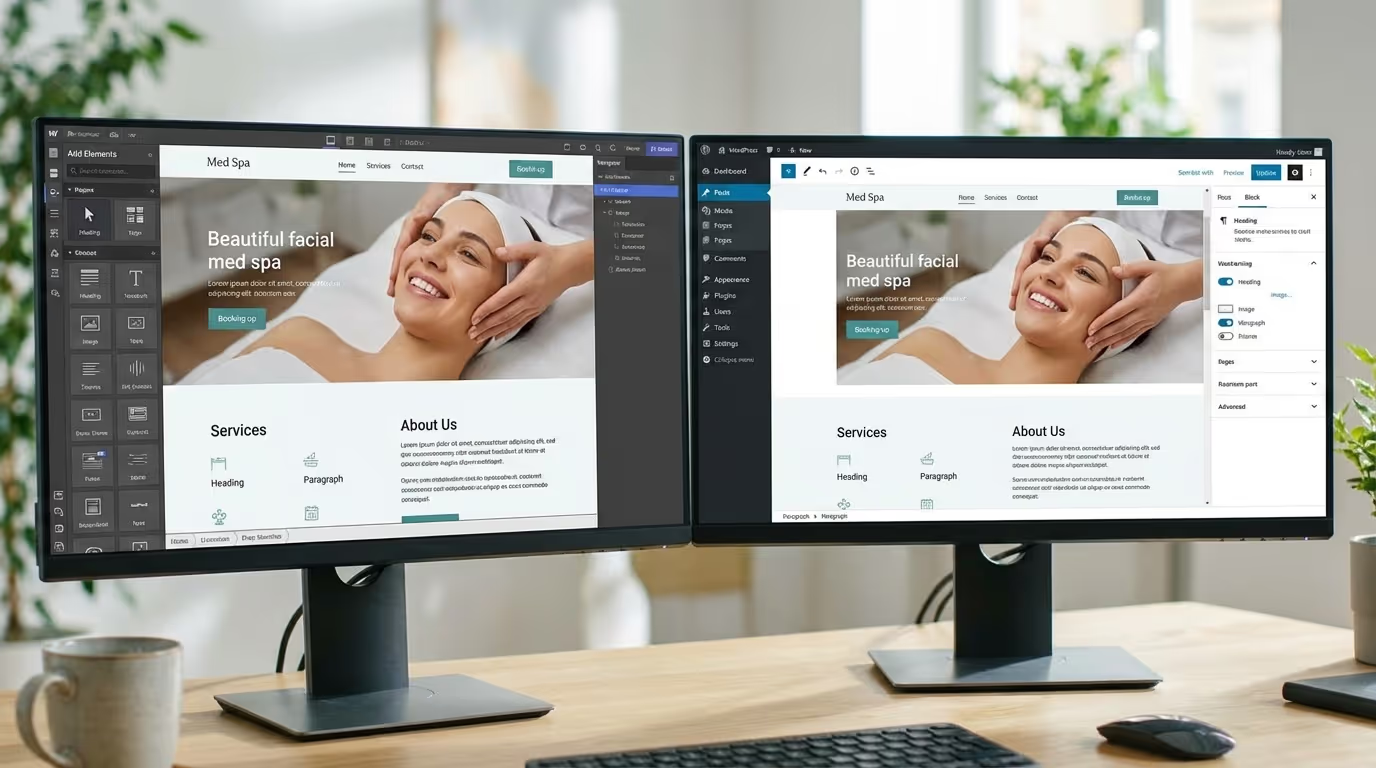
| Webflow | $23-$49/mo | Moderate | Fastest performance, design freedom, low maintenance, built-in SEO | Smaller plugin ecosystem |
| WordPress | $10-$50/mo + hosting | Low-Moderate (theme) / High (custom) | Huge ecosystem, flexible, abundant developers | Plugin bloat, security risks, maintenance burden |
| Squarespace | $16-$49/mo | Low | Easy to use, clean templates | Limited customization, weak SEO |
| Custom (Next.js) | $20-$100/mo hosting | Very High | Maximum performance and flexibility | $15K-$50K build, developer-dependent |
Our recommendation for med spas: Webflow. Read our full platform comparison for the detailed breakdown. The short version: Webflow sites load 2-3x faster than WordPress, require near-zero maintenance, and cost 60-80% less in ongoing expenses over 3 years.
Implementation steps for choosing your platform:
- Evaluate your technical capabilities — can you manage WordPress updates, security patches, and plugin conflicts?
- Get quotes for your desired site on both WordPress and Webflow from qualified developers
- Ask each developer about ongoing maintenance costs — not just the build cost
- Test the page speed of sites they have built on each platform using PageSpeed Insights
- Ask about security: who handles updates, patches, and vulnerability management?
- Verify you own your domain, content, and all assets regardless of platform — never let a developer hold your domain hostage
Factor 8: Ongoing Maintenance and Hosting
This is where many practices get surprised. Your website is not a one-time expense.
| Ongoing Cost | Monthly | Annual |
|---|---|---|
| Hosting/platform | $23-$100 | $276-$1,200 |
| Domain renewal | — | $12-$50 |
| SSL certificate | $0 (included on most platforms) | $0-$120 |
| Plugin/app subscriptions | $20-$100 | $240-$1,200 |
| Content updates and edits | $200-$500 | $2,400-$6,000 |
| Security and maintenance | $0-$300 (Webflow: $0, WordPress: $100-$300) | $0-$3,600 |
| Blog content / SEO | $500-$3,000 | $6,000-$36,000 |
| Total ongoing | $743-$4,000 | $8,928-$48,170 |
Key insight: Webflow eliminates security, maintenance, and plugin costs that WordPress requires. Over 3 years, this saves $5,000-$12,000 in ongoing costs alone. For the full breakdown, read our platform comparison.
Implementation steps for managing ongoing costs:
- Budget 8-12% of your website build cost per month for ongoing maintenance and content
- Set up automated backups (Webflow does this automatically; WordPress requires a plugin)
- Schedule monthly content updates: new blog posts, service updates, seasonal promotions
- Review your marketing calendar quarterly and plan website content accordingly
- Monitor page speed quarterly — site performance degrades over time without attention
- Update photography annually — fresh imagery keeps the site feeling current
DIY vs. Freelancer vs. Agency: Complete Comparison
| Factor | DIY | Freelancer | Boutique Agency | Premium Agency |
|---|---|---|---|---|
| Cost | $500-$2,000 | $2,000-$8,000 | $5,000-$15,000 | $15,000-$30,000+ |
| Timeline | 2-4 weeks | 3-6 weeks | 4-8 weeks | 8-16 weeks |
| Design quality | Template | Good | Great | Exceptional |
| SEO | Minimal | Basic | Solid | Comprehensive |
| Conversion optimization | None | Minimal | Included | Advanced |
| Industry expertise | None | Varies | Varies | Specialized (if med spa-focused) |
| Content/copywriting | You write it | Basic included or extra | Professional included | Premium included |
| Ongoing support | None | Limited | Monthly retainer available | Full support included |
| Booking integration | Basic link | Simple widget | Full integration | Custom flow |
| Analytics/tracking | Basic (maybe GA) | GA setup | Full tracking + reporting | Advanced attribution |
| Risk | High — looks amateur | Medium — quality varies | Low | Lowest |
How to Evaluate Each Provider Type
Implementation steps for hiring a freelancer ($2,000-$8,000):
- Review their portfolio for med spa or healthcare projects specifically
- Check 3-5 references from past clients (not just testimonials on their site)
- Get a detailed scope of work document before signing — what is included, what costs extra
- Clarify who owns the site, domain, and content after the project
- Ask about post-launch support: what happens when something breaks?
- Verify they can implement schema markup, proper SEO structure, and analytics
- Set clear milestones with payment tied to deliverables, not time
Implementation steps for hiring an agency ($5,000-$30,000+):
- Ask for case studies with measurable results: conversion rates, traffic increases, lead generation — not just pretty screenshots
- Verify they understand HIPAA compliance for web forms and patient data
- Request their process document — how do they approach discovery, design, development, and launch?
- Ask about their SEO approach — is it built into the design process or added after?
- Clarify ongoing costs: hosting, maintenance, content updates, and what happens if you want to leave
- Meet the actual team who will work on your project, not just the salesperson
- Ask about their marketing strategy capabilities beyond web design — a great website with no traffic plan is wasted potential
Red Flags in Website Proposals
Watch for these when evaluating quotes:
| Red Flag | What It Means | Risk |
|---|---|---|
| No discovery process | Building a template, not a strategy | Website that does not match your patients |
| "Unlimited revisions" | Undefined scope | Project drags on forever |
| No mention of SEO | Beautiful site nobody finds | Zero organic traffic |
| They own your domain/hosting | Vendor lock-in | Lose your site if relationship ends |
| No mobile-first design | Desktop-first approach | Poor experience for 70%+ of visitors |
| "You provide the content" | Copy not included | Empty website for months |
| No analytics setup | No tracking from day one | Cannot measure ROI |
| Proprietary platform lock-in | Cannot migrate without rebuilding | Permanent dependency |
| No portfolio of med spa sites | No industry experience | Generic output |
| Price significantly below market | Cutting corners somewhere | Quality or support will suffer |
| No mention of page speed | Not prioritizing Core Web Vitals | Slow site that hurts rankings and conversions |
| No compliance awareness | Does not understand healthcare marketing rules | HIPAA and advertising compliance risks |
Questions to Ask Before Signing
Design and process:
- How many med spa websites have you built? Can I see live examples?
- What is your process from kickoff to launch?
- How many design revision rounds are included?
- What happens if I need changes after launch?
SEO and content:
- Is SEO included? What specifically?
- Who writes the copy? Is it optimized for conversions and search?
- Will you implement schema markup?
- How do you handle redirect mapping for redesigns?
Technical:
- What platform do you build on and why?
- Will the site be mobile-first?
- What page speed targets do you commit to?
- How do you handle HIPAA-compliant forms?
Ownership and support:
- Do I own the site, domain, and all assets?
- What happens after launch? Is maintenance included?
- How do you measure success?
- What does your ongoing support retainer include and cost?
How to Calculate Your Med Spa Website Cost ROI
The ROI Formula
Monthly website revenue = Monthly visitors x Conversion rate x Average treatment value
Scenario Analysis
| Scenario | Visitors/Month | Conversion Rate | Avg Treatment | Monthly Revenue | Website Cost | Monthly ROI |
|---|---|---|---|---|---|---|
| Template site | 1,000 | 1.5% | $400 | $6,000 | $3,000 | Pays for itself in <1 month |
| Custom site | 2,000 | 3.5% | $500 | $35,000 | $10,000 | Pays for itself in <1 month |
| Premium site | 3,000 | 5% | $600 | $90,000 | $25,000 | Pays for itself in <1 month |
Even the most expensive med spa website pays for itself within the first month of operation if it is built correctly and receives traffic. The question is not "Can I afford a good website?" It is "Can I afford the revenue I am losing every month with a bad one?"
The Hidden Cost of a Bad Website
A website converting at 1.5% instead of 4% does not just underperform — it actively loses money:
| Metric | Bad Website (1.5% conversion) | Good Website (4% conversion) | Monthly Difference |
|---|---|---|---|
| Monthly visitors | 2,000 | 2,000 | — |
| Leads generated | 30 | 80 | +50 leads |
| Patients booked (50% rate) | 15 | 40 | +25 patients |
| Average first-visit revenue | $500 | $500 | — |
| Monthly first-visit revenue | $7,500 | $20,000 | +$12,500/month |
| Annual first-visit revenue | $90,000 | $240,000 | +$150,000/year |
| Add 3-year patient LTV | $270,000 | $720,000 | +$450,000 over 3 years |
That $12,500/month gap — $150,000/year — is the real cost of a cheap website. Every month you operate with a low-converting site, you lose that amount to competitors who invested in theirs. When you factor in patient lifetime value, the compounding effect is staggering.
Implementation Steps for Calculating Your Own Website ROI
- Check your current monthly website visitors in Google Analytics
- Calculate your current conversion rate: (total form submissions + calls from website) / total visitors
- Determine your average first-visit treatment value from your management software or EMR
- Multiply: visitors x conversion rate x average treatment value = current monthly website revenue
- Model the same calculation at a 4-5% conversion rate — that is the gap you are losing
- Factor in patient lifetime value — the average med spa patient returns 4-6 times and spends $2,500-$5,000 over their lifetime
- Compare the revenue gap against the cost of a website upgrade — the ROI case usually makes itself
3-Year Total Cost of Ownership
Webflow Website (Our Recommendation)
| Cost Item | Year 1 | Year 2 | Year 3 | 3-Year Total |
|---|---|---|---|---|
| Website build (custom) | $5,000-$10,000 | — | — | $5,000-$10,000 |
| Hosting (CMS plan) | $276-$588 | $276-$588 | $276-$588 | $828-$1,764 |
| Third-party integrations | $200-$400 | $200-$400 | $200-$400 | $600-$1,200 |
| Maintenance/updates | $600-$1,200 | $600-$1,200 | $600-$1,200 | $1,800-$3,600 |
| Security | $0 (included) | $0 | $0 | $0 |
| Annual total | $6,076-$12,188 | $1,076-$2,188 | $1,076-$2,188 | $8,228-$16,564 |
WordPress Website (Comparison)
| Cost Item | Year 1 | Year 2 | Year 3 | 3-Year Total |
|---|---|---|---|---|
| Website build (theme-based) | $3,500-$8,000 | — | — | $3,500-$8,000 |
| Managed hosting | $600-$1,200 | $600-$1,200 | $600-$1,200 | $1,800-$3,600 |
| Premium plugins (SEO, forms, security, booking) | $500-$800 | $400-$600 | $400-$600 | $1,300-$2,000 |
| Developer retainer (updates, fixes) | $2,400-$4,800 | $2,400-$4,800 | $2,400-$4,800 | $7,200-$14,400 |
| Security monitoring | $300-$600 | $300-$600 | $300-$600 | $900-$1,800 |
| Annual total | $7,300-$15,400 | $3,700-$7,200 | $3,700-$7,200 | $14,700-$29,800 |
The 3-year difference: Webflow saves $6,472-$13,236 compared to WordPress. Those savings go directly toward marketing, social media, content, or other growth investments. For a detailed platform comparison, read our Webflow vs WordPress guide.
Website Investment by Practice Revenue
| Monthly Revenue | Recommended Website Investment | Website Tier | Expected Monthly Return |
|---|---|---|---|
| Under $30K | $2,000-$5,000 (template, upgrade within 12 months) | Tier 1 | $3,000-$6,000 |
| $30K-$75K | $5,000-$10,000 (custom design) | Tier 2 | $10,000-$25,000 |
| $75K-$200K | $8,000-$15,000 (custom + SEO architecture) | Tier 2-3 | $20,000-$50,000 |
| $200K+ | $15,000-$30,000 (premium, multi-location ready) | Tier 3 | $40,000-$100,000+ |
The guideline: Your website should cost approximately 1-3 months of your target monthly revenue. If you are targeting $100K/month in revenue, a $10,000-$15,000 website investment is proportional and will generate significant ROI.
Implementation steps for determining your budget:
- Calculate your current monthly revenue
- Determine your 12-month revenue target
- Allocate 1-3 months of target revenue as your website budget
- Factor in ongoing costs: hosting, content, maintenance — budget $500-$2,000/month post-launch
- Include photography, copywriting, and SEO setup in your total budget — not as surprises later
- Plan your marketing budget holistically — your website is one piece of a complete marketing strategy
Website Cost by Treatment Specialty
Different treatment focuses affect your website requirements and therefore cost. Here is how specialty mix impacts your build budget.
| Treatment Focus | Pages Needed | Content Depth | Budget Impact | Key Website Elements |
|---|---|---|---|---|
| Injectables only (Botox, fillers) | 8-15 | Moderate | Lower range of tier | Before/after gallery, provider credentials, pricing page |
| Full-service (injectables + laser + body) | 20-35 | High | Mid-range of tier | Individual treatment pages, comprehensive galleries, content hub |
| Weight loss + aesthetics | 25-40 | Very high | Higher range | Compliance-aware copy, results documentation, provider authority pages |
| Multi-location | 35-60+ | Very high | Premium tier required | Location pages, location-specific schema, multi-provider bios, localized content |
| Body contouring specialist | 15-25 | High | Mid-range | Extensive B/A galleries, procedure comparison pages, financing integration |
Hidden Costs Most Practices Miss
Beyond the build and maintenance, these costs catch practice owners off guard.
| Hidden Cost | Range | When It Hits | How to Avoid |
|---|---|---|---|
| Emergency redesign (poor first build) | $5,000-$15,000 | 6-18 months after launch | Invest properly the first time |
| Lost revenue from slow site | $5,000-$20,000/month | Ongoing | Prioritize speed from the start |
| HIPAA compliance remediation | $2,000-$10,000 | After a complaint or audit | Build HIPAA-compliant forms into the initial build |
| Content creation catch-up | $3,000-$10,000 | Month 4-6 when SEO has not moved | Plan content strategy before launch |
| Platform migration | $2,000-$8,000 | Year 1-2 when you outgrow the platform | Choose the right platform from the start |
| Photography upgrades | $1,000-$3,000/year | Annually as team and space evolve | Budget for annual photo refreshes |
| Conversion rate optimization | $1,000-$3,000/month | Ongoing for high-performing sites | Build A/B testing into the initial architecture |
Financing Your Website Investment
For practices that want a Tier 2 or 3 website but need to manage cash flow, several financing approaches work.
Implementation steps:
- Phase the build: Launch with core pages (Home, About, Top 5 Services, Contact, Blog) and add remaining pages over 3-6 months
- Equipment financing: Some lenders classify websites as business equipment eligible for financing
- SBA microloans: For new practices, SBA microloans (up to $50,000) can cover website as part of startup costs
- Revenue-based payment: Some agencies offer payment plans tied to project milestones — 30% deposit, 40% at design approval, 30% at launch
- Trade services: For new practices, some agencies will accept equity, case study rights, or referral agreements alongside reduced fees
When it comes to how much does a med spa website cost, the worst financial decision is choosing a $2,000 template because you "cannot afford" a $10,000 custom site — then losing $150,000/year in revenue because the template does not convert. Sometimes investing more upfront is the financially conservative choice.
Companion Resources
Your website does not exist in isolation. These related guides cover the elements that make your website investment pay off:
- Med Spa Website Design — What makes a high-converting site
- Best Med Spa Websites — 20 examples to inspire your build
- Med Spa Homepage Design — The 12 elements every homepage needs
- Med Spa Service Page Design — Templates that book patients
- Med Spa Mobile Design — Why mobile-first matters (70%+ of traffic)
- Med Spa Website Mistakes — 10 errors to avoid
- Med Spa Website Optimization — Speed, UX, and conversion improvements
- Webflow vs WordPress — Which platform wins for med spas
- Med Spa SEO Checklist — 50+ steps to rank higher
- Med Spa Keyword Research — Finding the searches that drive bookings
- Med Spa Content Strategy — Building the content engine that feeds your site
- Med Spa Branding Guide — Your brand identity drives your website design
- How to Start a Med Spa — Complete startup guide including marketing and web
- Med Spa Marketing Budget — Where your website fits in total marketing spend
- Med Spa Logo Design — Building the visual foundation before your website
Your Next Step
Your website is your most important marketing asset. It works 24/7. Every ad, email, and social post sends traffic there. It is where patients decide to book or bounce.
The cost of a med spa website ranges from $2,000 to $30,000+. The cost of not having a good one ranges from $150,000 to $500,000+ in lost revenue over three years. The math is clear.
Do not let the sticker price of a quality website stop you from making the med spa website investment. Calculate the ROI. Evaluate the opportunity cost of the revenue you are losing with a low-converting site. The practices that win in 2026 are the ones that treat their website as a revenue engine, not a line-item expense.
Get Your Free Marketing Audit — We will review your current website (or your build plans), analyze speed and conversion performance, identify gaps, and show you exactly what a high-performing med spa website should look like for your specific market and budget. We build exclusively for med spas, so we know what converts in this industry. No cost, no obligation.