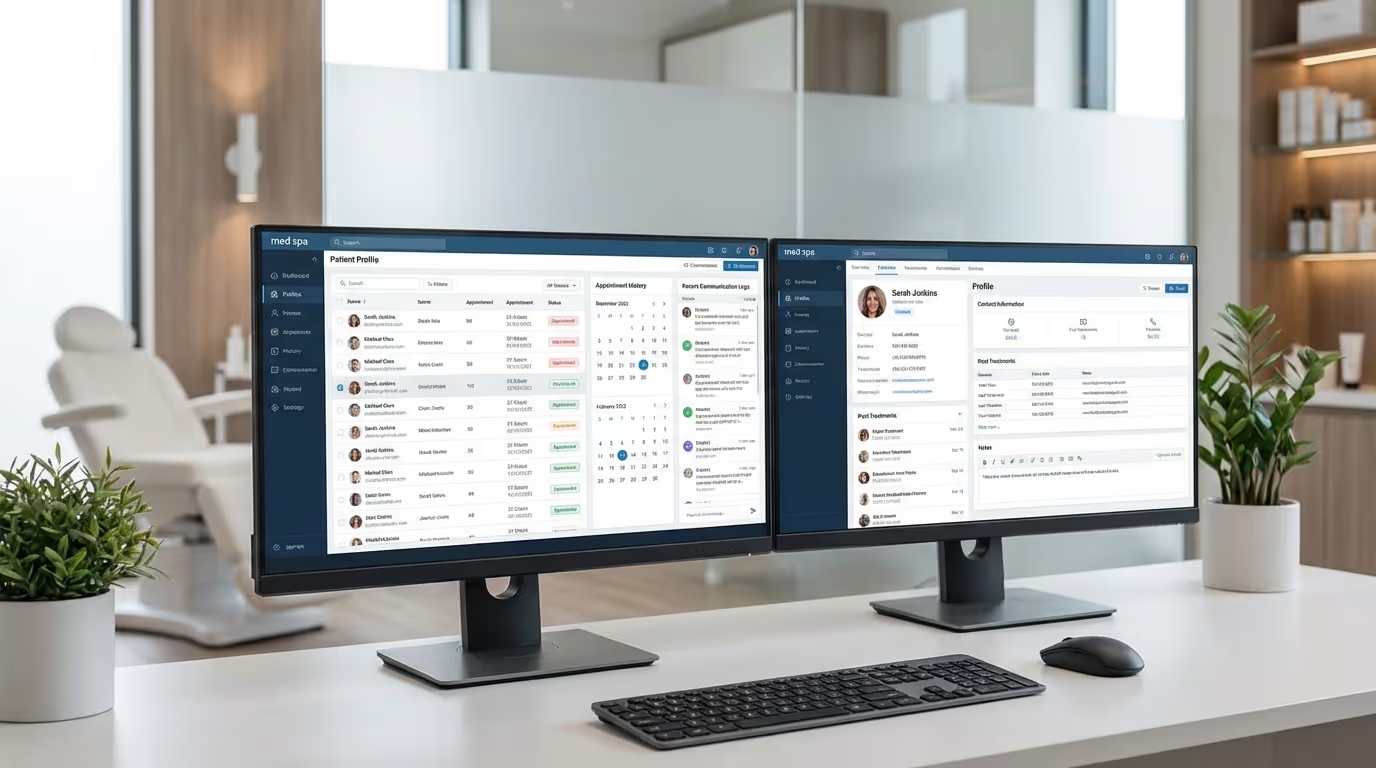

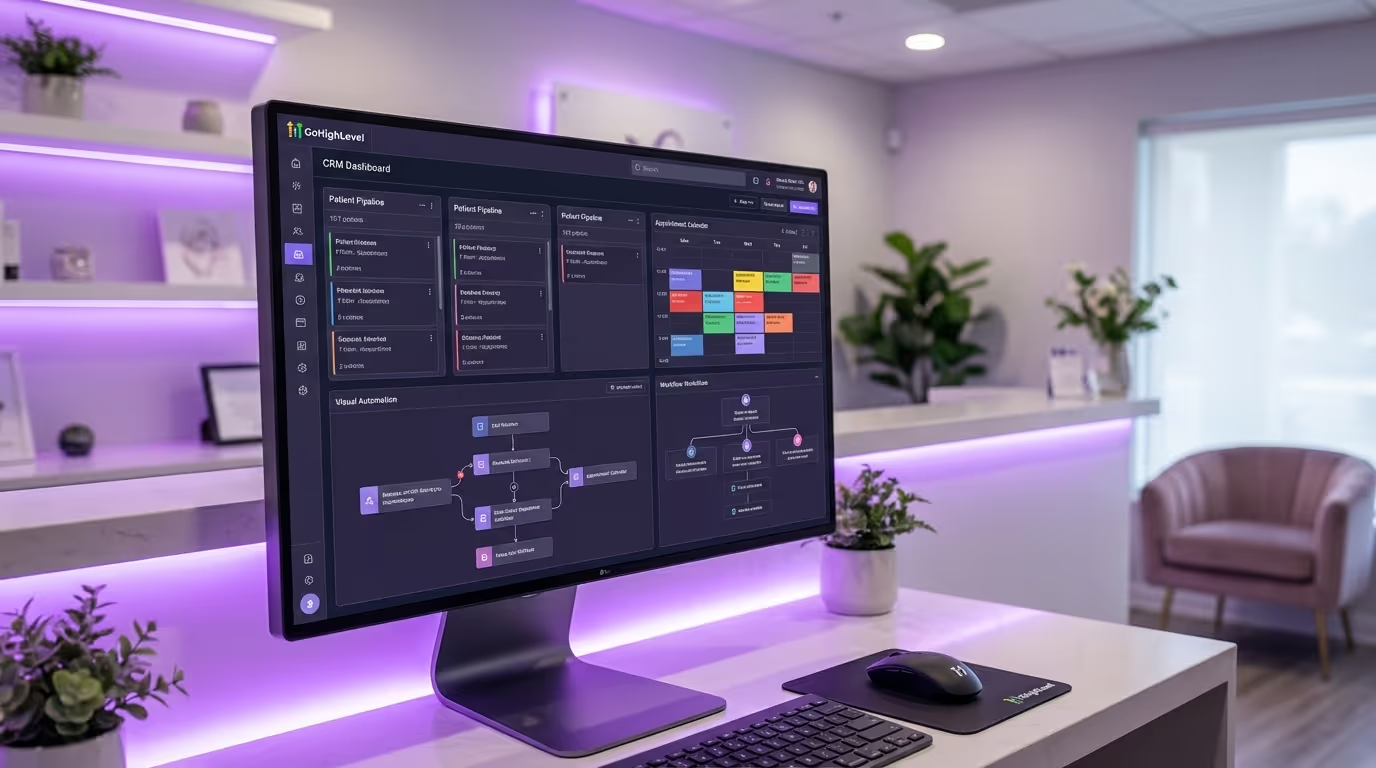
Setting up GoHighLevel for med spa operations is one of the smartest investments a practice can make. GoHighLevel is one of the most powerful CRM and marketing automation platforms on the market. It is also one of the most overwhelming to set up — especially if you are trying to configure it for a medical aesthetics practice without a blueprint.
Out of the box, GHL is a blank canvas. It has pipelines, automations, calendars, funnels, email, SMS, reputation management, and reporting. What it does not have is any opinion about how a med spa should use any of that. And that is where most practices get stuck. They sign up, stare at the dashboard, build a couple of basic automations, and end up using 15% of the platform's capabilities while paying for 100%.
We have set up GHL for med spas and medical aesthetics practices dozens of times. The difference between a practice that gets massive ROI from GHL and one that cancels after 6 months is almost always the same thing: the initial setup. A properly configured GHL account — functioning as a true med spa CRM GoHighLevel setup — is a revenue engine. A poorly configured one is an expensive contact list.
This guide is the setup blueprint we wish every med spa owner had before touching GHL. We are going to walk through exactly how to configure GoHighLevel for a medical aesthetics practice — the pipelines, the automations, the calendar setup, the reputation workflows, and the customizations that turn a generic CRM into a med spa operating system.
Why GoHighLevel for Med Spa Practices Works (and Where It Falls Short)
Before we get into setup, you need to understand what GHL does well and where it has limitations in the med spa context. This honest assessment will help you set expectations and plan for the gaps.
What GHL Does Well
All-in-one marketing and CRM. Instead of paying for separate tools for email marketing, SMS, online booking, funnel building, reputation management, and CRM, GHL consolidates everything into one platform. For a typical med spa, this replaces $500 to $1,500 per month in separate subscriptions.
| Tool GHL Replaces | Typical Monthly Cost | GHL Equivalent |
|---|---|---|
| Mailchimp or ActiveCampaign | $50 – $300 | Built-in email marketing |
| SimpleTexting or Twilio direct | $50 – $200 | Native two-way SMS |
| Calendly or Acuity | $25 – $50 | Built-in calendar and booking |
| ClickFunnels or Leadpages | $100 – $300 | Funnel and landing page builder |
| Birdeye or Podium | $250 – $500 | Reputation management |
| Separate CRM (HubSpot, etc.) | $50 – $800 | Contact management and pipeline |
| Total replaced | $525 – $2,150/month | $97 – $497/month for GHL |
Automation depth. GHL's workflow builder is genuinely powerful. You can build multi-step automations triggered by virtually any event — form submission, appointment booking, missed call, tag applied, pipeline stage change, birthday, treatment anniversary. The ceiling on what you can automate is high, and for med spas, this is where the real ROI lives. Every automated sequence you build replaces manual work that your front desk would otherwise need to do.
Two-way SMS and email. Native two-way text messaging is a game-changer for med spas. Patients prefer texting over calling, and GHL lets your front desk manage text conversations from a central inbox alongside emails and social media messages. This directly improves your speed-to-lead — the metric that matters most for lead conversion.
Reputation management. Automated review requests after appointments, review monitoring, and response management — all built in. For med spas that depend on Google reviews for local search visibility, this alone justifies the platform.
Funnel and landing page builder. Build treatment-specific landing pages and lead capture funnels without needing a separate tool or a web developer.
Where GHL Falls Short for Med Spas
No EMR. GHL is not a clinical documentation system. It does not do HIPAA-compliant charting, injection mapping, consent forms, or clinical photo management. You still need a dedicated med spa EMR for clinical workflows.
HIPAA compliance requires configuration. GHL offers a HIPAA-compliant version (you must specifically request it and sign a BAA), but it requires careful configuration. Default settings are not HIPAA-compliant. Most med spas running GHL without the HIPAA upgrade are technically out of compliance — and that is a risk you do not want to take.
Learning curve is steep. GHL is powerful precisely because it is flexible. But that flexibility means nothing is pre-configured for your industry. Without a setup guide (like this one), you will spend weeks figuring out how to structure things.
Support quality varies. GHL support can be slow and sometimes lacks depth for complex configuration questions. For med spa-specific questions, they will not have answers — their support team does not specialize in any particular industry.
Reporting limitations. While GHL's reporting has improved, it still lacks the depth of dedicated analytics platforms. For comprehensive marketing ROI tracking, you will likely need to supplement with Google Analytics, Google Ads reporting, and possibly a dedicated dashboard tool.
Step 1: Account Setup and HIPAA Configuration
Enable HIPAA Compliance First
This is not optional. If you are handling patient information — names, phone numbers, email addresses, treatment interests, appointment history — you need the HIPAA-compliant version of GHL.
Implementation steps:
- Contact GHL support or your agency and request HIPAA compliance activation
- Sign the Business Associate Agreement (BAA) — do not proceed without this document
- Enable data encryption settings in your account configuration
- Configure user access controls — not every staff member needs access to everything
- Set up audit logging to track who accesses what and when
- Create a password policy requiring strong passwords and regular rotation
- Document your HIPAA compliance configuration for your compliance records
Do this before entering a single patient record. Retroactively applying HIPAA compliance to an existing account with patient data is messy and creates compliance exposure.
Common mistake: Assuming GHL is HIPAA-compliant by default. It is not. The standard GHL account does not include a BAA, does not encrypt data at the level HIPAA requires, and does not include the access controls needed for compliance. You must specifically request and pay for the HIPAA-compliant version. Review our med spa compliance guide for broader compliance requirements.
Configure Your Business Profile
Implementation steps:
- Enter your business name exactly as it appears on your Google Business Profile
- Add your physical address, phone number, and email
- Set business hours accurately — these affect booking availability and automation timing
- Configure your time zone (critical for SMS and email send times — a welcome text at 3 AM destroys trust)
- Upload your logo and set brand colors (these appear in emails, funnels, booking pages, and review requests)
- Add your website URL and social media links
- Configure your reply-to email address (use a monitored inbox, not a no-reply address)
Set Up Phone Numbers
GHL uses Twilio for phone and SMS. You will need:
- A dedicated local number for patient communication (SMS confirmations, appointment reminders, two-way texting)
- Call tracking numbers if you want to track which marketing channels generate phone calls — essential for measuring Google Ads ROI
- A toll-free number if you serve patients across multiple area codes (optional)
Implementation steps:
- Purchase a local phone number through GHL's phone system
- Configure voicemail greetings with your practice name and hours
- Set up call forwarding rules (ring front desk first, then overflow to mobile)
- Configure missed call text-back automation (covered in Step 5)
- Set up business hours call routing — after-hours calls go to voicemail with immediate text-back
- If using call tracking, purchase separate numbers for each marketing channel (Google Ads, Meta Ads, website, GBP)
Step 2: Custom Fields and Tags
This is where most setups go wrong. People start building pipelines and automations without first structuring their data. You need custom fields and tags defined before anything else — they are the foundation that everything else is built on.
Essential Custom Fields for Med Spas
Create these custom fields in your contact records:
Patient information:
- Patient type (dropdown: New Lead, Consultation Booked, Active Patient, Lapsed Patient, VIP)
- Preferred contact method (dropdown: Text, Email, Phone)
- Date of birth (for birthday campaigns and age-appropriate treatment recommendations)
- Referral source (dropdown: How did you hear about us?)
- Fitzpatrick skin type (dropdown: I through VI — relevant for laser and skin treatments)
- Gender (dropdown: for treatment-appropriate marketing segmentation)
Treatment data:
- Primary treatment interest (dropdown: Botox, Filler, Laser, Body Contouring, Skin, Weight Loss, IV Therapy, Other)
- Treatments received (multi-select or tag-based)
- Last treatment date (date field — critical for rebooking automations)
- Next recommended treatment date (date field)
- Average treatment spend (number field)
- Lifetime value (number field — calculate quarterly)
- Membership tier (dropdown: None, Basic, Premium, VIP)
Business fields:
- Lead source (dropdown: Google Ads, Meta Ads, Instagram, Referral, Walk-in, Website, Event)
- Assigned provider (dropdown: list of all providers)
- Location (dropdown: for multi-location practices)
- Membership status (dropdown: None, Active, Expired, Cancelled)
- Loyalty points balance (number field — if running a loyalty program)
- Consultation outcome (dropdown: Booked Treatment, Considering, Not Ready, Not Qualified)
Tag Structure
Tags in GHL are your primary tool for segmentation and automation triggers. Build a consistent naming convention from day one. This is not optional — messy tags make automations unreliable and reporting meaningless.
Treatment tags:
treatment:botox,treatment:filler,treatment:laser-hair-removal,treatment:coolsculpting,treatment:chemical-peel,treatment:microneedling,treatment:semaglutide,treatment:hydrafacial,treatment:iv-therapy
Status tags:
status:new-lead,status:consultation-booked,status:consultation-completed,status:active-patient,status:lapsed-90,status:lapsed-180,status:dormant
Source tags:
source:google-ads,source:meta-ads,source:instagram,source:referral,source:walk-in,source:website-organic,source:event,source:tiktok
Campaign tags:
campaign:spring-botox-2026,campaign:summer-body,campaign:membership-launch,campaign:semaglutide-promo
Engagement tags:
engagement:opened-email,engagement:clicked-sms,engagement:no-response-3x,engagement:high-engagement,engagement:review-left
Common mistake: Using inconsistent tag naming. "Botox," "botox," "BOTOX," and "Botox Patient" as separate tags creates chaos. The colon convention (category:value) keeps tags organized, filterable, and automatable. Establish the convention, document it, and enforce it with your team.
Step 3: Pipeline Configuration
Pipelines are the visual representation of your patient journey. Most med spas need two to three pipelines. The sales funnel structure you build here determines how effectively you convert leads into patients.
Pipeline 1: New Patient Acquisition
This pipeline tracks leads from first contact through their first treatment.
Stages:
| Stage | Definition | Automation Trigger |
|---|---|---|
| New Lead | Contact captured (form, phone call, ad click, walk-in) | Instant SMS + internal notification |
| Contacted | Your team has made initial contact | Tag applied, timer started |
| Consultation Booked | Appointment scheduled | Confirmation email + SMS + pre-appointment instructions |
| Consultation Completed | Patient came in, was evaluated | Follow-up email with treatment recommendations |
| Treatment Booked | First treatment scheduled | Confirmation + pre-treatment prep instructions |
| First Treatment Completed | Patient has been treated | Post-treatment sequence initiated |
| Lost | Lead that did not convert (track the reason) | Nurture sequence + loss reason tag |
Implementation steps:
- Create the pipeline with the 7 stages above
- Set up automation triggers for each stage transition (detailed in Step 5)
- Configure required fields when moving between stages (e.g., loss reason required when moving to Lost)
- Set up pipeline reporting to track conversion rates between stages
- Create a daily pipeline review task for your front desk team
- Set SLA timers — new leads must be contacted within 5 minutes, consultations followed up within 24 hours
Benchmarks for pipeline performance:
| Conversion | Target Rate | Action if Below |
|---|---|---|
| New Lead to Contacted | 90%+ within 5 minutes | Fix speed-to-lead automation |
| Contacted to Consultation Booked | 40% – 60% | Improve phone/text scripts |
| Consultation Booked to Completed | 80% – 90% | Improve reminder sequence |
| Consultation to Treatment Booked | 60% – 75% | Improve consultation process |
| Treatment Booked to Completed | 90%+ | Improve confirmation sequence |
| Overall Lead to First Treatment | 15% – 30% | Systematic optimization |
Pipeline 2: Active Patient Management
This pipeline tracks the ongoing relationship with converted patients and is critical for patient retention.
Stages:
| Stage | Definition | Trigger |
|---|---|---|
| Active | Treated within the last 90 days | Automatic based on last treatment date |
| Due for Treatment | Recommended re-treatment window approaching | Date-based trigger per treatment type |
| Overdue | Past their recommended treatment window | 14 days past recommended date |
| At Risk | 90+ days since last visit, no upcoming appointment | Automatic date calculation |
| Lapsed | 180+ days, no engagement | Automatic date calculation |
Treatment-specific timing for "Due for Treatment" triggers:
| Treatment | Trigger Timing After Last Visit |
|---|---|
| Botox | 10 weeks |
| Dermal fillers | 10 months |
| Chemical peels | 4 weeks |
| Microneedling | 4 weeks |
| Laser hair removal | 6 weeks |
| HydraFacial | 4 weeks |
| Semaglutide | 1 week before next dose |
| CoolSculpting | 8 weeks (for additional area) |
Pipeline 3: Membership Sales (Optional)
If you offer a membership program, create a separate pipeline to track membership sales conversations.
Stages:
- Prospect — Patient identified as membership candidate
- Presented — Membership was discussed or materials sent
- Considering — Patient expressed interest but has not signed up
- Enrolled — Active member
- Declined — Not interested (tag with decline reason for future re-approach)
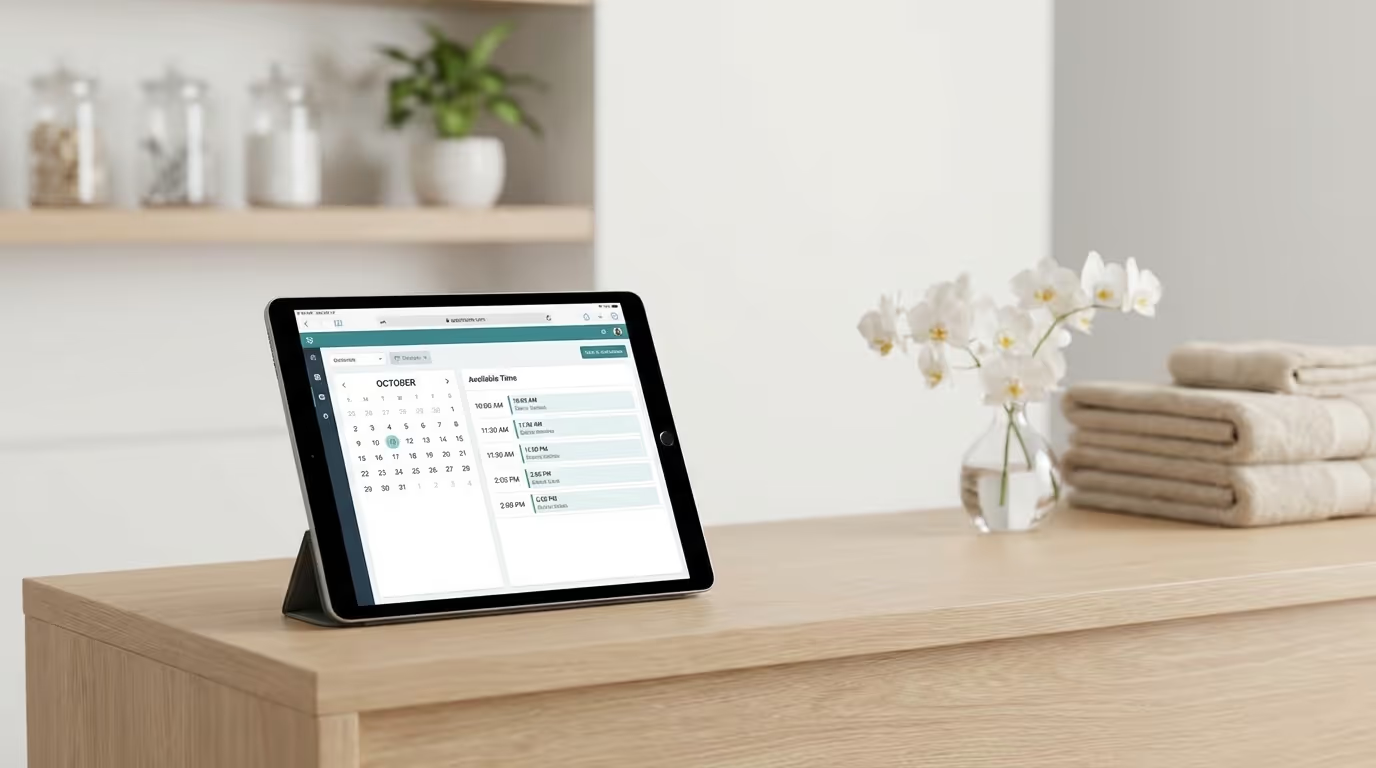
Step 4: Calendar and Booking Setup
GHL's calendar system can replace dedicated booking software for many med spas. Here is how to configure it properly.
Calendar Types
Create separate calendars for different functions:
- Consultation calendar — For new patients booking initial consultations. Longer time slots (30 to 45 minutes). Public-facing for website embedding.
- Treatment calendars — One per provider or per treatment type, depending on your scheduling complexity. Treatment-appropriate time slots (15 minutes for Botox, 60 minutes for filler, 90 minutes for body contouring).
- Follow-up calendar — For post-treatment check-ins. Shorter time slots (15 minutes). Can be virtual via telehealth.
Implementation steps:
- Create a consultation calendar with 30-minute slots
- Configure provider-specific treatment calendars with appropriate slot durations
- Set buffer times between appointments (10 to 15 minutes for room turnover)
- Block lunch breaks, staff meetings, and administrative time
- Set minimum scheduling notice (24 hours for consultations, varies for treatments)
- Configure booking confirmation messages (see templates below)
- Add intake form fields to the booking widget (name, phone, email, treatment interest, referral source)
Booking Widget Configuration
The booking widget is what patients see on your website or landing pages.
Configuration checklist:
- Show available time slots based on real-time calendar availability
- Collect essential information during booking (name, phone, email, treatment interest)
- Send automatic confirmation via SMS and email immediately after booking
- Allow rescheduling and cancellation (with appropriate notice requirements — we recommend 24-hour minimum)
- Block same-day bookings if your practice requires pre-treatment prep
- Customize the widget appearance to match your website design
- Add your cancellation policy language to the booking confirmation
- Enable waitlist functionality for fully booked time slots
Appointment Reminders
Configure a three-touch reminder sequence that reduces no-shows by 40 to 60 percent:
Reminder 1 — 48 hours before (Email): Subject: Your appointment at [Practice Name] — [Day, Date] at [Time] Body: Appointment details, pre-treatment instructions, parking/directions, what to bring, cancellation policy.
Reminder 2 — 24 hours before (SMS): "Reminder: Your [treatment] appointment at [Practice Name] is tomorrow at [time]. Reply C to confirm or R to reschedule."
Reminder 3 — 2 hours before (SMS): "See you in 2 hours! [Address]. Please arrive 10 minutes early. Questions? Reply to this text."
The ROI of this sequence: If your current no-show rate is 15% and you reduce it to 5%, that is roughly $30,000 per month recovered for a practice averaging 150 appointments per week at $200 average treatment value. That single automation pays for GHL many times over.
Common mistake: Only sending one reminder. Practices that send a single reminder 24 hours before see no-show rates of 12 to 18 percent. The three-touch sequence consistently brings it below 5 percent.
Step 5: Automation Workflows
Here are the core automations every med spa should build in GHL. These are listed in priority order — build them in this sequence.
Automation 1: Speed-to-Lead
When a new lead comes in — from any source — the first practice to respond wins 78% of the time. This automation ensures instant response and is the single highest-ROI automation you will build.
Trigger: New contact created (via form, ad, website chat, missed call)
Workflow:
| Step | Timing | Action |
|---|---|---|
| 1 | Immediately | Send SMS: "Hi [First Name], thanks for reaching out to [Practice Name]. What treatment are you interested in? A team member will call you shortly." |
| 2 | Immediately | Send internal notification to front desk (email + GHL notification + push notification) |
| 3 | 5 minutes | If no manual response logged: Send second SMS with direct booking link |
| 4 | 30 minutes | If no response from lead: Automated voicemail drop |
| 5 | 1 hour | If still no response: Email with practice introduction, services overview, and booking link |
| 6 | 24 hours | If still no response: SMS follow-up with social proof (review count, rating) |
| 7 | 48 hours | If still no response: Final email with urgency element |
| 8 | 72 hours | If still no response: Move to long-term nurture sequence, tag as "no-response-3x" |
Benchmarks: This sequence should achieve a 60 to 75 percent contact rate within 24 hours and a 20 to 35 percent consultation booking rate within 72 hours.
Automation 2: Post-Treatment Follow-Up
Trigger: Appointment status changed to "completed"
Workflow:
| Step | Timing | Action |
|---|---|---|
| 1 | 2 hours after | SMS: "Hi [First Name], how are you feeling after your [treatment] today? If you have any questions or concerns, just reply to this text." |
| 2 | 24 hours | Email: Post-care instructions specific to the treatment type (use conditional logic per treatment tag) |
| 3 | 3 days | SMS: "Checking in — how are your results looking? We would love to hear how you are feeling." |
| 4 | 7 days | Email with review request: "Would you mind sharing your experience? [Google Review Link]" |
| 5 | 14 days | If review was left: Send thank you. If not: Gentle second review request via SMS. |
| 6 | 21 days | Cross-sell email based on treatment received (e.g., Botox patient gets skincare recommendations) |
Automation 3: Rebooking Reminders
Trigger: Last treatment date plus recommended interval (varies by treatment)
Implementation steps:
- Create separate workflows for each treatment type with appropriate timing
- Use custom field "Last Treatment Date" and "Next Recommended Treatment Date" as triggers
- Build a 3-touch rebooking sequence per treatment type
Rebooking sequence template:
| Step | Timing | Channel | Message |
|---|---|---|---|
| 1 | Trigger date | SMS | "Hi [First Name], it's about time for your next [treatment] session. Want to book? [Booking Link]" |
| 2 | 3 days later (if no booking) | Treatment benefits refresh + booking link + current availability | |
| 3 | 7 days later (if no booking) | SMS | Incentive if applicable (e.g., "Book this week and receive a complimentary [add-on]") |
| 4 | 14 days later (if no booking) | Pipeline | Move to "At Risk" stage in Pipeline 2 |
Automation 4: Missed Call Text-Back
Trigger: Incoming call goes unanswered
Workflow: Immediately — SMS: "Hi, thanks for calling [Practice Name]. We missed your call but we are here to help. Can you let us know what you are looking for? Or book a time here: [Booking Link]"
The ROI: This single automation recovers 15 to 25 percent of missed calls. For a practice that misses 10 calls per day, that is 1.5 to 2.5 additional leads per day — 30 to 50 per month — that would have otherwise been lost to a competitor. At a $200 average first-visit value and 30% conversion rate, that is $1,800 to $3,000 in monthly recovered revenue.
Automation 5: Birthday Campaign
Trigger: Contact's date of birth field (7 days before birthday)
Workflow:
| Step | Timing | Channel | Message |
|---|---|---|---|
| 1 | 7 days before | "Happy Birthday, [First Name]. We have a special gift for you — [offer, e.g., $50 credit toward any treatment]. Book before [date] to redeem." | |
| 2 | Day of birthday | SMS | "Happy Birthday! Your $50 birthday gift is waiting. [Booking Link]" |
| 3 | 7 days after (if not redeemed) | SMS | "Your birthday gift expires soon. Don't forget to use your $50 credit. [Booking Link]" |
Birthday campaigns have some of the highest conversion rates of any automated sequence — typically 25 to 35 percent redemption rates. This aligns with the promotion strategies that consistently outperform generic discounting.
Automation 6: Review Generation
Trigger: Appointment marked complete plus positive interaction (no complaints logged)
Workflow:
| Step | Timing | Channel | Message |
|---|---|---|---|
| 1 | Same day (evening) | SMS | "Hi [First Name], thanks for visiting us today. Would you take 30 seconds to share your experience? [Google Review Link]" |
| 2 | 48 hours (if no review) | Review link with a note about how much reviews help the practice | |
| 3 | 7 days (if no review) | SMS | Final gentle reminder |
Important: Never incentivize reviews (this violates Google's terms of service). You are asking for honest feedback, not paying for five-star reviews. For the complete review generation strategy, see our reputation management guide.
Automation 7: Lapsed Patient Reactivation
Trigger: No appointment in 90 days and no upcoming appointment booked
Workflow:
| Step | Timing | Channel | Message |
|---|---|---|---|
| 1 | Day 1 | "We miss you, [First Name]. It has been a while since your last visit. Here is what is new at [Practice]." | |
| 2 | Day 5 | SMS | "Hi [First Name], we noticed it has been a few months. Ready to schedule your next treatment? [Booking Link]" |
| 3 | Day 14 | Welcome-back offer: "[Incentive] when you book your next appointment this month." | |
| 4 | Day 30 (if no response) | SMS | Final outreach with stronger incentive |
| 5 | Day 45 (if no response) | Tag | Move to "dormant" status, reduce communication frequency |
For the complete reactivation strategy, see our patient reactivation guide.
Step 6: Reputation Management
GHL includes built-in reputation management tools. Configure them to protect and grow your online presence.
Implementation steps:
- Connect your Google Business Profile and Facebook page to GHL's reputation module
- Enable real-time notifications for new reviews
- Create templated responses for positive reviews (customize 5 to 8 variations — never copy-paste the same response)
- Create response frameworks for negative reviews (acknowledge, empathize, offer to resolve offline)
- Set up weekly review tracking in your KPI dashboard
- Configure the automated review request workflow from Step 5
Target benchmarks:
| Metric | Target | Why It Matters |
|---|---|---|
| Response time to new reviews | Under 24 hours | Google rewards responsive businesses |
| Monthly review volume | 10+ per month | Consistent flow matters more than bursts |
| Average rating | 4.7+ stars | Below 4.5 triggers patient hesitation |
| Review response rate | 100% | Every review gets a response |
| Percentage mentioning treatment names | 40%+ | Signals to Google what services you offer |
Step 7: Reporting Dashboard
GHL's built-in reporting is decent, but you need to configure custom dashboards to track what matters for your med spa. This connects directly to the KPIs every owner should track.
Key Metrics to Track
Lead metrics:
| Metric | How to Track in GHL | Target |
|---|---|---|
| New leads per week (by source) | Pipeline stage count + source tag | 20 – 50+ |
| Lead-to-consultation conversion rate | Pipeline stage-to-stage conversion | 40% – 60% |
| Consultation-to-treatment conversion rate | Pipeline stage-to-stage conversion | 60% – 75% |
| Cost per lead (by source) | Manual calculation from ad spend | $30 – $80 |
| Speed to first response | Workflow reporting | Under 5 minutes |
Patient metrics:
| Metric | How to Track in GHL | Target |
|---|---|---|
| Active patients (treated in last 90 days) | Tag/status filter count | Growing monthly |
| Retention rate (rebook within recommended window) | Pipeline stage tracking | 40% – 55% |
| Lapsed patients (90+ days) | Tag filter count | Decreasing monthly |
| Average patient lifetime value | Custom field tracking | $2,000 – $8,000 |
Revenue metrics:
| Metric | How to Track in GHL | Target |
|---|---|---|
| Revenue by source | Source tag + conversion attribution | Diversified across channels |
| Revenue per lead (by channel) | Manual calculation | $150 – $400 |
| Rebooking revenue from automated sequences | Workflow attribution | $5,000+/month |
| Review generation rate | Reputation module reporting | 10+/month |
Implementation steps:
- Build a custom dashboard in GHL with the metrics above
- Configure weekly automated reports sent to your email every Monday morning
- Set up alerts for pipeline bottlenecks (e.g., more than 10 leads sitting in "New Lead" for over 24 hours)
- Review the dashboard daily for lead flow, weekly for conversion metrics, monthly for trend analysis
- Share relevant metrics with your team — front desk sees lead metrics, providers see patient metrics
Step 8: Integrations
GHL does not exist in a vacuum. Here are the essential integrations for a med spa operating system.
Website integration:
- Embed booking widgets on your main website and every service page
- Add chat widgets for real-time visitor engagement
- Embed lead capture forms on landing pages
- Install GHL tracking pixel for visitor attribution
Ad platform integrations:
- Connect Google Ads for automated lead import from search ads
- Connect Meta Ads (Facebook/Instagram) for lead form auto-import
- Enable offline conversion tracking to feed conversion data back to ad platforms
- This is essential for accurate Google Ads cost tracking
EMR integration:
- This is the biggest integration gap. Most EMR systems do not have native GHL integrations
- Use Zapier, Make, or a custom API integration to sync patient data
- At minimum, sync appointment completion status so GHL can trigger post-treatment automations
- Sync patient contact info bidirectionally to avoid duplicate records
Google Business Profile:
- Connect for review management and local SEO monitoring
- Sync review data into GHL for centralized reputation tracking
Payment processing:
- Integrate Stripe for collecting deposits, selling memberships, and processing package payments
- Configure payment links in SMS and email for frictionless transactions
- Set up recurring billing for membership programs
Additional recommended integrations:
| Integration | Purpose | Tool |
|---|---|---|
| Google Analytics 4 | Website analytics and conversion tracking | Native or GTM |
| Google Search Console | SEO performance monitoring | Manual check |
| Social media scheduling | Content management across platforms | Built-in or Buffer |
| Accounting software | Revenue tracking and reconciliation | QuickBooks via Zapier |
The Biggest GoHighLevel for Med Spa Setup Mistakes
Based on dozens of implementations, these are the errors that cost practices the most time and money:
| Mistake | Why It Hurts | The Fix |
|---|---|---|
| Skipping HIPAA setup | Compliance violation risk, potential fines | Activate HIPAA mode and sign BAA before entering any patient data |
| No tag naming convention | Automations break, segmentation fails, reporting is meaningless | Establish category:value naming convention from day one |
| Building automations before custom fields | Automations cannot reference data that does not exist | Set up all custom fields and tags before building any workflows |
| Not configuring treatment-specific rebooking timing | Generic reminders feel irrelevant and get ignored | Build separate rebooking workflows per treatment type |
| Using GHL as a simple CRM | Wastes 80% of the platform's capabilities | Build all 7 core automations within the first 30 days |
| No pipeline stage requirements | Leads get stuck in stages without accountability | Add required fields and time-based alerts for stage transitions |
| Ignoring the missed call text-back | Every missed call is a potential patient lost to a competitor | Build this automation on day one — it takes 10 minutes |
| Not training the front desk team | Staff does not use the tools you built | Schedule 2 hours of hands-on training per week for the first month |
The GoHighLevel for Med Spa Setup Timeline
Here is a realistic timeline for a complete GoHighLevel for med spa setup:
| Week | Focus | Key Deliverables |
|---|---|---|
| Week 1 | Foundation | HIPAA activation, business profile, phone numbers, custom fields, tags |
| Week 2 | Pipelines and calendars | All 3 pipelines built, calendars configured, booking widgets embedded |
| Week 3 | Core automations | Speed-to-lead, post-treatment follow-up, appointment reminders, missed call text-back |
| Week 4 | Advanced automations | Rebooking reminders, birthday campaign, review generation, lapsed patient reactivation |
| Week 5 | Integrations and reporting | Website integration, ad platform connections, EMR sync, dashboard configuration |
| Week 6 | Training and launch | Team training, workflow testing, soft launch, monitoring |
Total investment: 30 to 40 hours of setup time spread over 6 weeks. After that, the system runs largely on autopilot with weekly monitoring and monthly optimization.
Skip the Setup Headaches: Aesthetix Hub
Everything described in this GoHighLevel for med spa guide — every pipeline, every automation, every custom field, every workflow, every template — we have already built it.
Aesthetix Hub is GoHighLevel, pre-configured specifically for medical aesthetics practices. It is the difference between getting a blank canvas and getting a finished operating system. No weeks of setup. No guessing at pipeline stages or automation triggers. No hiring a consultant to build what should have come out of the box.
Every practice that uses Aesthetix Hub gets:
- All 3 pipelines pre-built with med spa-specific stages
- All 7 core automations configured and tested
- Treatment-specific rebooking workflows for every major aesthetic service
- HIPAA-compliant configuration from day one
- Custom fields and tag structure optimized for medical aesthetics
- Branded templates for emails, SMS, review requests, and appointment reminders
- Booking widgets and funnels ready to embed
- Reporting dashboards configured for the metrics that matter
- Ongoing updates as we optimize based on data from every practice on the platform
The practices using our best-in-class software stack consistently outperform those trying to build from scratch. Not because they are smarter — because they did not waste 40 hours on setup that could have been spent treating patients and growing revenue.