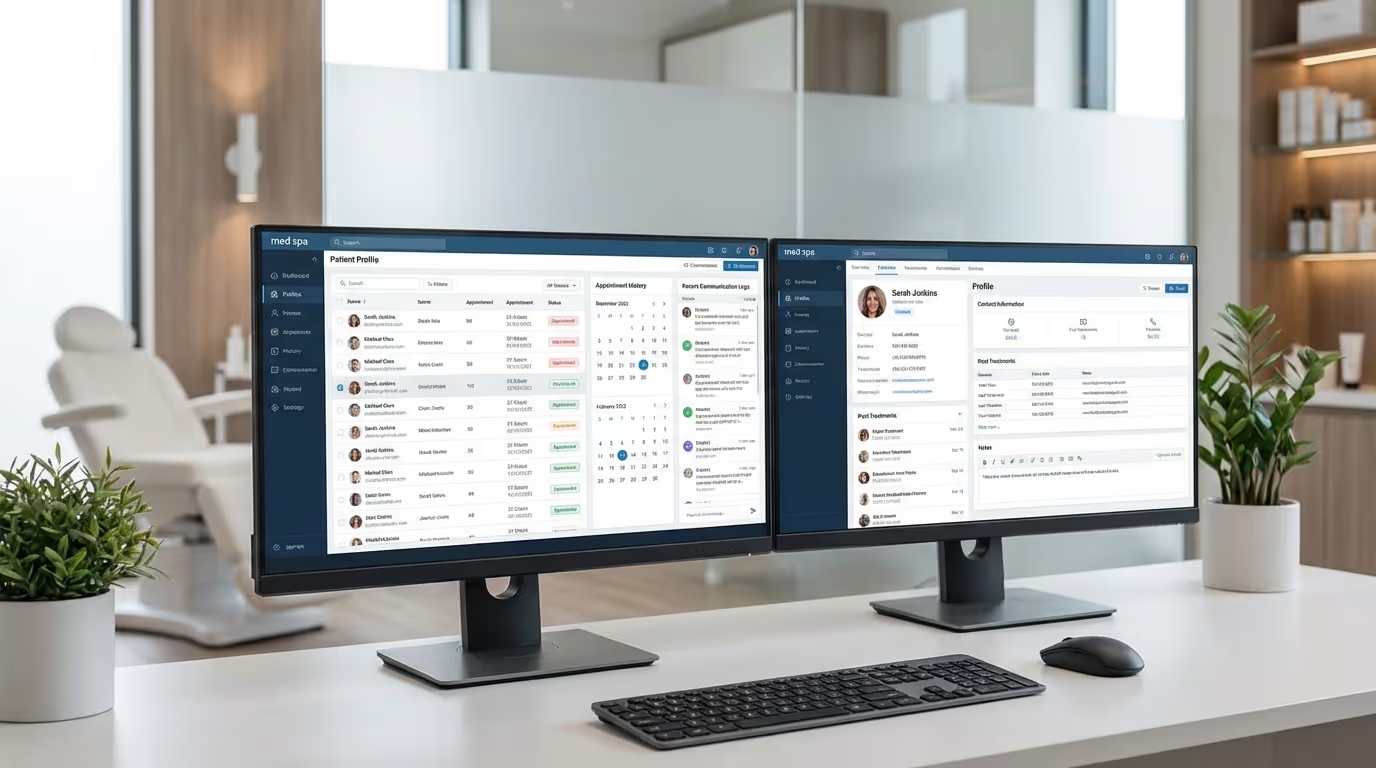

Your med spa EMR is the backbone of your practice. Med spa electronic medical records are where every treatment gets documented, every consent gets signed, every before-and-after photo gets stored, and every compliance audit either passes or fails. Choose the wrong one, and you are looking at frustrated providers, incomplete charts, compliance exposure, and a system your team actively avoids using.
The problem is that most EMR systems were built for primary care, dermatology, or hospital settings. They do not understand that you need injection point mapping, not prescription tracking. They do not know that your consent forms change by treatment type. They have never heard of a liquid facelift protocol or a body contouring treatment plan that spans six sessions.
An EMR for medical spa practices needs to do things general medical software was never designed for. This guide compares the aesthetic EMR software options that actually serve aesthetic practices, breaks down what matters versus what is marketing fluff, and helps you make a decision you will not regret 12 months from now.
Why a Generic EMR Does Not Work for Med Spas
Before we compare platforms, you need to understand why you cannot just use whatever EMR your medical director uses at their other practice. Med spas operate in a unique clinical space, and your documentation needs reflect that.
Aesthetic-Specific Charting Requirements
General EMRs are built around diagnosis codes, prescriptions, and lab results. Your charting needs are fundamentally different:
Injection mapping. Every Botox and filler treatment needs precise documentation of injection sites, units per site, product lot numbers, and total volume used. If you are documenting "20 units Botox to glabella" without a visual map showing exactly where each injection went, your charts are incomplete — and your liability exposure is real.
Before-and-after photo management. Photos are clinical documentation in aesthetics, not marketing assets. Your EMR needs to store them within the patient record, with consistent lighting and angle protocols, date stamps, and the ability to display them side-by-side during consultations. A system that stores photos as generic file attachments is not built for your workflow. See our photography guide for capture standards.
Treatment-specific templates. A laser treatment note looks nothing like an injectable note, which looks nothing like a body contouring note. You need templates that capture the specific data points for each modality — wavelength settings for lasers, product and dilution for injectables, applicator size and cycle count for CoolSculpting. Building these from scratch in a generic EMR takes months and never works as well as purpose-built templates.
Consent form management. Med spas typically need 15 to 30 different consent forms — one per treatment type, plus general consent, photo consent, and financial consent. Your EMR should manage these digitally, track signatures, and associate them with the correct appointment and treatment record automatically.
The Cost of a Wrong EMR Choice
| Problem | Impact | How Often It Happens |
|---|---|---|
| Incomplete charts (no injection maps) | Malpractice liability, failed audits | 40% of practices with generic EMRs |
| Photo storage outside EMR (phone camera roll) | HIPAA violation, lost documentation | 50%+ of practices |
| Paper consent forms getting lost | Compliance exposure, lawsuit vulnerability | 30% of practices |
| No inventory tracking tied to treatments | 5-15% product loss from waste/theft | 60% of practices |
| Double-entry between EMR and scheduling | Provider frustration, charting errors | 35% of practices |
| Failed compliance audit | $5,000-$50,000 fines, license risk | 15% of practices annually |
Compliance Realities
HIPAA is non-negotiable. Your EMR must be HIPAA-compliant with encrypted data storage, access controls, audit trails, and a signed Business Associate Agreement (BAA). If your EMR vendor will not sign a BAA, walk away immediately — it does not matter how clean the interface looks.
State medical board requirements. Depending on your state, there are specific documentation requirements for medical spas regarding supervision protocols, delegated procedures, and standing orders. Your EMR needs to support these documentation workflows without workarounds. Review our compliance guide for state-specific requirements.
Audit trails. If a record is modified after the fact — and it will be, because providers forget to add notes — the system must log who changed what and when. This is not optional. It is the difference between a clean audit and a compliance violation.
The 7 Features That Matter in Aesthetic EMR Software
Every EMR vendor will show you a feature list a mile long. Here are the seven capabilities that separate a good med spa EMR from one that will make your life harder.
1. Injection Point Mapping
This is the single most important feature for any med spa that offers injectables — and that is virtually every med spa.
What good looks like: A visual face and body map where providers tap or click to mark injection sites, enter units or volume per site, and record the specific product used. The map should be savable, printable, and accessible from the patient's chart for future reference. Ideally, it shows previous injection maps overlaid so providers can see treatment history at a glance.
What bad looks like: A text field where the provider types "Botox 20u glabella, 12u crow's feet." This is not acceptable documentation in 2026.
Scoring by platform:
| Platform | Injection Mapping Quality | Score (1-10) |
|---|---|---|
| AestheticRecord | 3D facial mapping, best in industry | 10 |
| AestheticsPro | Visual diagrams, functional | 7 |
| PatientNow | Facial mapping with historical overlays | 8 |
| Symplast | Mobile-optimized injection mapping | 7 |
| Nextech | Comprehensive mapping | 8 |
| DrChrono | No native mapping (workarounds needed) | 3 |
| Boulevard | Basic or absent | 2 |
2. Photo Documentation System
What good looks like: An integrated camera module (or seamless upload from your photo system) that stores images within the patient chart, tagged by treatment date and type. Consistent positioning guides for standardized angles. Side-by-side comparison tools. HIPAA-compliant storage. Ability to share photos with the patient during consultations.
What bad looks like: Photos stored on a provider's personal iPhone, uploaded to a shared Dropbox, or attached as generic files in the chart. This creates HIPAA risks, makes photos unfindable, and prevents meaningful before-and-after tracking.
Implementation steps for photo documentation:
- Establish a standardized photo protocol (same angles, same lighting, same distance for every patient)
- Use your EMR's built-in camera or a dedicated HIPAA-compliant photo app
- Tag every photo with patient name, date, treatment type, and angles
- Store all photos within the patient record, not on personal devices
- Create comparison templates for side-by-side viewing during consultations
- Back up photo data according to your HIPAA disaster recovery plan
3. Treatment-Specific Charting Templates
Your injectable providers need different data fields than your laser technicians. Your body contouring team needs different fields than your skin care providers.
Minimum template requirements:
| Treatment Type | Required Data Fields |
|---|---|
| Injectables | Product, lot number, dilution, injection map, total units, areas treated, adverse reactions, post-care given |
| Laser treatments | Device, wavelength/settings, spot size, pulse duration, treatment area, Fitzpatrick skin type, cooling method, energy delivered |
| Body contouring | Device, applicator, cycle time, treatment area, suction level, photos, measurements |
| Skin treatments | Products used, protocols followed, skin analysis notes, home care recommendations |
| Medical weight loss | Current weight, vitals, medication dosage, lab results, progress photos, next steps |
| Consultation | Patient goals, concerns, assessment findings, recommended treatment plan, financing discussed |
4. E-Consent and Digital Signatures
Paper consent forms are a liability. They get lost, misfiled, or left unsigned. A proper e-consent system captures signatures on a tablet or phone, automatically attaches the signed form to the correct appointment record, and makes retrieval instant.
The operational benefit: Sending consent forms to patients before their appointment — through your booking software or appointment reminders — saves 10 to 15 minutes per patient and reduces no-shows (patients who invest time in pre-appointment paperwork are more likely to show up).
5. Inventory Tracking Tied to Treatments
If your EMR does not connect product usage to specific treatments and patients, you are managing inventory blind.
What proper inventory tracking prevents:
| Problem | Annual Cost Without Tracking | How Tracking Prevents It |
|---|---|---|
| Product waste (expired, opened unused) | $5,000-$15,000 | Alerts for expiring inventory, usage optimization |
| Documentation errors (wrong units recorded) | Liability risk | Auto-populates from product scan |
| Theft/diversion | $3,000-$10,000 | Units used must match units purchased per provider |
| Over-ordering | $2,000-$8,000 tied up in excess inventory | Usage trend data informs ordering |
| Under-ordering (stockouts) | Lost revenue from cancelled appointments | Reorder alerts based on usage rate |
6. Scheduling Integration
Your EMR should either include scheduling or integrate tightly with your scheduling system. Double-entry — charting in one system and scheduling in another — wastes time, creates errors, and means your providers are constantly toggling between platforms.
What integration should look like:
- The chart opens automatically when a patient checks in
- Treatment notes auto-populate with the scheduled service type
- Provider schedule and chart are visible on the same screen
- Appointment status updates flow between systems in real time
- Booking software events trigger chart preparation
7. Reporting and Analytics
Your EMR holds the clinical data that, combined with financial data, tells you how your practice is actually performing. At minimum, you need these reports:
| Report | What It Shows | How Often to Review |
|---|---|---|
| Provider productivity | Treatments/day, revenue/provider, avg treatment time | Weekly |
| Treatment mix | Which services growing, declining, or stagnant | Monthly |
| Product utilization | Units used vs. purchased, waste rates | Monthly |
| Patient retention | Return visit rates, avg time between visits | Monthly |
| Compliance metrics | Unsigned consents, incomplete charts, overdue docs | Weekly |
| Revenue by treatment | Revenue breakdown by service line | Monthly |
| New vs. returning patients | Acquisition vs. retention trends | Monthly |
Track these alongside your marketing KPIs to get a complete picture of practice performance.
Med Spa EMR Systems Compared
Here is an honest comparison of the major EMR platforms serving the medical aesthetics space. No affiliate links. No paid placements. Just what we see working (and not working) across the practices we serve.
AestheticsPro
Overview: One of the longest-standing platforms built specifically for medical aesthetics. All-in-one system covering EMR, scheduling, POS, inventory, and basic marketing.
EMR strengths:
- Purpose-built aesthetic charting templates out of the box
- Injection point mapping with visual face/body diagrams
- Before-and-after photo management integrated into patient records
- Consent form library with e-signatures
- Inventory tracking tied to treatment documentation
- HIPAA-compliant with signed BAA
EMR weaknesses:
- Interface feels dated — providers accustomed to modern apps find it clunky
- Photo management works but lacks the sophistication of dedicated photo systems
- Reporting is functional but not granular enough for multi-location practices
- Mobile experience lags behind desktop significantly
- Limited CRM and marketing automation capabilities
Pricing: Starts around $250/month. Scales with providers and feature modules.
Best for: Single-location med spas that want clinical and business operations in one system and prioritize aesthetic-specific features over modern design.
AestheticRecord
Overview: Positions itself as the modern EMR for aesthetics. Strong clinical documentation with a clean, provider-friendly interface.
EMR strengths:
- Excellent 3D facial mapping for injection documentation — one of the best in the industry
- Clean consent form management with customizable templates
- Detailed treatment planning with product tracking
- Modern interface that providers actually enjoy using
- Good photo documentation tools
- Strong mobile app
EMR weaknesses:
- Marketing features are minimal — you need a separate CRM for campaigns and lead nurture
- Online booking exists but is not as conversion-focused as dedicated booking tools
- Reporting and business analytics are limited
- Smaller support team means longer response times during peak hours
- Fewer integrations with third-party marketing tools
Pricing: Starts around $150/month per provider. Advanced features and add-ons increase cost.
Best for: Practices that prioritize clinical documentation quality and provider experience over business management features. Particularly strong for injection-heavy practices where mapping quality matters most.
Nextech
Overview: Enterprise-grade practice management and EMR system with a dedicated aesthetics module.
EMR strengths:
- Comprehensive aesthetic charting with injection mapping
- Robust photo management system
- Deep reporting and analytics capabilities
- Inventory management with product tracking
- Strong compliance features including audit trails
- Multi-location management
EMR weaknesses:
- Complex implementation — expect 2 to 4 months to go live
- Pricing is enterprise-level and not transparent
- Overkill for single-location practices doing under $1M annually
- Learning curve is steep for front desk and new providers
- The system can feel heavy and slow compared to modern alternatives
Pricing: Custom pricing, typically $500 to $1,500+/month depending on modules, users, and configuration. Implementation fee: $5,000-$15,000+.
Best for: Multi-location practices and medical spas with 5+ providers that need enterprise-grade reporting, compliance, and scalability.
PatientNow
Overview: Practice management platform with strong EMR capabilities built for cosmetic and aesthetic practices.
EMR strengths:
- Facial injection mapping with historical overlays (see past treatments layered on current)
- Integrated before-and-after photo system with standardized capture
- Treatment-specific templates for injectables, lasers, and skin care
- E-prescribing capabilities for practices that need them
- Patient portal for secure communication and document access
EMR weaknesses:
- User interface is functional but not modern
- Marketing and CRM capabilities are basic
- Mobile app has limited functionality compared to desktop
- Integration with third-party tools requires custom work
Pricing: Typically $300 to $600/month depending on practice size and modules selected.
Best for: Mid-size practices that need solid clinical documentation, photo management, and patient communication in one platform.
DrChrono
Overview: Cloud-based EHR that serves multiple specialties, including medical aesthetics. iPad-first design philosophy.
EMR strengths:
- iPad-native interface that works well on tablets in treatment rooms
- Customizable templates that can be adapted for aesthetic workflows
- Strong e-prescribing and lab integration
- Good API for integrations with other business tools
- Affordable entry point
EMR weaknesses:
- Not aesthetics-specific — requires extensive template customization
- No native injection point mapping (requires workarounds)
- Photo management is basic compared to aesthetics-focused platforms
- Before-and-after comparison tools are limited
- Learning curve for aesthetic-specific configuration
Pricing: Starts around $199/month for the base plan. Per-provider pricing on higher tiers.
Best for: Budget-conscious practices willing to customize, or practices that offer both primary care/dermatology and aesthetics.
Symplast
Overview: Mobile-first practice management and EMR platform built specifically for plastic surgery and medical aesthetics.
EMR strengths:
- Mobile-first design — built to work on phones and tablets from the ground up
- Aesthetic-specific charting and injection mapping
- Integrated photo management with markup tools
- Telehealth capabilities built in
- Patient engagement tools including a patient-facing app
- Strong for plastic surgery and med spa workflows
EMR weaknesses:
- Still a newer platform, feature depth is growing
- Desktop experience is not as polished as the mobile experience
- Integrations with third-party marketing and business tools are limited
- Reporting is adequate but not as deep as enterprise platforms
Pricing: Approximately $300 to $500/month depending on practice size.
Best for: Practices that want a modern, mobile-first system and providers who chart from tablets rather than desktop workstations.
Boulevard
Overview: Originally built for high-end salons and spas, Boulevard has expanded into medical aesthetics. Strong on scheduling, POS, and client experience — EMR capabilities are newer.
EMR strengths:
- Beautiful, modern interface that staff enjoys using
- Excellent scheduling and client management
- Strong POS and payment processing
- Good client communication and marketing tools
EMR weaknesses:
- EMR capabilities are limited compared to aesthetics-specific platforms
- Injection mapping is basic or absent
- Not originally built for medical documentation — clinical features feel bolted on
- HIPAA compliance features are newer and less battle-tested
- Photo documentation is not at the level of purpose-built aesthetic EMRs
Pricing: Starts around $175/month. Scales with features and locations.
Best for: Med spas that prioritize client experience, scheduling, and front-of-house operations over clinical documentation depth. Works better for spa-focused practices than injection-heavy practices.
Comparison Summary
| Feature | AestheticsPro | AestheticRecord | Nextech | PatientNow | DrChrono | Symplast | Boulevard |
|---|---|---|---|---|---|---|---|
| Injection mapping | Good | Excellent | Good | Very Good | Poor | Good | Poor |
| Photo management | Good | Good | Very Good | Very Good | Basic | Good | Basic |
| Charting templates | Very Good | Good | Very Good | Good | Customizable | Good | Basic |
| E-consent | Good | Good | Good | Good | Good | Good | Limited |
| Inventory tracking | Good | Basic | Very Good | Good | Basic | Basic | Basic |
| Scheduling | Good | Basic | Good | Good | Good | Good | Excellent |
| Reporting | Good | Basic | Excellent | Good | Good | Adequate | Good |
| Mobile experience | Fair | Good | Fair | Fair | Excellent | Excellent | Good |
| HIPAA compliance | Proven | Proven | Proven | Proven | Proven | Proven | Newer |
| CRM/marketing | Basic | Minimal | Good | Basic | Minimal | Basic | Good |
| Price (monthly) | ~$250+ | ~$150+/provider | $500-1500+ | $300-600 | ~$199+ | $300-500 | ~$175+ |
How to Evaluate an EMR for Medical Spa Practices
Comparing feature lists and pricing pages will only get you so far. Here is the evaluation process that prevents a $50,000+ mistake.
Step 1: Map Your Clinical Workflows First
Before you talk to a single vendor, document your current clinical workflows.
Workflow mapping checklist:
- [ ] How do your injectable providers chart? What data do they need to capture?
- [ ] How do your laser techs document treatments? What device settings need recording?
- [ ] Where do before/after photos currently live? Who takes them? What is the process?
- [ ] How are consent forms managed? Paper or digital? Per treatment or one-time?
- [ ] How does inventory currently get tracked? Who reconciles it?
- [ ] How many treatment types do you offer? List them all.
- [ ] How many providers use the charting system? What devices do they use?
- [ ] What reports does your medical director need for chart reviews?
This exercise takes two hours and saves you from buying a system that does not match how your team actually works.
Step 2: Demo With Real Scenarios
Do not let the sales rep drive the demo. Come prepared with three to five real patient scenarios:
Scenario 1 (New injectable patient): New patient books a Botox consultation. They arrive, fill out intake forms and consent. Provider evaluates, treats with 40 units across three areas. Document the entire visit including injection map, consent, photos, and product used.
Scenario 2 (Returning filler patient): Returning patient needs a touch-up. Pull up their previous injection map, compare before-and-after photos from last visit, document the touch-up treatment, and update inventory.
Scenario 3 (Laser series patient): Patient is on their third of six sessions. Show the full treatment plan, previous session notes, device settings from last time, current photos versus baseline, and progress tracking.
Scenario 4 (Compliance audit): Pull up a random patient's chart from 6 months ago. Can you find: signed consent form, injection map, photo documentation, product lot numbers, and provider notes within 60 seconds?
If the rep cannot walk through these scenarios smoothly, the platform is not ready for your practice.
Step 3: Talk to Current Users
Ask every vendor for three to five references — and actually call them. Specific questions:
| Question | What the Answer Reveals |
|---|---|
| How long did implementation take? | Vendor's realistic timeline vs. sales promise |
| What was the biggest surprise after going live? | Hidden challenges |
| What do providers complain about most? | Daily friction points |
| How responsive is support when something breaks? | Real support quality |
| If you could do it over, would you choose this system? | Overall satisfaction |
| How many workarounds does your team use? | Feature gaps |
Step 4: Calculate the True Cost
EMR pricing is rarely straightforward. Calculate the total first-year cost:
| Cost Component | Range | Notes |
|---|---|---|
| Monthly subscription (x12) | $2,400 – $18,000 | Depends on platform and plan |
| Implementation/setup fees | $0 – $15,000 | Enterprise systems charge more |
| Data migration | $2,000 – $5,000 | Moving records from current system |
| Training time (staff hours) | $3,000 – $8,000 | Calculate hourly rate x training hours |
| Productivity dip (first 60 days) | $5,000 – $15,000 | 20-30% productivity drop during transition |
| Per-provider add-on fees | $0 – $6,000 | Some systems charge per user |
| Add-on modules | $0 – $6,000 | Photo, inventory, reporting may be extra |
| Total first-year cost | $12,400 – $73,000 |
A system that costs $200/month with $8,000 in setup fees and $500/month in add-ons has a very different total cost than one at $500/month all-in.
Step 5: Test HIPAA Compliance Claims
Ask every vendor these questions:
- Will you sign a Business Associate Agreement? (Required — no exceptions)
- Where is data stored and is it encrypted at rest and in transit?
- Who has access to our patient data on your side?
- What happens to our data if we cancel?
- When was your last security audit and can we see the results?
- Do you have a documented breach notification process?
If a vendor hesitates on any of these, that is a red flag. Walk away.
EMR Migration: How to Switch Without Losing Your Mind
Switching EMR systems is one of the most disruptive things a med spa can do. Here is the implementation plan that minimizes disruption.
Migration Timeline
| Week | Activity | Who |
|---|---|---|
| 1-2 | Vendor selection finalized, contract signed | Owner + IT |
| 3-4 | Data export from current system | Current vendor + IT |
| 5-6 | Template customization in new system | Lead provider + vendor |
| 7-8 | Data migration (patient records, photos, consents) | Vendor + IT |
| 9-10 | Staff training (8-12 hours per role) | All clinical and front desk staff |
| 11-12 | Parallel running period (both systems active) | All staff |
| 13 | Go-live on new system, old system read-only | All staff |
| 14-16 | Post-launch optimization and troubleshooting | IT + vendor support |
Common Migration Mistakes
Mistake 1: Rushing the timeline. Budget 60 to 90 days, not 30. Practices that try to flip the switch overnight always regret it.
Mistake 2: Not migrating historical data properly. Patient records — treatment history, consent forms, photos, notes — need to come with you. If the new system cannot import them, keep your old system read-only for at least 12 months.
Mistake 3: Skipping the parallel period. Run both systems for at least two to four weeks. Yes, it is double the work. But it catches data issues, workflow gaps, and training needs before you lose access to your old system.
Mistake 4: Not customizing templates before go-live. Generic templates slow providers down and create incomplete charts. Customize charting templates for every treatment type before the first real patient.
Mistake 5: Ignoring staff buy-in. The best EMR fails if your team refuses to use it. Involve your lead provider and front desk manager in the selection process. People adopt what they helped choose.
Mistake 6: Not planning for the productivity dip. Schedule lighter patient loads for the first two weeks after go-live. Providers will be slower while learning the new system. Trying to maintain normal volume while learning a new EMR creates frustration, incomplete charts, and a negative attitude toward the new system.
The Build vs. Buy Decision
Some med spa owners consider building a custom system using GoHighLevel, Notion, or custom-developed software.
Build makes sense when:
- Your practice has truly unique clinical workflows that no existing EMR supports
- You have technical resources to build and maintain the system
- You are building a multi-location brand and need proprietary technology
Buy makes sense when (most med spas):
- You need HIPAA-compliant clinical documentation (building HIPAA-compliant systems is extremely expensive and risky)
- You want to focus on running your practice, not managing software development
- You need regulatory compliance features that have been tested and validated
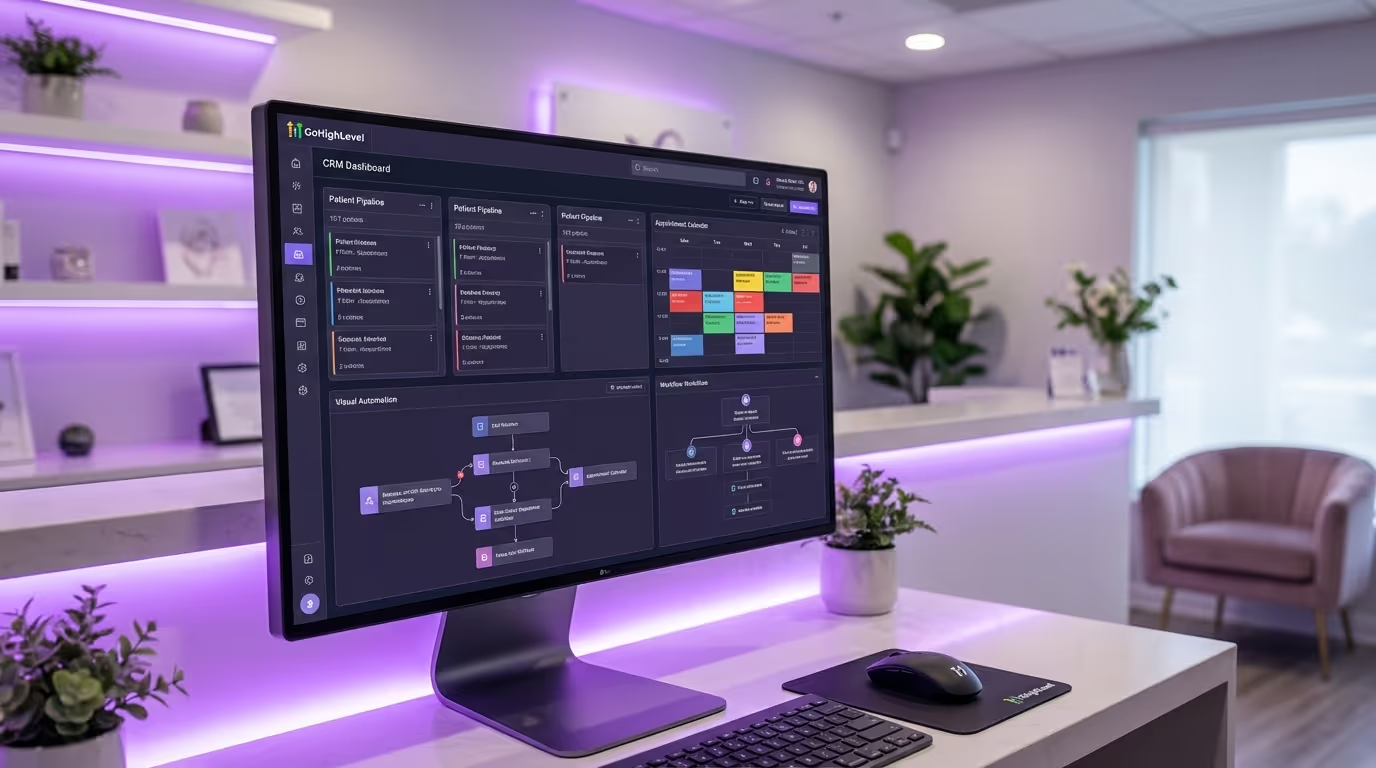
The hybrid approach (recommended for most practices): Buy your EMR for clinical documentation and compliance. Build your marketing and patient acquisition layer around it using a CRM like GoHighLevel. Connect them via API or integration.
| Layer | Buy (EMR) | Build (CRM/Marketing) |
|---|---|---|
| Patient charting | EMR platform | N/A |
| Injection mapping | EMR platform | N/A |
| Photo documentation | EMR platform | N/A |
| Consent management | EMR platform | N/A |
| Inventory tracking | EMR platform | N/A |
| Scheduling | EMR or dedicated tool | CRM integration |
| Email marketing | N/A | CRM platform |
| SMS marketing | N/A | CRM platform |
| Lead management | N/A | CRM platform |
| Reputation management | N/A | CRM platform |
| Marketing automation | N/A | CRM platform |
| Reporting | EMR (clinical) | CRM (marketing) |
Our Med Spa Charting Software Recommendations by Practice Profile
There is no single best med spa EMR for every practice. Here is how we approach the decision:
| Practice Profile | Recommended EMR | Why | Supplement With |
|---|---|---|---|
| Single-location, injectable-focused | AestheticRecord | Best injection mapping, clean interface, providers love it | Separate CRM for marketing |
| Single-location, full-service | AestheticsPro | Covers clinical + business in one system | Accept the dated interface |
| Multi-location / high-volume | Nextech | Enterprise features justify enterprise price | Dedicated marketing stack |
| Mobile-first practice | Symplast | Built for tablet/phone charting from day one | Separate booking + CRM |
| Spa-focused, light medical | Boulevard | Excellent scheduling and patient experience | Separate EMR for clinical depth |
| Budget-conscious / starting out | DrChrono | Affordable, customizable, tablet-friendly | Significant template customization needed |
| Plastic surgery + med spa | Symplast or Nextech | Built for both surgical and non-surgical | Practice-specific configuration |
Your EMR and Your Complete Tech Stack
Your EMR handles clinical documentation. But the rest of your med spa tech stack — CRM, booking software, management software, marketing automation — needs to work together as a system, not as disconnected tools.
The ideal med spa tech stack:
| Function | Tool | How It Connects to EMR |
|---|---|---|
| Clinical charting | EMR (your choice from above) | Core system |
| Patient scheduling | EMR or booking software | Creates appointment → triggers chart |
| CRM + marketing | GoHighLevel or similar | Syncs patient data for email + SMS |
| Reputation management | CRM automation | Triggers review requests post-treatment |
| Appointment reminders | CRM automation | Syncs with scheduling for timing |
| Analytics + KPIs | Combined EMR + CRM data | Clinical + marketing performance |
| Payment processing | EMR POS or separate processor | Connects treatment to revenue |
| Website + SEO | Webflow, WordPress, or similar | Drives patients to booking system |
| Advertising | Google Ads + Meta Ads | Drives leads to CRM |
The practices that grow fastest are the ones with a connected tech stack where data flows between systems automatically. A patient who books online, arrives, gets treated, and leaves should trigger automated sequences for charting, follow-up, review requests, and rebooking reminders — without a single manual step.
The right med spa charting software and med spa electronic medical records system is only one piece of the puzzle. If you are evaluating your entire tech stack and want to see how a purpose-built aesthetic EMR software platform connects clinical, marketing, and business operations in one place, take a look at what we have built.