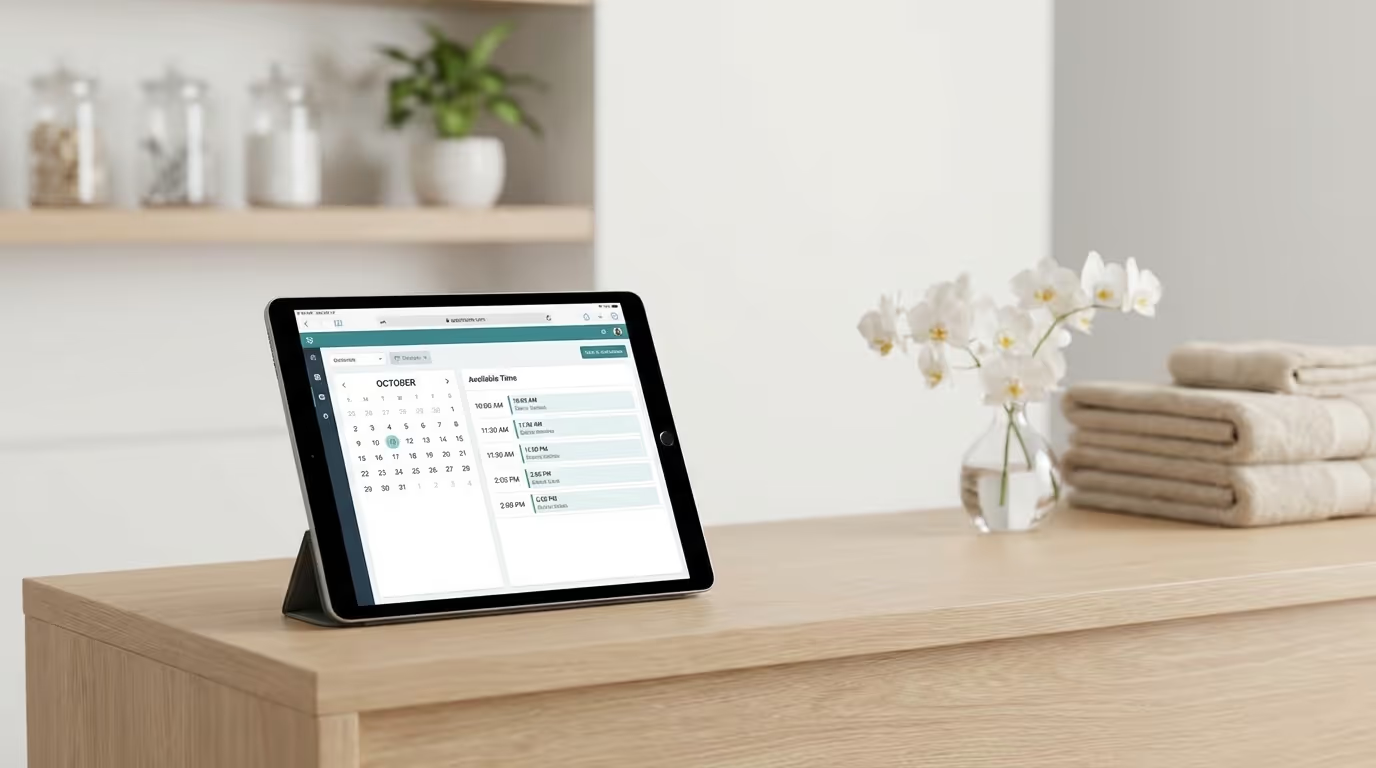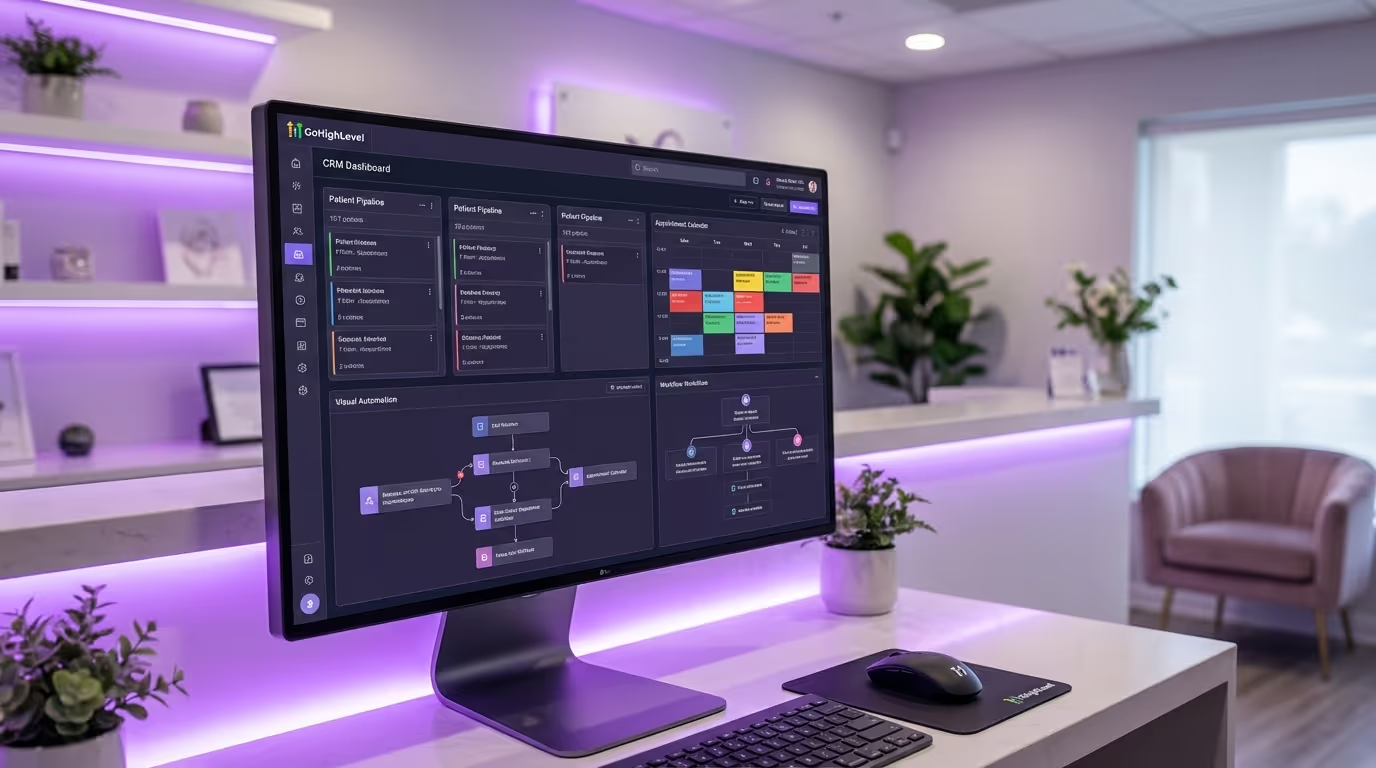

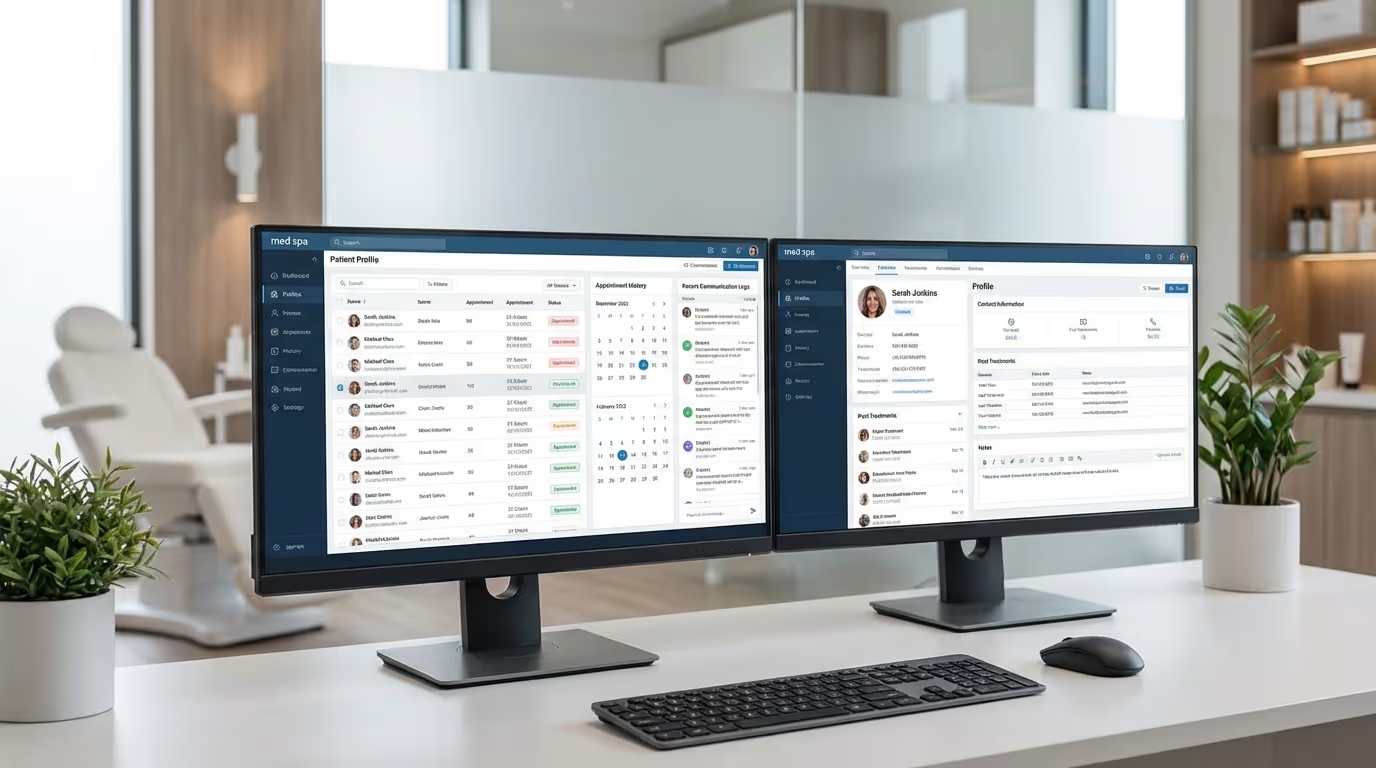
You are spending $5,000 to $15,000 per month on marketing. Google Ads, Meta Ads, SEO, social media — all driving leads to your practice. Those leads submit forms on your website, call your front desk, send DMs on Instagram, and walk in after seeing a friend's recommendation.
Now here is the question that determines whether your marketing investment pays off or gets flushed: what happens to those leads after they raise their hand? Without a medical spa CRM, the answer is usually chaos.
If the answer involves a sticky note on the front desk, a mental note from the person who answered the phone, or an Excel spreadsheet that gets updated when someone remembers — you are bleeding money. Not slowly. Rapidly. And not from a small wound. From a gash in the side of your revenue that you cannot see because nobody is tracking it.
The average med spa loses 40 to 60% of its leads before they ever become patients. Not because the marketing was bad. Not because the leads were unqualified. Because nobody followed up properly. The lead called during lunch, nobody called back within the hour, and they booked with your competitor down the street who responded in 3 minutes flat.
A med spa CRM fixes this. Not partially. Completely. A CRM for med spas is the single most impactful operational investment you can make — more impactful than another provider, another marketing channel, or a bigger ad budget. It turns the leads you are already generating into patients you are currently losing.
This guide covers everything: what a CRM does for a med spa, the revenue math that makes the decision obvious, the features that actually matter, a comparison of every major platform, how to implement one without losing your mind, and the mistakes that kill most CRM rollouts before they start.
What a Medical Spa CRM Actually Does
CRM stands for Customer Relationship Management — or med spa customer relationship management in our world. In the med spa world, "customer" means leads and patients, and "relationship management" means every interaction from the first touchpoint through years of repeat treatments. A CRM is the central nervous system of your practice's business operations — the place where marketing, sales, retention, and reporting converge into a single source of truth.
Here is what a properly configured CRM does, broken down by function.
Captures Every Lead From Every Source
Every form submission on your website. Every phone call. Every Instagram DM. Every walk-in. Every referral. Every Google Ads lead form. Every Meta Ads lead form. They all end up in one place, automatically. No manual entry. No leads falling through the cracks because the front desk was busy with a patient.
A CRM with proper integrations captures leads from:
- Website contact forms and booking requests
- Google Ads lead forms and call extensions
- Meta (Facebook/Instagram) lead forms
- Missed phone calls (with automatic text-back)
- Social media DMs (Instagram, Facebook Messenger)
- Walk-ins (entered at check-in via tablet or front desk)
- Referral program tracking links
- Chat widgets and chatbot conversations
- Third-party booking platforms
- Event sign-up forms
Without a CRM, leads from different sources live in different places. Website forms go to an email inbox. Phone calls live in a call log. Instagram DMs stay on Instagram. Walk-ins exist in someone's memory. The result is that nobody has a complete picture of your lead flow, and leads that fall between the cracks disappear silently.
Implementation steps:
- Audit every lead source your practice currently uses (website, ads, social, phone, walk-in, referral)
- For each source, identify where those leads currently land (email, spreadsheet, EMR, nowhere)
- Configure your CRM integrations to capture each source automatically
- Set up source tagging so every lead is labeled with where they came from
- Test each integration by submitting test leads and verifying they appear in the CRM
- Train your front desk to enter walk-in and phone leads manually using a standardized process
- Review weekly to ensure no leads are missing from the expected volume
Tracks Every Interaction
When was the last time someone contacted this lead? What did they say? Did they respond? Did they book? Did they show up? Did they rebook? What treatments are they interested in? Who is their preferred provider?
Without a CRM, this information lives in people's heads, in separate email threads, in text messages on personal phones, and in your EMR system's appointment log. Piecing together a patient's history requires asking three people and checking four systems. When someone calls in, your front desk is scrambling to figure out who they are and what they need.
With a CRM, every interaction is logged in one timeline. Your front desk can see the entire history of a patient relationship in seconds — what they inquired about, what was discussed, what treatments they have had, when they last visited, and when they are due for their next treatment. This is not a luxury. This is the baseline for professional patient management.
| Without CRM | With CRM |
|---|---|
| Lead info scattered across 4+ systems | All lead data in one timeline |
| Front desk asks "Can you remind me what you called about?" | Front desk says "I see you inquired about Botox last Tuesday" |
| No visibility into which leads need follow-up | Dashboard shows all pending follow-ups in priority order |
| Provider does not know patient's marketing journey | Provider sees full history before consultation |
| Manager has no idea how many leads came in this week | Real-time lead volume reporting by source |
Automates Follow-Up
This is where a CRM transforms from a record-keeping tool into a revenue engine. Automation is the single feature that separates a CRM from a fancy address book — and it is the feature that generates the most revenue.
When a new lead comes in, the CRM can:
- Send an instant text message within 60 seconds (speed-to-lead response)
- Notify your front desk to call back within 5 minutes
- If no response after 1 hour, send a follow-up email with treatment information and social proof
- If still no response after 24 hours, send another text with a direct booking link
- If still no response after 48 hours, send an email with before-and-after photos for their treatment of interest
- If still no response after 5 days, send a "still interested?" text
- If no engagement after 10 days, move them to a long-term drip campaign for ongoing nurture
This happens automatically. Your front desk does not need to remember to follow up. The system handles the sequence while your team focuses on patients who are ready to book.
The same principle applies throughout the patient lifecycle:
- Post-treatment follow-ups: "How are you feeling after your Botox?" sent 3 hours after treatment
- Review generation: Automatic review requests sent at the peak satisfaction moment
- Rebooking reminders: Treatment-specific reminders when it is time for maintenance (10 weeks for Botox, 10 months for filler)
- Reactivation campaigns: Automated sequences for patients who have not visited in 90+ days
- Birthday and anniversary offers: Personalized outreach that converts at 25-35%
- Membership renewal reminders: Automated notifications before membership payments lapse
- Welcome sequences: 5-email series that onboards new patients and builds trust
Each automation you build runs 24/7 without staff effort. A practice with 15-20 automation workflows has a tireless revenue engine operating around the clock.
Common mistake: Building all automations at once. Instead, build them in order of revenue impact:
- Speed-to-lead (instant follow-up)
- Appointment reminders (reduce no-shows)
- Post-treatment follow-up + review request
- Rebooking reminders
- Patient reactivation
- Lead nurture drip campaigns
- Membership and loyalty workflows
- Birthday and seasonal campaigns
Shows You What Your Marketing Is Actually Producing
Here is a question that should be easy to answer: which marketing channel generated the most revenue last month? Not the most leads — the most revenue. There is a massive difference.
If you cannot answer that instantly, you are making budget decisions blind. A CRM with source tracking shows you exactly how many leads came from Google Ads vs. Meta Ads vs. Instagram vs. referrals vs. organic search — and more importantly, which of those leads actually converted into paying patients and how much revenue each source generated.
This data changes everything. Here is a real-world example:
| Channel | Leads | Cost per Lead | Patients | Conversion Rate | Revenue | Cost per Patient | ROAS |
|---|---|---|---|---|---|---|---|
| Google Ads | 45 | $67 | 18 | 40% | $9,000 | $167 | 3.0x |
| Meta Ads | 90 | $22 | 9 | 10% | $4,500 | $220 | 2.3x |
| Organic/SEO | 30 | $0 | 12 | 40% | $6,000 | $0 | ∞ |
| Referrals | 15 | $50 | 11 | 73% | $5,500 | $68 | 7.3x |
| Instagram DMs | 20 | $0 | 4 | 20% | $2,000 | $0 | ∞ |
Without source attribution, you would think Meta Ads is your best channel because it generates the most leads. With it, you know that Google Ads and referrals produce the most revenue per dollar spent, and your referral program has the highest conversion rate of any channel. This shifts your marketing budget allocation entirely.
Implementation steps for source tracking:
- Create a standardized source list in your CRM (Google Ads, Meta Ads, Organic, Referral, Walk-in, Social, Email, etc.)
- Configure UTM parameters on all ad campaign URLs
- Set up automatic source tagging based on lead origin (form source, UTM, referral link)
- For phone and walk-in leads, train front desk to ask "How did you hear about us?" and log the answer
- Connect your ad platforms to your CRM for automatic lead source attribution
- Build a monthly report that shows leads, conversion rate, revenue, and cost per patient by source
- Review this report on the first Monday of every month and adjust marketing spend accordingly
The Revenue Impact: Real Math
Let's quantify what a CRM is actually worth to a med spa. This is not theoretical — these numbers come from the actual performance gap between practices with and without proper CRM systems.
Scenario: Practice Without a CRM
| Metric | Value |
|---|---|
| Monthly marketing spend | $8,000 |
| Leads generated | 200 |
| Leads that get proper follow-up | 60% (120) |
| Average response time to new lead | 4-6 hours |
| Consultation booking rate | 25% of followed-up leads |
| Consultations booked | 30 |
| Show rate (without automated reminders) | 80% |
| Consultations completed | 24 |
| Treatment conversion rate | 60% |
| New patients from $8,000 spend | 14 |
| Average first treatment value | $400 |
| First treatment revenue | $5,600 |
| Cost per new patient | $571 |
Scenario: Same Practice With a CRM
| Metric | Value |
|---|---|
| Monthly marketing spend | $8,000 (identical) |
| Leads generated | 200 (same marketing) |
| Leads that get proper follow-up | 100% (200 — automated) |
| Average response time to new lead | Under 60 seconds (automated) |
| Consultation booking rate | 30% (faster response = higher conversion) |
| Consultations booked | 60 |
| Show rate (with automated reminders) | 92% |
| Consultations completed | 55 |
| Treatment conversion rate | 60% (same) |
| New patients from $8,000 spend | 33 |
| Average first treatment value | $400 |
| First treatment revenue | $13,200 |
| Cost per new patient | $242 |
The CRM did not change your marketing budget by a dollar. It changed your results by 135%. Same ad spend, more than double the patients, less than half the cost per acquisition.
And this is just the acquisition math. The retention automations — rebooking reminders, reactivation campaigns, birthday offers, loyalty tracking — compound this advantage month after month.
The Lifetime Value Multiplier
A CRM does not just help you acquire patients. It helps you keep them.
| Metric | Without CRM | With CRM |
|---|---|---|
| Average visits per patient per year | 2.5 | 4.2 |
| Average revenue per visit | $400 | $420 (upsell from data-driven recommendations) |
| Annual patient value | $1,000 | $1,764 |
| 3-year patient LTV | $2,200 | $4,500 |
| Patient retention rate (year 1 to year 2) | 45% | 68% |
The difference in 3-year lifetime value alone — $2,300 per patient — makes the CRM investment look trivial. For a practice acquiring 30 new patients per month, that is $69,000 per month in additional lifetime value being created.
The 10 Features That Matter in the Best CRM for Medical Spa Practices
Not all CRM features matter equally for aesthetic practices. These are the ten that move the revenue needle, ranked by impact.
1. Unified Inbox
All patient and lead communication — texts, emails, phone calls, Instagram DMs, Facebook messages, website chat, Google Business messages — in one place. Your front desk should not need to check six different platforms. One inbox. One view. One response.
Why it matters: When a lead sends an Instagram DM, a website form, and then calls — those are three touchpoints about the same person. Without a unified inbox, three different staff members might respond with three different answers. With it, anyone on your team can see the full conversation history and respond intelligently.
What to look for: Real-time sync across all channels, conversation threading by contact (not by channel), ability to respond from any channel within the inbox, mobile app access for on-the-go responses.
2. Pipeline Management
Visual pipelines that show where every lead and patient is in their journey. At a glance, your front desk and practice manager should see:
- How many new leads need to be contacted today
- How many leads are in the follow-up stage
- How many consultations are booked for this week
- How many consultations need to be converted to treatment bookings
- How many patients are overdue for re-treatment
- How many lapsed patients need reactivation
Pipelines turn an abstract concept ("our patient relationships") into a visible, manageable workflow. When you can see 15 leads sitting in "needs first contact" at 10 AM, you know exactly what your front desk should be doing right now.
Essential pipelines for med spas:
| Pipeline | Stages |
|---|---|
| New Patient Acquisition | New Lead → Contacted → Consultation Booked → Consultation Completed → Treatment Booked → Converted |
| Treatment Follow-Up | Treatment Completed → Follow-Up Sent → Review Requested → Rebook Reminder Sent → Rebooked |
| Reactivation | Identified as Lapsed → Reactivation Sequence Started → Responded → Rebooked → Active Again |
| Membership Sales | Candidate Identified → Membership Presented → Considering → Enrolled → Active Member |
3. Automation Workflows
The ability to create multi-step automated sequences triggered by events. This is the revenue engine — the feature that generates returns while your team sleeps.
Essential automations for med spas:
- Speed-to-lead (instant response to new inquiries from any source)
- Appointment confirmation and reminders (4-touch sequence)
- Post-treatment follow-up and satisfaction check
- Review requests timed to peak satisfaction
- Rebooking reminders with treatment-specific timing
- Birthday and anniversary campaigns
- Reactivation campaigns for lapsed patients
- Drip campaigns for long-term lead nurture
- Welcome sequences for new patients
- Membership renewal and upgrade reminders
- Referral program notifications and credit tracking
- Seasonal and promotional campaign sequences
What to look for: Visual workflow builder (drag-and-drop), support for if/then conditions, time delays, multi-channel sending (email + SMS), contact tagging and pipeline stage changes within workflows, and goal-based exit conditions.
4. Two-Way SMS and Email
Built-in two-way SMS and email is non-negotiable. Patients prefer texting — 98% of text messages are read within 3 minutes. Email is essential for longer-form communication, education, and newsletters. Your CRM should handle both natively, with templates, personalization tokens, scheduling, and analytics.
Key capabilities:
- Two-way SMS (patients can reply and the conversation continues in the CRM)
- Email design templates with drag-and-drop builders
- Personalization tokens (first name, treatment type, provider name, last visit date)
- Send scheduling and timezone-aware delivery
- Deliverability monitoring and bounce tracking
- SMS marketing compliance features (opt-out handling, A2P registration)
5. Source Tracking and Attribution
Every lead should be tagged with where they came from. Every conversion should be attributable to a marketing channel. This is how you make smart budget decisions and stop wasting money on channels that generate leads but not patients.
Minimum source tracking categories:
| Source | Tracking Method |
|---|---|
| Google Ads (by campaign and ad group) | UTM parameters + platform integration |
| Meta Ads (by campaign and ad set) | UTM parameters + platform integration |
| Organic search | UTM or referrer detection |
| Direct/website | Default attribution |
| Referral (by referring patient) | Referral link or manual tag |
| Social media (by platform) | UTM parameters |
| Walk-in | Manual front desk entry |
| Event | Event-specific landing page or tag |
| Email campaign | UTM parameters |
| Google Business Profile | Call tracking or UTM |
6. Reporting Dashboard
Your CRM should give you a real-time view of practice health without requiring you to pull data from five different tools. The dashboard should answer your most important business questions at a glance.
Essential reports:
- Lead flow by source (daily, weekly, monthly)
- Pipeline conversion rates (lead → consultation → treatment)
- Revenue by source and by treatment type
- Provider productivity and booking utilization
- Patient retention rates and churn risk
- Automation performance (open rates, click rates, conversion rates)
- No-show rates and cancellation patterns
- Review generation velocity
- Referral program performance
- Marketing ROI by channel
7. Online Booking and Calendar
Built-in scheduling or deep integration with your booking software eliminates the friction between lead and appointment. When a lead receives an automated text with a booking link, they should be able to book instantly — no phone call required.
What to look for: Provider-specific calendars, treatment-specific time slots, online payment and deposit collection, automatic buffer time between appointments, waitlist management, and calendar sync with Google/Outlook.
8. Integration Capabilities
Your CRM needs to talk to your other systems seamlessly.
| System | Integration Purpose |
|---|---|
| EMR | Clinical data sync, appointment status |
| Booking software | Real-time availability, booking confirmation |
| Google Ads | Lead capture, conversion tracking, offline conversion import |
| Meta Ads | Lead capture, conversion tracking, audience sync |
| Google Business Profile | Review management, messaging |
| Payment processor | Revenue tracking, invoice management |
| Website | Form submissions, chat, booking widget |
| Zapier/Make | Custom integrations with other tools |
9. Contact Segmentation and Tagging
The ability to segment your patient database by any combination of attributes is critical for targeted marketing. You should be able to instantly pull a list of "all Botox patients who have not visited in 90+ days and live within 10 miles" or "all patients who spent $5,000+ last year and are not on a membership."
Essential segments for med spas:
- By treatment type (injectable, laser, body contouring, skin care)
- By recency (active, at-risk, lapsed, dormant)
- By value (high-value, medium-value, low-value)
- By source (Google, Meta, referral, organic)
- By membership status (member, non-member, former member)
- By provider preference
- By geographic area
10. Mobile Access
Your team needs CRM access on their phones. Front desk staff checking lead notifications between patients, providers reviewing patient history before a consultation, practice owners checking dashboards while traveling — mobile access is not optional in a med spa environment.
What to look for: Native mobile app (not just a mobile-responsive website), push notifications for new leads and responses, ability to send SMS and email from mobile, pipeline management on mobile, and call logging from mobile.
Medical Spa CRM Options: Comprehensive Comparison
GoHighLevel (GHL)
The most popular CRM in the med spa space right now, and for good reason. GHL is an all-in-one platform that combines CRM, marketing automation, scheduling, reputation management, funnel building, and two-way communication.
Strengths: Deep automation capabilities, unified inbox across all channels, built-in SMS and email, pipeline management, funnel builder, reputation management, landing page builder, website builder, calendar and booking, payment processing. All in one subscription.
Weaknesses: Steep learning curve (plan for 4-6 weeks of setup), not HIPAA-compliant by default (requires specific configuration with their HIPAA add-on), no clinical charting or EMR features, support quality varies, UI can feel overwhelming initially.
Pricing: $97/month (Starter), $297/month (Unlimited — most popular for single-location), $497/month (SaaS Pro). SMS and calling costs are additional (usage-based, typically $50-200/month).
Best for: Med spas that want one platform for CRM, marketing, booking, and automation. Requires setup investment — doing it yourself takes 40-80 hours, or hire a specialist. For the complete setup walkthrough, see our GHL for med spas guide.
Implementation timeline: 4-6 weeks for full configuration and team training.
HubSpot
Enterprise-level CRM with deep marketing, sales, and service capabilities. Powerful but expensive at scale.
Strengths: Best-in-class contact management and segmentation, excellent reporting and analytics, strong email marketing, large integration ecosystem (1,000+ integrations), free tier available for basic CRM, intuitive UI, excellent support documentation.
Weaknesses: Expensive when you need marketing automation features ($800+/month for Marketing Hub Professional). Not built for medical or aesthetics — requires significant customization. No built-in SMS (requires integration with third party). No HIPAA compliance on standard plans. No built-in booking system.
Pricing: Free for basic CRM. Marketing Hub Starter at $20/month, Professional at $890/month, Enterprise at $3,600/month. The features med spas need are in Professional.
Best for: Larger, multi-location practices with dedicated marketing teams who need enterprise-grade reporting and can absorb the cost. Overkill for most single-location med spas.
Implementation timeline: 6-10 weeks with customization.
Salesforce Health Cloud
Enterprise CRM with healthcare-specific features. The most powerful option, and the most complex.
Strengths: HIPAA-compliant, deep customization, healthcare-specific workflows, enterprise reporting, massive integration ecosystem, scalable for multi-location operations.
Weaknesses: Extremely complex setup and administration (requires dedicated Salesforce admin or consultant), expensive per-user pricing, overkill for practices under $5M annual revenue, requires technical expertise to maintain, steep learning curve for all staff.
Pricing: Starts at $300+/month per user. Total cost with customization, implementation, and ongoing admin typically $2,000 to $10,000+/month.
Best for: Large multi-location aesthetics brands or hospital-affiliated practices with IT support and enterprise requirements.
Implementation timeline: 3-6 months with consultant.
Practice-Specific Platforms (AestheticsPro, PatientNow, Nextech)
Many med spa EMR and management software platforms include CRM-like features — contact management, basic pipeline tracking, appointment reminders, and limited marketing automation.
Strengths: Integrated with clinical workflows, HIPAA-compliant, purpose-built for aesthetics, single platform for clinical and business operations.
Weaknesses: CRM and marketing capabilities are typically much weaker than dedicated CRM platforms. Automation depth is limited (usually just appointment reminders and basic email). Reporting is clinical-focused, not marketing-focused. No unified inbox. No SMS marketing. No funnel builder.
Best for: Practices that want minimal tooling and accept basic CRM functionality in exchange for clinical integration. If you go this route, plan to supplement with a dedicated marketing automation tool.
ActiveCampaign
Strong email and marketing automation platform with CRM capabilities.
Strengths: Excellent email marketing and automation, intuitive visual workflow builder, good segmentation, affordable pricing, strong deliverability.
Weaknesses: No built-in SMS (requires integration), no unified inbox for social channels, no booking system, not HIPAA-compliant without BAA, CRM features are less robust than GHL or HubSpot.
Pricing: $29-$259/month depending on contact count and features.
Best for: Med spas that need strong email marketing and automation but already have separate tools for booking, SMS, and clinical management.
Comparison Summary
| Feature | GHL | HubSpot | Salesforce | AestheticsPro | ActiveCampaign |
|---|---|---|---|---|---|
| Unified inbox | Yes | Limited | Via add-ons | No | No |
| Built-in SMS | Yes | No | No | Limited | No |
| Marketing automation | Strong | Excellent | Excellent | Basic | Excellent |
| Pipeline management | Good | Excellent | Excellent | Basic | Good |
| Booking/Calendar | Built-in | No | No | Built-in | No |
| HIPAA option | Add-on | Enterprise | Yes | Yes | BAA available |
| Starting price | $97/mo | Free (basic) | $300+/user | $150+/mo | $29/mo |
| Med spa fit | Excellent | Good | Fair | Good (clinical) | Good (email) |
| Setup complexity | Medium | Medium-High | Very High | Low-Medium | Low-Medium |
| All-in-one capability | Yes | No | No | Partial | No |
Our recommendation for most med spas: GoHighLevel for single-location practices that want an all-in-one solution. HubSpot Professional for multi-location practices with dedicated marketing staff. Practice-specific EMR + GHL or ActiveCampaign for practices that need clinical integration plus marketing automation.
CRM vs. EMR: Why You Need Both
A common question: "My EMR has patient management. Do I really need a separate CRM?"
Yes. Here is why.
Your EMR manages clinical relationships. Patient records, treatment notes, consent forms, prescriptions, before-and-after photos, medical history. It answers: "What clinical care has this patient received?"
Your CRM manages business relationships. Lead tracking, marketing automation, communication history, revenue attribution, retention workflows, campaign performance. It answers: "How did this patient find us, how do we keep them coming back, and how much are they worth?"
These are fundamentally different functions. EMRs are built for compliance, clinical documentation, and patient safety. CRMs are built for marketing, revenue optimization, and patient acquisition. Trying to use one for both results in mediocrity at both.
| Function | EMR | CRM |
|---|---|---|
| Patient intake forms | Yes | No |
| Treatment documentation | Yes | No |
| Before/after photos | Yes | No |
| Lead capture from ads | No | Yes |
| Automated marketing sequences | No | Yes |
| Revenue attribution by channel | No | Yes |
| Two-way SMS marketing | No | Yes |
| Pipeline and funnel management | No | Yes |
| Review generation automation | No | Yes |
| Marketing ROI reporting | No | Yes |
The practices that perform best use their EMR for clinical work and their CRM for everything business-related — with an integration between the two that syncs patient data, appointment status, and treatment history. When a patient completes a treatment in the EMR, the CRM triggers the post-treatment follow-up, review request, and rebooking reminder. When a lead books a consultation through the CRM, the EMR creates the intake record.
Common mistake: Spending months trying to make your EMR do CRM functions instead of investing in the right tool for the job. The opportunity cost of not having proper marketing automation is thousands of dollars per month in lost leads and lapsed patients.
How to Implement a CRM Without Losing Your Mind
CRM implementations fail more often than they succeed — not because the technology is bad, but because the process is wrong. The most common failure mode is trying to configure everything at once, overwhelming your team, and ending up with a half-built system that nobody uses.
Here is the phased approach that works.
Phase 1: Data Foundation (Week 1-2)
Before configuring anything, get your data right. A CRM built on bad data is worse than no CRM at all.
Steps:
- Export your existing patient list from your EMR or scheduling system
- Clean the data — remove duplicates, fix formatting, standardize phone numbers and emails
- Verify email addresses using a tool like NeverBounce or ZeroBounce (expect 10-20% invalid)
- Define your custom fields (patient type, treatment interests, source, provider, membership status, VIP flag)
- Define your tag structure using consistent naming conventions (category:value format — e.g., treatment:botox, source:google-ads, status:active)
- Define your pipeline stages (map the patient journey from lead to loyal patient)
- Document everything in a CRM configuration document your team can reference
Data fields every med spa CRM needs:
| Field | Type | Purpose |
|---|---|---|
| First name | Text | Personalization |
| Last name | Text | Identification |
| Phone | Phone | SMS communication |
| Email communication | ||
| Lead source | Dropdown | Attribution |
| Treatment interest | Multi-select | Targeted follow-up |
| Preferred provider | Dropdown | Scheduling |
| Last visit date | Date | Recency tracking |
| Total spend | Currency | Value segmentation |
| Membership status | Dropdown | Membership management |
| Referral source (patient) | Lookup | Referral tracking |
| Birthday | Date | Birthday campaigns |
| Communication preference | Dropdown | Channel preference |
Phase 2: Core Configuration (Week 2-3)
Set up the essentials — the features that produce immediate revenue impact.
Steps:
- Import your cleaned contact list with proper field mapping
- Configure your new patient acquisition pipeline (Lead → Contacted → Consultation Booked → Completed → Treatment Booked → Converted)
- Set up integrations: website forms, Google Ads, Meta Ads, EMR sync
- Configure your unified inbox (connect email, SMS, Facebook, Instagram, Google Business messaging)
- Build your speed-to-lead automation (instant text + email when a new lead comes in)
- Configure appointment reminders (4-touch sequence: confirmation, 48hr prep, 24hr reminder, 2hr nudge)
- Set up your booking calendar with provider availability, treatment durations, and buffer time
- Test everything end-to-end with dummy leads
Phase 3: Automation Build (Week 3-5)
Build your automation sequences one at a time, in order of revenue impact. Do not try to build all of them simultaneously.
Priority order:
- Speed-to-lead — instant follow-up for new inquiries (biggest immediate revenue impact)
- Appointment reminders — reduce no-shows by 40-60% (biggest operational impact)
- Post-treatment follow-up — satisfaction check + review generation
- Rebooking reminders — treatment-specific timing to prevent lapse
- Reactivation campaigns — win back patients who stopped coming
- Drip campaigns — long-term lead nurture for unconverted leads
- Welcome sequence — onboard new patients with a 5-email trust-building series
- Birthday campaigns — personalized offers that convert at 25-35%
- Membership nurture — convert regulars into members
- Referral program — automated tracking and reward fulfillment
Build one workflow per week. Test it, let it run for a few days, verify it is working correctly, then move to the next. Rushing leads to errors that erode team trust in the system.
Phase 4: Team Training (Week 5-6)
Your CRM is only as good as the people using it. Invest in proper training — not a one-hour overview, but role-specific training sessions.
Front desk training (2 hours):
- How to use the unified inbox (respond to leads from one place)
- How to update pipeline stages (when to move a lead forward)
- How to log interactions manually (walk-ins, phone calls, in-person conversations)
- How to look up a patient's full history before taking a call
- What the automations do (so they do not duplicate efforts or send conflicting messages)
Provider training (1 hour):
- How to check a patient's marketing journey and treatment history before consultations
- How to flag patients as "highly satisfied" for review and UGC requests
- How the post-treatment automation works
- How to refer patients to the membership program within the CRM
Manager/owner training (2 hours):
- How to read the dashboard and identify problems
- How to pull pipeline reports and conversion data
- How to evaluate marketing channel performance
- How to audit automations and identify what needs optimization
- How to generate monthly marketing ROI reports
Phase 5: Optimize (Ongoing)
After 30 days, review your CRM performance data and optimize.
Monthly review checklist:
| Metric | Target | Action if Below Target |
|---|---|---|
| Lead response time | Under 5 minutes | Fix automation triggers, add staff alerts |
| Pipeline conversion (lead → consultation) | 25-35% | Improve follow-up sequence, adjust messaging |
| No-show rate | Under 8% | Add reminder touches, implement deposits |
| Review generation rate | 15-25% of patients | Adjust timing, simplify the ask |
| Reactivation response rate | 10-20% | Refresh messaging, adjust incentives |
| Email open rate | 35-50% | Test subject lines, clean list |
| SMS response rate | 15-25% | Adjust timing, shorten messages |
Optimize monthly. A CRM that is not reviewed and adjusted becomes a digital junk drawer — expensive, cluttered, and ignored. Block 2 hours on the first Monday of every month for CRM performance review.
The 7 Biggest Med Spa CRM Mistakes
Mistake 1: Choosing Based on Price Instead of Fit
A $97/month CRM that your team actually uses generates infinitely more revenue than a $500/month CRM that sits idle because it was too complex to configure. Evaluate CRM options based on your team's technical ability, your integration needs, and your willingness to invest in setup — not just the monthly subscription price.
Mistake 2: Skipping the Data Migration
Importing dirty data — duplicates, invalid emails, wrong phone numbers, inconsistent formatting — into a new CRM is like building a house on a cracked foundation. Invest 1-2 weeks in data cleaning before you import anything. This step saves months of headaches later.
Mistake 3: Building All Automations at Once
We covered this above, but it bears repeating. Building 15 automations simultaneously means none of them get tested properly. One bad automation — like a welcome email that fires twice or a rebooking reminder that sends to the wrong segment — damages patient trust and team confidence in the system. Build one per week. Test thoroughly.
Mistake 4: Not Training the Team
The owner configures the CRM, shows the front desk a 30-minute demo, and expects everyone to use it perfectly. Within two weeks, the front desk is back to sticky notes and the CRM is an expensive address book. Invest in role-specific training, create quick-reference guides, and have weekly check-ins for the first month.
Mistake 5: Ignoring Mobile Access
If your front desk cannot check lead notifications from their phone, if your practice manager cannot see the dashboard from their tablet, if your providers cannot review patient history on the go — your CRM has a massive usage gap. Choose a platform with a strong mobile app and train your team to use it.
Mistake 6: Not Connecting CRM Data to Marketing Decisions
Having beautiful CRM reports means nothing if nobody acts on them. If your data shows that Google Ads converts at 3x the rate of Meta Ads, but your marketing plan does not shift budget accordingly, the CRM is a reporting tool, not a revenue tool. Close the loop between data and decisions.
Mistake 7: Treating CRM as a One-Time Setup
A CRM requires ongoing maintenance: updating automations based on performance data, cleaning contact records, adding new integrations as you adopt new tools, and adjusting pipelines as your business evolves. Budget 2-4 hours per week for CRM management. If you do not have that bandwidth internally, work with a specialist who does.
The Cost of Not Having a CRM
Med spa owners often hesitate at CRM pricing — $100, $300, $500 per month feels like another expense on top of rent, payroll, supplies, and marketing. Here is the actual cost of not having one.
Lost Leads
If 40% of your leads never get proper follow-up, and you generate 200 leads per month, that is 80 leads per month lost. At a 25% consultation rate and 60% treatment conversion, that is 12 patients per month you are losing. At $400 average treatment value, that is $4,800/month in lost first-visit revenue. $57,600 per year.
Lost Rebookings
If 50% of your patients lapse because nobody reminded them to rebook, and you have 500 active patients with an average of 3 visits per year at $400 each, losing half of their rebookings costs you $300,000 per year. This is the single biggest revenue leak in most med spas.
Wasted Ad Spend
If you cannot track which marketing channels produce revenue (not just leads), you are likely over-investing in low-performing channels and under-investing in high-performing ones. A 20% efficiency improvement on a $10,000/month ad budget saves $24,000 per year — and generates more patients from the same spend.
Staff Inefficiency
Without a CRM, your front desk spends 30-60 minutes per day manually following up with leads, checking different platforms for messages, and trying to figure out who needs a callback. At $18/hour, that is $6,000-$12,000 per year in labor spent on tasks a CRM automates for pennies.
No-Show Revenue Loss
Without automated reminders, your no-show rate is 12-20% instead of 5-8%. For a practice with 40 weekly appointments at $300 average, the difference is $37,000-$62,000 per year in recovered revenue.
| Annual Cost Category | Estimated Loss |
|---|---|
| Lost leads (no follow-up) | $57,600 |
| Lost rebookings (no reminders) | $300,000 |
| Wasted ad spend (no attribution) | $24,000 |
| Staff inefficiency | $6,000-$12,000 |
| No-show losses | $37,000-$62,000 |
| Total estimated annual cost | $424,600-$455,600 |
A CRM costs $1,200-$6,000 per year depending on the platform. The ROI is not a question. It is an embarrassment that you did not implement one sooner.
CRM Security and HIPAA Considerations
Medical spa CRMs handle sensitive information — patient names, contact details, treatment interests, and sometimes medical information. You need to understand the compliance landscape.
Is a CRM HIPAA-Regulated?
If your CRM stores, processes, or transmits Protected Health Information (PHI) — which includes patient names combined with treatment information — it falls under HIPAA regulations. This means you need:
- A Business Associate Agreement (BAA) with your CRM provider
- Data encryption at rest and in transit
- Access controls (role-based user permissions)
- Audit logging (who accessed what data and when)
- Data backup and recovery procedures
CRM HIPAA Compliance by Platform
| Platform | HIPAA Compliance | BAA Available | Notes |
|---|---|---|---|
| GoHighLevel | Available via add-on | Yes (paid) | Requires HIPAA add-on configuration |
| HubSpot | Enterprise plan only | Yes (Enterprise) | Significant additional cost |
| Salesforce Health Cloud | Yes | Yes | Built-in HIPAA compliance |
| AestheticsPro | Yes | Yes | Healthcare-native platform |
| ActiveCampaign | BAA available | Yes | Requires security configuration |
Practical Recommendations
- Sign a BAA with your CRM provider before storing any patient data
- Do not store clinical information in your CRM — keep that in your HIPAA-compliant EMR
- Use your CRM for marketing and business data only (contact info, treatment interests, booking status, marketing source)
- Enable two-factor authentication for all CRM users
- Create role-based access (front desk sees different data than marketing manager)
- Train staff on what data can and cannot be entered in the CRM
- Review access logs quarterly
Measuring CRM ROI: The Dashboard That Matters
After implementing your CRM, track these KPIs monthly to measure its impact on your practice.
Acquisition Metrics
| KPI | Pre-CRM Baseline | CRM Target | How to Track |
|---|---|---|---|
| Lead response time | 4-6 hours | Under 5 minutes | CRM timestamp on first response |
| Lead-to-consultation rate | 15-20% | 25-35% | Pipeline conversion report |
| Cost per patient by channel | Unknown | Tracked monthly | Source attribution + ad spend |
| New patients per month | X (baseline) | 2x within 6 months | Pipeline conversion report |
Retention Metrics
| KPI | Pre-CRM Baseline | CRM Target | How to Track |
|---|---|---|---|
| No-show rate | 12-20% | Under 8% | Appointment status report |
| Rebooking rate | 40-50% | 65-75% | Treatment follow-up pipeline |
| Patient reactivation rate | Not tracked | 10-20% of lapsed | Reactivation campaign report |
| Annual patient value | $1,000 | $1,500+ | Revenue per contact report |
Marketing Metrics
| KPI | Pre-CRM Baseline | CRM Target | How to Track |
|---|---|---|---|
| Marketing ROI by channel | Unknown | Tracked monthly | Source attribution + revenue |
| Email open rate | Not tracked | 35-50% | Email campaign analytics |
| SMS response rate | Not tracked | 15-25% | SMS campaign analytics |
| Review generation rate | 2-5% | 15-25% | Review request automation stats |
Review schedule: Pull these reports on the first Monday of every month. Compare month-over-month and identify trends. Share the dashboard with your team so everyone understands how the CRM is driving results.
How a CRM Fits Into Your Broader Marketing Stack
A CRM is the hub, but it does not operate in isolation. Here is how it connects to your broader marketing strategy.
Paid advertising → CRM: Leads from Google Ads and Meta Ads flow into the CRM automatically, tagged with source, campaign, and treatment interest. The CRM triggers instant follow-up and tracks conversion through the pipeline.
SEO and content → CRM: Organic leads from your content strategy submit forms that feed into the CRM. Blog readers who download guides enter lead nurture sequences. Schema markup and local SEO drive Google Business leads that sync to the CRM.
Social media → CRM: Instagram DMs and Facebook messages appear in the unified inbox. Social ad leads flow into the pipeline. UGC requests and influencer campaigns are managed through CRM workflows.
Email and SMS → CRM: All email and SMS campaigns run through the CRM, with full tracking of opens, clicks, replies, and conversions. Newsletters, drip campaigns, and promotional campaigns are all managed centrally.
Patient retention → CRM: Loyalty programs, membership programs, referral programs, and reactivation campaigns all run through CRM automations. The CRM tracks patient value, visit frequency, and churn risk.
Reporting → CRM: Your marketing ROI data, KPI dashboards, and channel performance analysis all pull from CRM data. This feeds into your marketing plan and budget allocation decisions.
The Bottom Line
A medical spa CRM is not a nice-to-have. Finding the best CRM for medical spa operations is the decision that turns your marketing spend into revenue, your leads into patients, and your patients into lifetime value.
The practices running without a CRM for med spas — or running with a half-configured one nobody uses — are leaving hundreds of thousands of dollars on the table every year. Not in theoretical value. In actual patients who never get followed up with, actual rebookings that never happen, and actual marketing budget that gets wasted on channels nobody can prove are working.
The math is simple. A properly implemented medical spa CRM costs $1,200-$6,000 per year and generates $50,000-$400,000+ in recovered revenue. There is no investment in your practice with a higher return.
If you want a med spa CRM that is pre-configured for aesthetic practice workflows — with pipelines, automations, templates, and reporting built specifically for aesthetic practices — we built exactly that.