
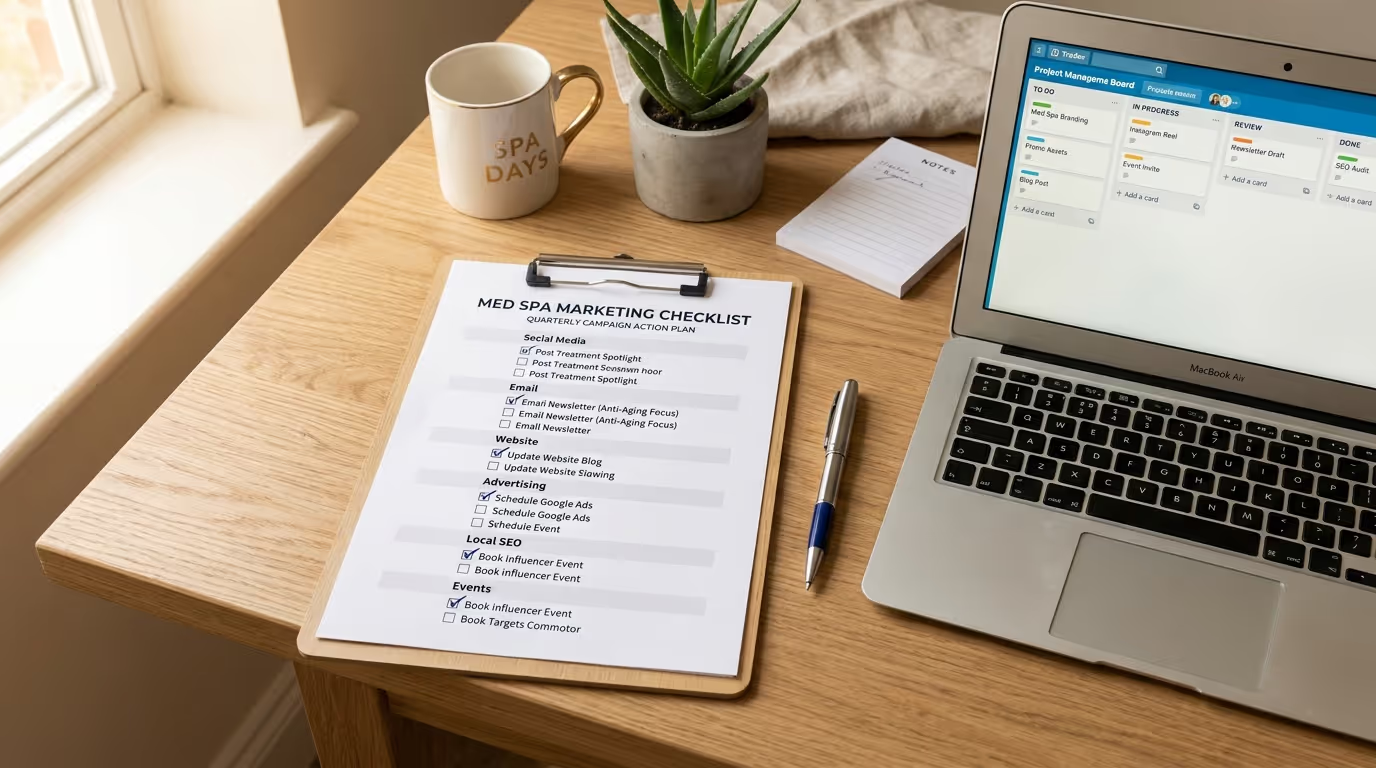
You do not need another "10 tips for med spa marketing" article. You need a med spa marketing checklist. A comprehensive, no-fluff, actually-actionable list of everything your med spa marketing should include — organized so you can audit your current state, identify gaps, and fix them in priority order.
This is the med spa marketing checklist we use internally when onboarding new clients. Every item is something we have seen directly impact revenue, patient acquisition, or retention. Nothing theoretical. Nothing filler.
Print this med spa marketing checklist. Share it with your team. Work through it section by section. By the time you have checked every box, your marketing will be in the top 10% of med spas in the country.
Section 1: Website Foundations
Your website is your digital storefront. If it is slow, ugly, or confusing, nothing else in your marketing will work as well as it should. These items are the foundation everything else builds on. For a deep dive on website strategy, read our full med spa website design guide.
Design and User Experience
- [ ] Website loads in under 3 seconds on mobile. Test at PageSpeed Insights. If your score is below 50, your website is losing patients before they see a single word. Every additional second of load time reduces conversions by 7%. This is the single highest-impact technical fix for most med spa websites.
Implementation steps:
- Run your homepage through Google PageSpeed Insights and record both mobile and desktop scores
- Run your three highest-traffic pages through the same test
- Identify the top three recommendations (usually image compression, code minification, and server response time)
- Compress all images to WebP format — most med spa sites have unoptimized before/after photos that are 2-5MB each
- Enable browser caching and lazy loading for images
- Consider a CDN (Cloudflare is free) if your hosting is slow
- Re-test after each fix and document the improvement
| Speed Metric | Poor | Acceptable | Excellent |
|---|---|---|---|
| Page Load Time (Mobile) | 5+ seconds | 3-4 seconds | Under 2.5 seconds |
| PageSpeed Score (Mobile) | Below 50 | 50-79 | 80+ |
| Largest Contentful Paint | 4+ seconds | 2.5-4 seconds | Under 2.5 seconds |
| Cumulative Layout Shift | 0.25+ | 0.1-0.25 | Under 0.1 |
Common mistakes: Uploading before/after photos directly from a camera without compression. Using too many third-party scripts (chat widgets, review embeds, social feeds) that each add 0.5-2 seconds of load time. Running on cheap shared hosting that slows under traffic.
- [ ] Mobile-responsive design on all pages. Over 70% of med spa website traffic comes from mobile devices. If your site is not optimized for mobile, you are ignoring the majority of your visitors. Test every page on your phone — not just the homepage. Pay special attention to service pages, forms, galleries, and the booking process.
Implementation steps:
- Open your website on three different phones (iPhone, Samsung, and a smaller-screen device)
- Navigate through every page and attempt to complete the booking process
- Check that all buttons are at least 44x44 pixels and easy to tap with a thumb
- Verify that text is readable without pinching to zoom
- Ensure navigation menus work smoothly on mobile
- Test your before/after gallery — images should be swipeable and zoomable
- Submit a test form and make a test phone call to verify both work correctly
- [ ] Clear navigation with treatment categories. A patient should be able to find any treatment page within two clicks from the homepage. Organize by category: injectables, laser treatments, body contouring, skincare, wellness. Read our homepage design guide for the optimal navigation structure.
- [ ] Prominent phone number and booking button on every page. Your phone number should be clickable on mobile and visible in the header. A "Book Now" or "Schedule Consultation" button should appear in the header, within the body content, and at the bottom of every page. Practices with sticky mobile CTAs see 15-25% more conversions.
- [ ] Professional photography of your actual practice. Stock photos of models in white coats destroy credibility. Invest in professional med spa photography of your treatment rooms, your team, your equipment, and (with consent) your patients. This is a one-time investment of $500-$1,500 that impacts every page of your site.
Implementation steps:
- Hire a professional photographer who has shot medical or wellness spaces (check their portfolio)
- Prepare your space: clean, declutter, ensure good lighting, and set up one treatment room as the primary shooting location
- Schedule staff headshots for every team member
- Photograph treatment rooms, waiting areas, technology/equipment, and exterior
- If patients consent, photograph treatment-in-progress shots (with proper consent forms)
- Get 50-100 photos delivered in both high-res (for print) and web-optimized formats
- Replace all stock photos on your website within one week of receiving the images
- [ ] Trust indicators visible above the fold. Google review rating, number of reviews, years in business, certifications, and "As seen in" logos should be visible before the visitor scrolls. Trust reduces friction. Practices that display trust signals above the fold see 20-35% higher conversion rates.
| Trust Signal | Impact Level | Placement |
|---|---|---|
| Google review score + count | Highest | Header or hero section |
| Board certifications | High | Hero section or trust bar |
| Years in business | Medium | Trust bar or about section |
| "As seen in" media logos | Medium-High | Below hero section |
| Number of procedures performed | Medium | Hero section or stats bar |
| Insurance/financing logos | Low-Medium | Footer or dedicated section |
- [ ] HIPAA-compliant contact forms. Every form on your website should be encrypted and compliant. If you are using a basic WordPress contact form without SSL encryption, you have a compliance gap. Use a HIPAA-compliant form provider or ensure your CRM integration meets HIPAA standards.
Treatment Pages
- [ ] Dedicated page for every treatment you offer. Not a single "Services" page with everything listed. Each treatment gets its own page with unique content: what it is, how it works, who it is for, expected results, recovery timeline, pricing range, and FAQs. This is critical for both SEO and conversion. See our service page design guide for the optimal layout.
Implementation steps:
- List every treatment and service your practice offers
- Check if each has a dedicated page on your website (not just a mention on a services overview page)
- For each missing page, create content following this template: H1 with treatment name + city, overview paragraph, who is it for, how it works, expected results, recovery/downtime, pricing range, before/after photos, FAQ section, CTA
- Optimize each page's title tag, meta description, and URL for the target keyword ("[treatment] + [city]")
- Add internal links from each treatment page to related treatments and your booking page
- Include a consultation CTA on every treatment page
- [ ] Each treatment page targets a specific keyword. "Botox in [city]," "CoolSculpting [city]," "lip filler near me." One primary keyword per page, optimized in the title tag, H1, URL, and throughout the body content. Do proper keyword research before building pages.
- [ ] Before-and-after galleries on treatment pages. Patients want to see results. Include 3-5 before-and-after photos on each treatment page with appropriate disclaimers. If you do not have enough for every treatment, prioritize your highest-revenue services. Check our photography guide for standardized B&A setup.
| Gallery Element | Requirement | Why It Matters |
|---|---|---|
| Consistent lighting | Same setup for every before and after | Inconsistency makes results look unreliable |
| Consistent angles | Same distance, same angle, same framing | Allows genuine comparison |
| Case details | Treatment, number of sessions, timeframe | Helps patients set realistic expectations |
| Disclaimer | "Results may vary" on every gallery | Legal compliance for medical advertising |
| CTA | "Book your consultation" below gallery | Captures patients at peak emotional engagement |
- [ ] Pricing information or ranges included. The number one question patients have is "How much does it cost?" Practices that include pricing ranges on their treatment pages see 15-25% higher form submission rates. You do not need exact pricing — ranges work.
Common mistakes: Hiding pricing entirely and forcing patients to call. Listing only "starting at" prices without context. Not including financing options on treatment pages.
- [ ] FAQ section on each treatment page. Answer the 5-8 most common questions about each treatment. Use the actual questions patients ask ("Does Botox hurt?" not "Is the treatment painful?"). This also helps with SEO by targeting question-based search queries and earning featured snippet positions.
- [ ] Clear CTA at the end of every treatment page. "Ready to see if [treatment] is right for you? Book your consultation today." Link directly to your booking page or form. Include both a button and an embedded form to give patients options.
Section 2: Search Engine Optimization (SEO)
SEO is the compounding asset in your marketing portfolio. Every other channel costs money to run. SEO costs money to build but pays dividends for years. For the complete strategy, read our SEO guide for medical spas.
Technical SEO
- [ ] SSL certificate installed (HTTPS). Non-negotiable. Google penalizes non-secure sites, and patients will not submit personal information on a site without HTTPS.
- [ ] XML sitemap submitted to Google Search Console. Your sitemap tells Google every page on your site that should be indexed. Submit it and check monthly for indexing issues.
Implementation steps:
- Verify your website in Google Search Console (GSC)
- Generate an XML sitemap (most CMS platforms do this automatically)
- Submit the sitemap URL in GSC under Sitemaps
- Check the Coverage/Pages report for errors, warnings, and excluded pages
- Fix any 404 errors, redirect chains, or "Crawled but not indexed" issues
- Set a monthly calendar reminder to review the GSC index report
- [ ] No broken links (404 errors). Run a site crawl monthly using Screaming Frog, Ahrefs, or Google Search Console. Broken links hurt SEO and frustrate patients. Every 404 should be redirected to the most relevant live page.
- [ ] Schema markup on all treatment pages. Implement LocalBusiness, MedicalBusiness, and Service schema. This helps Google understand your content and can earn rich snippets in search results.
Implementation steps:
- Test your current schema using Google's Rich Results Test tool
- Implement LocalBusiness schema on your homepage with name, address, phone, hours, and geo coordinates
- Add MedicalBusiness schema (a more specific type) if your CMS supports it
- Add Service schema to each treatment page with service name, description, and provider
- Add FAQ schema to pages with FAQ sections (this can earn expandable FAQ results in Google)
- Validate all schema using the Rich Results Test after implementation
- Monitor in GSC under Enhancements for any schema errors
| Schema Type | Where to Implement | What It Earns |
|---|---|---|
| LocalBusiness | Homepage, contact page | Knowledge panel, map results |
| MedicalBusiness | Homepage | Enhanced local listing |
| Service | Treatment pages | Rich service information |
| FAQPage | Pages with FAQ sections | Expandable FAQ snippets |
| Review | Testimonial pages | Star ratings in search results |
| BreadcrumbList | All pages | Breadcrumb navigation in search |
- [ ] Page speed optimized. Compress images, enable browser caching, minimize CSS/JavaScript, and use a CDN if needed. Target a PageSpeed Insights score of 80+ on both mobile and desktop.
- [ ] Mobile-first indexing confirmed. Google primarily uses your mobile site for ranking. Verify in Search Console that your site is mobile-first indexed with no issues.
On-Page SEO
- [ ] Unique title tags for every page (under 60 characters). Each page should have a unique, keyword-optimized title. "Botox Treatment in Scottsdale | [Practice Name]" — not "Services | [Practice Name]" for every page.
Implementation steps:
- Export all current title tags from your CMS or use Screaming Frog
- Check for duplicates, missing titles, and titles that are too long (over 60 characters) or too short (under 30)
- Write unique titles for every page using the format: [Primary Keyword] | [Practice Name]
- For treatment pages: "[Treatment] in [City] | [Practice Name]"
- For blog posts: "[Post Title] | [Practice Name]"
- Implement the updated titles and track ranking changes over 4-6 weeks
- [ ] Unique meta descriptions for every page (under 155 characters). Write compelling descriptions that include the primary keyword and encourage clicks. This is your ad copy in search results.
- [ ] H1 tags optimized with primary keywords. One H1 per page, and it should include your target keyword naturally. "Botox Injections in Scottsdale, AZ" is better than "Our Injectable Services."
- [ ] Internal linking between related pages. Your Botox page should link to your filler page, your wrinkle treatment page, and your "injectable treatments" category page. Internal links distribute SEO authority and help patients discover more services.
Common mistakes: Having treatment pages with zero internal links. Using "click here" as anchor text instead of descriptive, keyword-rich text. Linking to the homepage from every page but not between related service pages.
- [ ] Image alt text optimized. Every image should have descriptive alt text that includes relevant keywords where natural. "Before and after Botox treatment for forehead lines at [practice name]" — not "image1.jpg."
Local SEO
- [ ] Google Business Profile claimed, verified, and 100% complete. This is the single most important local SEO action. Complete every field: business name, address, phone, hours, categories, services, attributes, and description.
Implementation steps:
- Go to business.google.com and claim your listing if you have not already
- Complete every single field — Google rewards completeness with higher visibility
- Select the most specific primary category (Medical Spa) and add 3-5 secondary categories
- Write a 750-character description using your primary keywords naturally
- Add every service you offer with descriptions
- Upload 25+ photos (facility, team, treatments, before/after)
- Set up messaging and booking links
- Start posting weekly (see Google Posts checklist item below)
| GBP Element | Status Check | Impact Level |
|---|---|---|
| Name, address, phone | Must be exact match to website | Critical |
| Primary category | Must be "Medical Spa" or most specific option | Critical |
| Business description | 750 characters, keyword-optimized | High |
| Services listed | Every treatment with description and price range | High |
| Photos (25+ minimum) | Facility, team, treatments — refreshed monthly | High |
| Hours of operation | Accurate, including holiday hours | Medium |
| Attributes | All relevant attributes selected | Medium |
| Products | Treatment packages listed if applicable | Medium |
- [ ] Consistent NAP (Name, Address, Phone) across all listings. Your business name, address, and phone number must be identical everywhere — website, Google, Yelp, Healthgrades, RealSelf, Facebook. Even small variations (St. vs Street) can hurt rankings.
- [ ] 10+ new Google reviews per month. Implement a systematic review request process. Send a review link via text or email immediately after treatment. Target 200+ total reviews for competitive markets.
Implementation steps:
- Create a direct Google review link for your practice (search "Google review link generator")
- Set up automated SMS review requests in your CRM — trigger 1-2 hours after appointment completion
- Create a backup email review request that sends 24 hours after treatment
- Train front desk staff to verbally remind patients: "If you had a great experience, we would really appreciate a Google review"
- Respond to every review within 24 hours (positive and negative)
- Track review velocity weekly — you should see a steady increase once automation is running
- Never offer incentives for reviews (this violates Google's terms and can get your listing penalized)
| Review Metric | Below Average | Average | Top Performer |
|---|---|---|---|
| Total Google reviews | Under 50 | 50-150 | 200+ |
| Average rating | Below 4.5 | 4.5-4.7 | 4.8+ |
| Review velocity | 1-3/month | 5-8/month | 10-20/month |
| Response rate | Under 50% | 50-80% | 100% |
| Response time | 3+ days | 24-48 hours | Under 12 hours |
- [ ] Google Business Profile posts published weekly. Share treatment highlights, promotions, events, or tips directly on your GBP. This signals activity to Google and gives patients more reasons to engage.
- [ ] Local citations built on 40+ directories. Yelp, Healthgrades, RealSelf, Vitals, ZocDoc, Facebook, Apple Maps, Bing Places, and industry-specific directories. Use a service like BrightLocal or Yext to manage and monitor citations.
- [ ] Location pages created for each service area. If you serve patients from multiple cities, create pages like "Botox in Scottsdale," "Botox in Phoenix," "Botox in Tempe." Each should have unique content — not just the city name swapped. Our local SEO guide covers this in detail.
Content and Blog
- [ ] Blog publishing at least 2-4 posts per month. Consistent content production is the engine of organic growth. Target treatment-related, question-based, and local keywords. Read our content strategy guide for the full framework.
- [ ] Each blog post targets a specific keyword. Do keyword research before writing. Target keywords with search volume and relevance to your treatments. Do not blog for the sake of blogging.
- [ ] Posts are 1,500-3,000 words for pillar topics. Long-form content ranks better for competitive keywords. Your pillar pages (main treatment guides, comparison posts) should be comprehensive.
- [ ] Content includes internal links to treatment pages. Every blog post should link to at least 2-3 relevant treatment pages. This drives patients from educational content to conversion pages.
Common mistakes: Publishing 300-word blog posts that add no value and cannot rank. Writing about topics nobody searches for. Not linking blog content to treatment pages (the whole point of blogging is to drive revenue). Publishing inconsistently — one post one month, five the next, then silence for two months.
Section 3: Paid Advertising
Paid ads are the accelerator. They deliver results in days, not months. But they require the right setup to generate ROI.
Google Ads
- [ ] Conversion tracking installed and verified. Track form submissions, phone calls, and booking completions. If you are running Google Ads without conversion tracking, you are flying blind.
Implementation steps:
- Install Google Tag Manager on your website if you have not already
- Create conversion actions in Google Ads for: form submissions, phone calls (60+ seconds), and booked appointments
- Set up call tracking through CallRail or Google's call extension tracking
- Test every conversion action by completing a test form, making a test call, and submitting a test booking
- Verify conversions are recording in Google Ads within 24-48 hours
- Assign conversion values: form submission = $50, phone call = $75, booked appointment = $200
- Enable enhanced conversions for better tracking accuracy
- [ ] Separate campaigns for each major treatment category. Botox gets its own campaign. Fillers get their own. CoolSculpting gets its own. Do not combine treatments — their audiences, keywords, and performance metrics are different.
- [ ] Negative keyword list maintained. Block irrelevant searches that waste budget: "free," "DIY," "jobs," "training," "certification," competitor employee names. Review search terms weekly for the first 90 days, then monthly.
| Negative Keyword Category | Examples | Budget Saved |
|---|---|---|
| Job seekers | jobs, hiring, salary, career, certification, training | 10-15% of wasted spend |
| Bargain hunters | free, cheap, discount, coupon, groupon, deal | 5-10% of wasted spend |
| DIY/educational | how to do, at home, DIY, tutorial, course | 5-8% of wasted spend |
| Negative associations | gone wrong, botched, dangers, side effects, lawsuit | 3-5% of wasted spend |
| Irrelevant modifiers | dog, cat, pet, kids, baby | 2-3% of wasted spend |
- [ ] Dedicated landing pages for each campaign. Do not send Google Ads traffic to your homepage. Each campaign should have a landing page specific to that treatment with one CTA: book a consultation. Landing pages convert 3-5x better than generic website pages.
- [ ] Call extensions and location extensions enabled. Make it easy for searchers to call or find you directly from the ad. Call extensions alone can increase click-through rates by 15-20%.
- [ ] Ad copy includes specific offers or differentiators. "Botox starting at $12/unit," "Free consultation," "5-star rated on Google." Generic ad copy loses to specific, compelling messaging.
- [ ] Bid adjustments set for mobile, location, and time of day. Increase bids during business hours when your team can answer calls. Increase bids for zip codes closest to your practice. Decrease bids for low-performing geographies.
Common mistakes: Running one giant campaign with broad match keywords and no negative keywords. Sending all traffic to the homepage. Not tracking phone calls (missing 40-60% of conversions). Setting up campaigns and never optimizing them.
Meta Ads (Facebook and Instagram)
- [ ] Meta Pixel installed on all website pages. This tracks visitor behavior and enables retargeting. Without it, Meta cannot optimize your campaigns effectively.
- [ ] Custom audiences built from patient lists. Upload your email list to create custom audiences. Then build 1% and 2% lookalike audiences from your best patients (highest spenders, most frequent visitors).
Implementation steps:
- Export your patient email list from your CRM (minimum 1,000 emails for effective lookalike modeling)
- Create a custom audience in Meta Business Manager using the email list
- Create a 1% lookalike audience from your best patients (top 20% by revenue)
- Create a 2% lookalike for broader reach when 1% is maxed out
- Create a website visitor custom audience (last 30 days)
- Create a treatment page visitor audience (people who viewed specific treatment pages)
- Segment audiences for different treatment campaigns
- [ ] Ad creative refreshed every 3-4 weeks. Ad fatigue is the number one killer of Meta Ads performance. When engagement drops, new creative revives it. Budget for monthly creative production.
- [ ] Retargeting campaigns running for website visitors. Anyone who visited your website in the last 30 days should see follow-up ads. Retargeting converts 3-5x better than cold prospecting because these people already know you.
- [ ] Lead form ads tested alongside landing page ads. Some markets convert better with in-app lead forms (lower friction). Others convert better with landing pages (higher intent). Test both and compare cost per booked appointment — not just cost per lead.
- [ ] Exclusion audiences set up. Exclude existing patients from acquisition campaigns (why pay to advertise to people who already come to you?). Exclude people who already submitted a lead form. Exclude converters from the last 90 days.
Section 4: Social Media
Social media builds trust and extends your reach. It is not a direct booking channel for most practices, but it supports every other channel.
Profile Optimization
- [ ] Instagram business profile with complete bio. Include: what you do, where you are, and a CTA with a link to your booking page. Use a Linktree or similar tool if you need multiple links.
- [ ] TikTok profile created and active. Even if you post infrequently, having a presence matters. Over 40% of aesthetics patients now check TikTok when researching treatments. TikTok's algorithm gives new accounts more reach than any other platform — a single video can reach 50,000+ people with zero followers.
- [ ] Consistent branding across all platforms. Same profile photo (logo), same color scheme, same tone of voice. Your Instagram, TikTok, Facebook, and website should feel like the same brand. Check our branding guide for consistency standards.
Content Strategy
- [ ] Content calendar planned monthly. Map out 12-16 posts per month across platforms. Mix treatment process videos, before-and-afters, educational content, team spotlights, and patient testimonials.
Implementation steps:
- Choose a planning tool (Notion, Google Sheets, Later, or your CRM's social scheduler)
- Block out 12-16 post slots across the month
- Assign content categories to each slot: 30% educational, 25% treatment showcase, 20% social proof, 15% behind-the-scenes, 10% promotional
- Batch-create content weekly — film 3-5 videos in one session, design graphics in one sitting
- Schedule posts at least one week in advance
- Review performance weekly and adjust the mix based on engagement data
- Use our content ideas list when you need inspiration
| Content Type | Frequency | Platform Priority | Purpose |
|---|---|---|---|
| Treatment process videos | 3-4/month | TikTok, Reels | Attract new followers, build fascination |
| Before/after reveals | 2-3/month | Instagram, TikTok | Showcase results, drive consultation interest |
| Educational tips | 4-6/month | All platforms | Build authority, earn saves and shares |
| Team/behind-the-scenes | 2-3/month | Instagram Stories, TikTok | Humanize your practice, build trust |
| Patient testimonials | 1-2/month | Instagram, Facebook | Social proof, overcome objections |
| Promotional/offers | 1-2/month | All platforms | Drive bookings for specific treatments |
- [ ] Short-form video posted 3-5 times per week. Prioritize Reels and TikTok. Treatment footage, provider tips, patient reactions, and trending audio adaptations. Video content gets 2-3x the reach of static posts on every platform.
- [ ] Patient testimonials collected and posted regularly. Ask satisfied patients for video or written testimonials. Feature them across social media, your website, and ads. Video testimonials are 10x more impactful than text.
- [ ] Comments and DMs responded to within 2 hours. Social media is a two-way channel. Every comment and DM is a potential lead. Response speed directly impacts conversion.
- [ ] User-generated content (UGC) encouraged and reposted. Encourage patients to tag your practice on social media. Repost their content (with permission) for authentic social proof.
- [ ] Hashtag strategy implemented for every post. Use a mix of branded, treatment-specific, and local hashtags. Research which hashtags your target audience follows and use 15-25 per Instagram post.
Common mistakes: Posting only promotional content (sales, sales, sales). Ignoring comments and DMs (lost leads). Using the same content on every platform without adapting. Posting inconsistently (5 posts one week, silence the next). Not investing in video content (the format that gets the most reach).
Section 5: Email and SMS Marketing
Your existing patient database is your highest-ROI marketing asset. These items ensure you are leveraging it. For the full strategy, read our email marketing guide.
Email Infrastructure
- [ ] Email platform connected to your CRM. Your email marketing should pull from and write back to your CRM so patient data stays synchronized. No more exporting spreadsheets. GoHighLevel handles this natively for med spas.
- [ ] Email list segmented by at least 3 criteria. Minimum: treatment type (injectables, laser, body, skincare), last visit date, and total spend. More granular is better.
Implementation steps:
- Export your full patient list from your CRM or practice management system
- Create segments based on treatment history (injectable patients, laser patients, body contouring patients, skincare patients)
- Create segments based on recency (active: visited in last 90 days, cooling: 90-180 days, lapsed: 180+ days)
- Create segments based on value (top 20% spenders, middle 60%, bottom 20%)
- Create combination segments for targeted campaigns (e.g., "Injectable patients who have not visited in 90+ days")
- Set up dynamic segmentation rules in your CRM so patients automatically move between segments based on behavior
- Tag new patients at intake with their primary treatment interest
| Segment | Definition | Campaign Type | Expected Revenue |
|---|---|---|---|
| VIP patients | Top 20% by lifetime spend | Exclusive early access, VIP events | Highest per patient |
| Active patients | Visited in last 90 days | Rebooking, add-on treatments | Moderate per patient |
| Cooling patients | Last visit 90-180 days ago | Re-engagement, seasonal offers | Recovery revenue |
| Lapsed patients | No visit in 180+ days | Reactivation campaigns | Win-back revenue |
| New inquiries | Submitted form, not yet booked | Nurture sequences | Conversion revenue |
- [ ] Email deliverability above 95%. Check your sender reputation. If your open rates are below 15%, you likely have a deliverability problem. Clean your list quarterly by removing addresses that have not opened in 6+ months.
- [ ] Unsubscribe process is easy and immediate. CAN-SPAM compliance is non-negotiable. Make the unsubscribe link visible and honor it instantly.
Automated Sequences
- [ ] Welcome sequence for new patients. A 3-5 email series triggered after a patient's first visit: thank you + what to expect, treatment care instructions, invitation to book their next treatment, introduction to other services, and a review request.
Implementation steps:
- Map out a 5-email sequence with specific timing: Email 1 (day 0): Thank you + aftercare. Email 2 (day 3): Treatment FAQ + results timeline. Email 3 (day 7): Related treatment introduction. Email 4 (day 14): Rebooking prompt with offer. Email 5 (day 21): Review request + referral program intro.
- Write each email in your brand voice — personalize with patient name and treatment received
- Set up the automation trigger in your CRM (triggered by first appointment completion)
- Include a clear CTA in every email (book next appointment, leave review, refer a friend)
- Test the full sequence by creating a test patient record
- Monitor open rates and click rates after launch — aim for 40%+ open rate on the welcome email
- [ ] Post-treatment follow-up sequence. Automated email and/or text sent 24-48 hours after treatment checking on the patient's experience. This reduces complications, builds trust, and provides a rebooking opportunity.
- [ ] Birthday automation. Send a personalized birthday email or text 7 days before the patient's birthday with a $50-$75 treatment credit valid for 30 days. Birthday campaigns see 30-45% open rates and 10-15% redemption rates.
- [ ] Lapsed patient reactivation sequence. A 3-email series triggered when a patient has not visited in 6 months. "We miss you" + exclusive offer + final reminder with expiration date. Reactivation campaigns recover 8-15% of lapsed patients.
- [ ] Appointment reminder sequence. Text and email reminders at 72 hours, 24 hours, and 2 hours before each appointment. Practices with automated reminders see 25-40% fewer no-shows.
- [ ] Review request automation. Automated text or email sent 1-2 hours after treatment with a direct link to leave a Google review.
Campaigns
- [ ] Monthly newsletter sent to full list. Include treatment spotlights, seasonal tips, promotions, patient stories, and educational content. Consistent monthly communication keeps your practice top of mind.
- [ ] Promotional campaigns for seasonal offers. Pre-summer body campaigns, holiday gift card blitzes, New Year resolution packages. Plan these 30 days in advance with email, SMS, and social coordinated.
- [ ] SMS marketing active with opt-in compliance. SMS open rates are 98%. If you are not using text marketing, you are ignoring the most effective communication channel available. Always get explicit opt-in (TCPA compliance).
Common mistakes: Not setting up any automation and relying entirely on manual campaigns. Blasting the entire list with the same message instead of segmenting. Sending emails too infrequently (patients forget you exist) or too frequently (they unsubscribe). Not tracking revenue attribution from email/SMS campaigns.
Section 6: Reputation Management
Your online reputation is the first thing new patients evaluate. These items protect and grow it. For the full strategy, read our reputation management guide.
- [ ] Google review count above 100 (ideally 200+). In competitive markets, the practice with the most reviews wins the Map Pack. Volume and recency both matter.
- [ ] Average Google rating at 4.7 or higher. Anything below 4.5 raises red flags for prospective patients. If your rating is low, prioritize improving the patient experience before generating more reviews.
- [ ] Every Google review responded to within 24 hours. Positive reviews get a thank you. Negative reviews get a professional, empathetic response that takes the conversation offline. Never argue publicly.
Implementation steps for negative review responses:
- Acknowledge the patient's experience without being defensive
- Apologize for their dissatisfaction (even if you disagree)
- Avoid revealing any details about their treatment (HIPAA)
- Offer to resolve the issue offline: "Please contact us at [phone/email] so we can address this personally"
- Follow up privately within 24 hours
- Document the interaction in your CRM
- If the issue is resolved and the patient is satisfied, politely ask if they would consider updating their review
- [ ] Review generation process documented and consistent. Your front desk or treatment coordinator should ask for a review at every checkout. Follow up with an automated text 1-2 hours later. Make it systematic, not random.
- [ ] Profiles active on RealSelf, Yelp, and Healthgrades. Claim and optimize your profiles on these platforms. Patients use them for research even if they ultimately book through your website.
- [ ] Negative review response protocol established. Have a written protocol for handling negative reviews: who responds, what the template looks like, when to escalate, and how to follow up offline.
Section 7: Patient Retention and Lifetime Value
Acquiring a patient is expensive. Keeping one is not. These items ensure you are maximizing every patient relationship.
- [ ] Rebooking rate tracked for every provider. What percentage of patients book their next appointment before leaving? Target 60%+ for injectable patients and 70%+ for treatment series.
Implementation steps:
- Pull a report from your CRM/PMS showing how many patients rebooked at checkout versus how many did not
- Break this down by provider — some providers naturally rebook better than others
- Set a practice-wide rebooking target: 60% for injectables, 70% for treatment series
- Train providers and front desk staff on rebooking scripts: "Based on your treatment today, your optimal next appointment would be in [X weeks]. Should I book that now?"
- Implement a rebooking prompt in your checkout workflow (systematic, not dependent on memory)
- Track and report rebooking rates monthly by provider
- Coach underperforming providers on rebooking techniques
| Retention Metric | Below Average | Average | Top Performer |
|---|---|---|---|
| Checkout rebooking rate | Under 30% | 30-50% | 60%+ |
| 90-day return rate | Under 25% | 25-40% | 45%+ |
| Annual patient retention | Under 40% | 40-55% | 60%+ |
| Membership enrollment | Under 5% | 5-15% | 20%+ |
| Referral rate | Under 5% | 5-15% | 20%+ |
- [ ] Membership program active and marketed. If you do not have a membership program, launch one. If you do, ensure at least 15-20% of active patients are enrolled. Membership patients have 3-5x higher lifetime value and churn at only 5-8% per month.
- [ ] Treatment plans presented to every new patient. After the initial consultation, present a comprehensive treatment plan that outlines recommended treatments over the next 6-12 months. This creates a roadmap for ongoing revenue.
- [ ] Patient satisfaction measured after every visit. Use a 1-question NPS survey ("How likely are you to recommend us?") sent via text immediately after treatment. Track the score monthly. Anything below 70 NPS needs investigation.
- [ ] Referral program active and visible. Reward both the referrer and the referred. Mention it at checkout, in follow-up emails, and on your website. Track referrals by source in your CRM.
- [ ] Loyalty or rewards program implemented. Points per dollar spent, redeemable for treatments or products. Even a simple program increases visit frequency by 20-35%.
- [ ] Patient retention rate calculated monthly. What percentage of patients who visited in the last 6 months have rebooked or visited again? If this is below 40%, you have a retention problem that no amount of acquisition marketing will fix.
Common mistakes: Not tracking retention metrics at all. Spending 95% of the marketing budget on acquisition and 5% on retention (should be closer to 70/30). Not having a membership program when your practice is mature enough to support one. Leaving referrals to chance instead of building a formal program.
Section 8: Analytics and Reporting
If you cannot measure it, you cannot improve it. These items ensure you are making decisions based on data. For benchmarks and tracking guidance, read our marketing ROI guide.
- [ ] Google Analytics 4 installed and configured. Track sessions, users, traffic sources, page views, and conversions. Set up events for form submissions, phone clicks, and booking completions.
Implementation steps:
- Create a GA4 property at analytics.google.com
- Install the GA4 tracking code on every page of your website (use Google Tag Manager for cleaner implementation)
- Set up key events: form_submission, phone_click, booking_complete, chat_initiated
- Configure traffic source tracking so you can see where visitors come from
- Set up audience segments: new visitors, returning visitors, treatment page visitors
- Create a custom report for marketing performance: sessions by source, conversions by source, conversion rate by page
- Set up a weekly dashboard email to your marketing team
- [ ] Call tracking implemented for each marketing channel. Assign unique phone numbers to Google Ads, Meta Ads, your website, and your Google Business Profile. Know which channels drive calls.
- [ ] Monthly marketing dashboard reviewed. Document leads, cost per lead, conversion rates, revenue, and ROI by channel. Review on the same date every month. Look at trends, not single data points.
| Dashboard Metric | Source | Review Frequency |
|---|---|---|
| Leads by channel | CRM + call tracking | Weekly |
| Cost per lead by channel | Google Ads, Meta Ads, CRM | Weekly |
| Lead-to-patient conversion | CRM | Monthly |
| Revenue by marketing source | CRM + PMS | Monthly |
| ROAS by channel | Calculated | Monthly |
| SEO rankings | Ahrefs/GSC | Monthly |
| Google review velocity | Weekly | |
| Email/SMS performance | CRM | Monthly |
| Patient retention rate | CRM + PMS | Monthly |
- [ ] CRM source tracking for every new patient. When a new patient books, their source is tagged: Google Ads, Meta, organic, referral, walk-in, social media. No "unknown" entries.
- [ ] Revenue attributed to marketing channels. Connect the dots from ad click to lead to appointment to payment. This is the only way to calculate true ROI.
- [ ] Competitor monitoring quarterly. Check competitors' Google Ads (use tools like SpyFu or Ahrefs), their Google review counts, their SEO rankings, and their social media activity. Know what you are competing against.
Common mistakes: Not having GA4 installed at all (more common than you would think). Installing analytics but never looking at the data. Tracking vanity metrics (page views, followers) instead of revenue metrics (cost per patient, ROAS). Not attributing revenue back to marketing sources so you cannot calculate ROI for any channel.
Section 9: Marketing Calendar and Planning
Strategy without planning is just hope. These items ensure your marketing operates as a system, not a series of random acts.
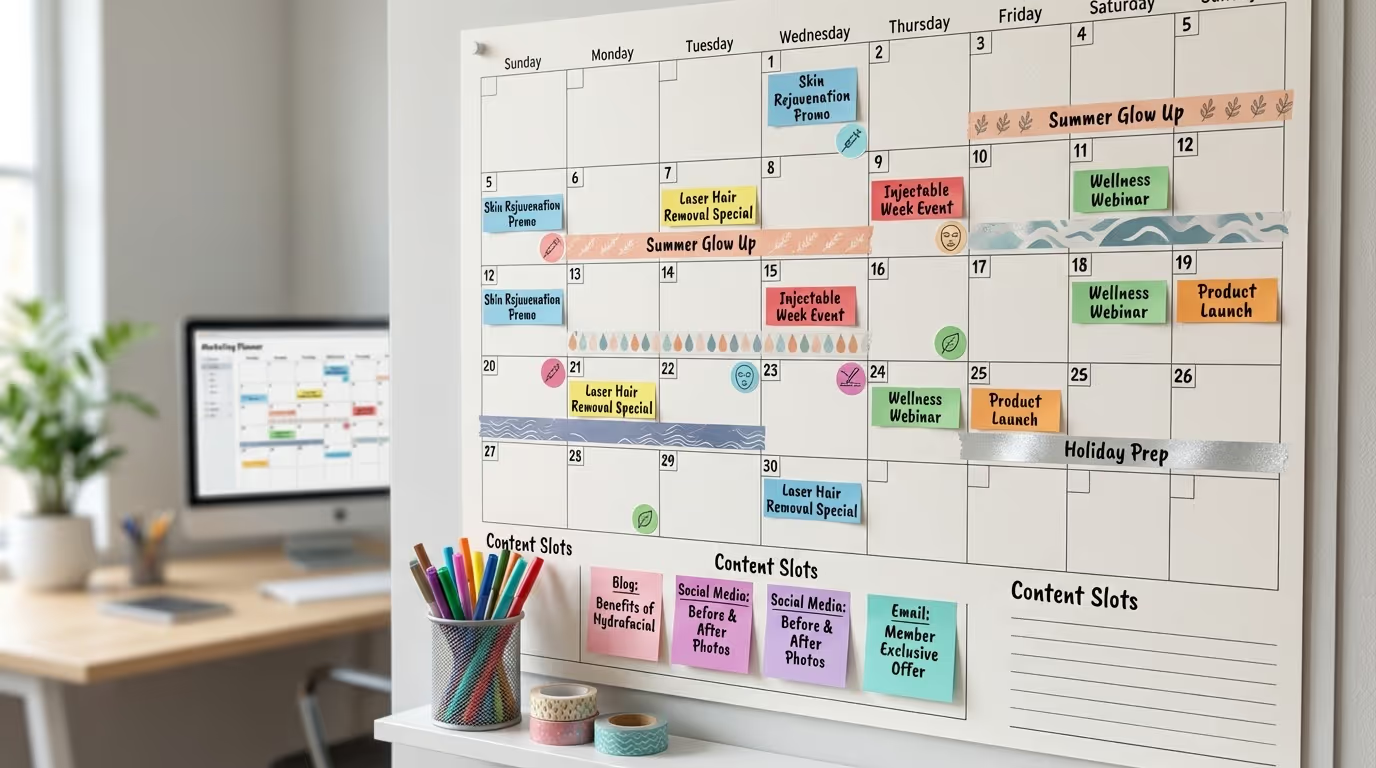
- [ ] Annual marketing calendar created. Map out major campaigns, seasonal promotions, content themes, and budget allocations for the full year. Align with treatment seasonality and business goals.
- [ ] Monthly planning meetings scheduled. 60-minute meeting on the last week of each month to review results, plan next month's campaigns, and adjust strategy based on data.
- [ ] Quarterly strategy reviews conducted. Deep dive into channel performance, budget allocation, competitive landscape, and strategic direction. Reallocate resources based on 90 days of data.
- [ ] Marketing plan documented and accessible. Your marketing strategy should be written down — not just in someone's head. Include goals, channels, budgets, KPIs, and responsibilities.
- [ ] Campaign briefs created for every major initiative. Before launching a promotion, event, or new service campaign, document: objective, target audience, channels, creative requirements, timeline, budget, and success metrics.
How to Use This Checklist
Do not try to do everything at once. Work through it in this order:
Phase 1 (Weeks 1-2): Audit. Go through every item and mark it as complete, partially complete, or not started. This gives you a baseline. Be honest — a partially complete item is not complete.
Phase 2 (Weeks 3-4): Fix the foundations. Address items in Sections 1 (Website) and 2 (SEO). These are the foundation everything else builds on. A beautiful ad campaign that sends traffic to a slow, confusing website is wasted money.
Phase 3 (Month 2): Activate revenue channels. Set up or optimize items in Sections 3 (Paid Ads) and 5 (Email/SMS). These generate the fastest revenue impact. Google Ads can produce leads within days. Email automation can generate revenue from your existing database within weeks.
Phase 4 (Month 3): Build the engine. Address Sections 4 (Social Media), 6 (Reputation), and 7 (Retention). These compound over time.
Phase 5 (Ongoing): Measure and improve. Section 8 (Analytics) items should be checked monthly. The checklist is not a one-time exercise — revisit it quarterly.
| Phase | Timeline | Focus Areas | Expected Impact |
|---|---|---|---|
| Audit | Weeks 1-2 | Score every item | Baseline established |
| Foundations | Weeks 3-4 | Website + SEO fixes | 15-25% conversion improvement |
| Revenue | Month 2 | Paid Ads + Email/SMS | First marketing-attributed patients |
| Engine | Month 3 | Social + Reputation + Retention | Compounding growth begins |
| Optimize | Ongoing | Analytics + monthly reviews | Continuous improvement cycle |
The Checklist Is Your Competitive Advantage
Here is the reality: most med spas are operating at 30-50% of this checklist. They have a website but it is slow. They run Google Ads but without conversion tracking. They have a patient database but never email it. They know they should be on TikTok but have not posted a single video.
Every unchecked box is revenue left on the table. And every box you check is one step ahead of competitors who are still guessing their way through marketing.
The practices that dominate their markets have not discovered some secret channel or magic tactic. They have done the work. Systematically. Consistently. Across every item on this list.
To understand what a full marketing strategy looks like and how all these pieces fit together, read our complete strategy guide. To see what common marketing mistakes to avoid as you work through this checklist, read our mistakes guide.
The difference between a practice that checks 40 boxes on this list and one that checks 70 is not talent. It is commitment. The checklist is the same for everyone. Execution is what separates winners from also-rans.
Want to see how your marketing stacks up against this checklist? Get Your Free Marketing Audit and we will score your current marketing across every section, identify your highest-impact gaps, and build a prioritized action plan to close them. No cost. No obligation. Just a clear roadmap from where you are to where your marketing should be.